
GPT Image 2AI 프롬프트
Remove Hair Artifacts & Align Character Design — AI Prompt
Achieve clean, accurate character images by removing stray hair artifacts and matching a reference sheet for consistent design.
1 / 4
프롬프트 · EN
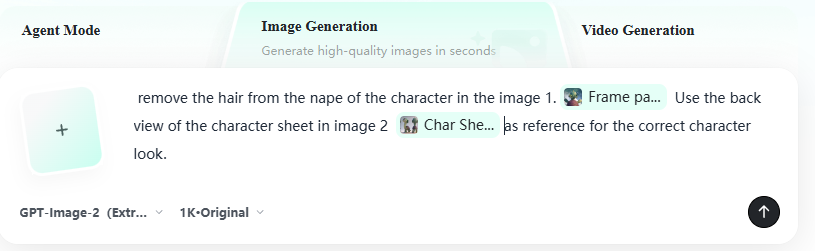
去除图像 1 中角色颈后的发丝。请参考图像 2 中角色设定图的背面视图,以确保角色外观准确。去除图像 1 中角色头部上方手部附近的一缕蓝色发丝。请参考图像 2 中角色设定图的背面视图,以确保角色外观准确。
프롬프트 소개
Achieve clean, accurate character images by removing stray hair artifacts and matching a reference sheet for consistent design. Use it as a 컨셉 아트 starting point for GPT Image 2: keep the visual structure and style constraints intact, then swap in your own subject, brand, or scene.
Start with small changes to subject, scene, camera, and color, then generate a few variations to compare composition and detail without turning the page copy into keyword stuffing.
이 프롬프트 사용법
- Copy the full prompt text.
- Paste it into an AI image editor that supports reference images (e.g., GPT Image).
- Upload your source image and the character reference sheet.
- Adjust any specifics if needed, then generate.
- Review and iterate for perfect alignment.


