
GPT Image 2AI 프롬프트
Social Media App UI Screenshot Generator — Sora 2 Prompt
Create realistic, mobile-optimized UI screenshots for any social platform, tailored to your chosen theme and device dimensions.
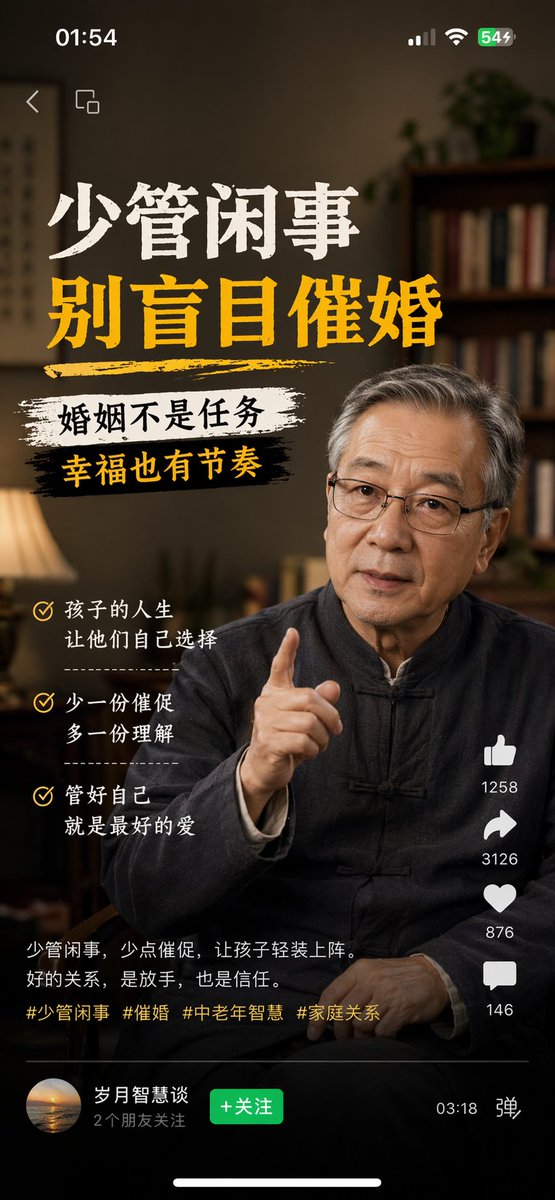
프롬프트 · EN
生成一张 argplatform: Channels 的内容截图,主题:argtheme: 中老年人不应盲目催婚,argdevice: iPhone 尺寸
프롬프트 소개
Create realistic, mobile-optimized UI screenshots for any social platform, tailored to your chosen theme and device dimensions. Use it as a 컨셉 아트 starting point for GPT Image 2: keep the visual structure and style constraints intact, then swap in your own subject, brand, or scene.
Start by replacing platform, theme, and device, then keep the camera, composition, and material cues in the same order. This makes the output easier to compare across variations.
이 프롬프트 사용법
- Copy the entire prompt template into your chosen AI model (e.g., Sora 2).
- Select or confirm the target social media platform (e.g., Channels, Douyin, Weibo).
- Customize the theme by replacing the placeholder with your specific content idea.
- Set the desired device model for accurate screen dimensions (e.g., iPhone 15 Pro, Pixel 8).
- Generate the image and refine the prompt if needed for better alignment or style.


