
Mobile Short Video App UI with Scenic Background — Sora 2 Prompt
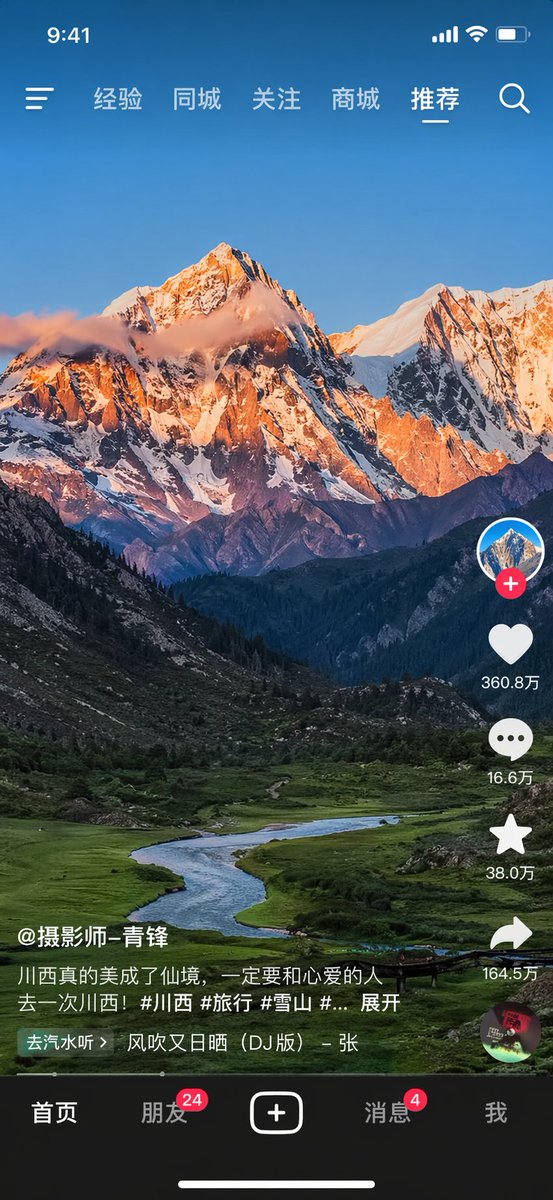
Generate a high-fidelity short video app screen with a customizable landscape background—perfect for UI mockups and creative inspiration.
프롬프트 소개
Generate a high-fidelity short video app screen with a customizable landscape background—perfect for UI mockups and creative inspiration. Use it as a 컨셉 아트 starting point for GPT Image 2: keep the visual structure and style constraints intact, then swap in your own subject, brand, or scene.
This prompt is organized as structured JSON with fields such as type, background image, and layout. Keeping that hierarchy helps the model separate the subject, layout, interface elements, and detail constraints.
Start with small changes to subject, scene, camera, and color, then generate a few variations to compare composition and detail without turning the page copy into keyword stuffing.
이 프롬프트 사용법
- Copy the prompt text from this page.
- Open your AI image generator (Sora 2, DALL-E, Midjourney, etc.).
- Paste the prompt and replace the bracket variables (e.g.,
{username},{like count}) with your desired values. - Optionally modify the
landscape subjectto describe your preferred background (e.g., beach, forest, cityscape). - Generate the image and refine if needed.


