
GPT Image 2AI 프롬프트
Apple-Style Minimalist Coach Poster — Sora 2 Prompt
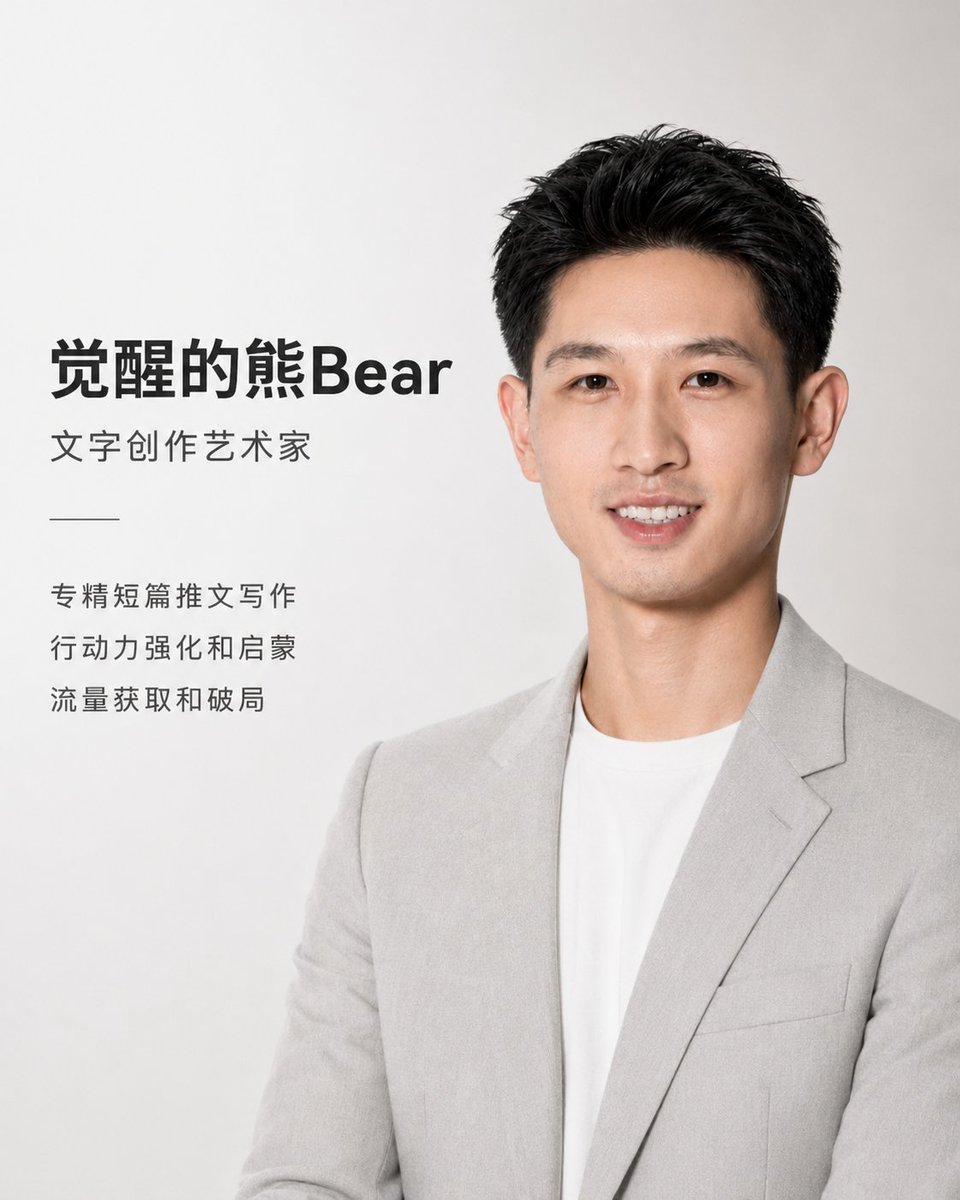
Creates a premium, minimalist promotional poster for a coach or professional, featuring clean studio photography, elegant Chinese typography, and a modern, high-end aesthetic.
프롬프트 · EN
使用上传的肖像作为参考,设计一张高端、极简、Apple 风格的中文教练宣传海报。整体视觉风格:现代、简洁、克制、高级且极简,类似于 Apple 产品发布海报的视觉语言。布局应留有充足的负空间,采用柔和光影、浅灰白色背景以及精致的排版。无需 Apple Logo,无需冗余装饰,无需复杂背景。人物呈现:保留人物真实的五官特征与气质,使其看起来专业、亲和且自信。着装应为浅灰色西装外套搭配白色圆领衫/白衬衫,保持干净的摄影棚质感。将人物置于画面右侧或中右侧,采用半身构图,自然柔光,面部清晰,背景为白至浅灰的渐变色。布局:文字在左,肖像在右。使用现代无衬线中文字体,颜色为黑色或深灰色,层级分明且留有呼吸感。主标题最大,副标题中等,技能描述较小,整体对齐以营造高级品牌感。海报文字:主标题:argname: Bear Awakening,副标题:argtitle: 文字创作艺术家,技能:argabilities: 擅长短文创作、行动赋能、流量获取。设计规格:竖版海报,4:5 比例。配色方案:白色、浅灰色、深灰色、黑色。避免使用艳丽色彩、卡通风格、夸张姿势或杂乱元素。
프롬프트 소개
Creates a premium, minimalist promotional poster for a coach or professional, featuring clean studio photography, elegant Chinese typography, and a modern, high-end aesthetic. Use it as a 컨셉 아트 starting point for GPT Image 2: keep the visual structure and style constraints intact, then swap in your own subject, brand, or scene.
Start by replacing name, title, and abilities, then keep the camera, composition, and material cues in the same order. This makes the output easier to compare across variations.
이 프롬프트 사용법
- Copy the full prompt text, including the variables in curly braces.
- Paste it into your chosen AI image generator that supports Sora 2 or similar models.
- Customize the variables: replace
{name}with the coach's name,{title}with their professional title, and{abilities}with their key skills. - Ensure your selected model is configured to output a 4:5 aspect ratio image.
- Generate the image and review. You can re-run or slightly adjust the prompt wording for different lighting or poses.


