
GPT Image 2AI 프롬프트
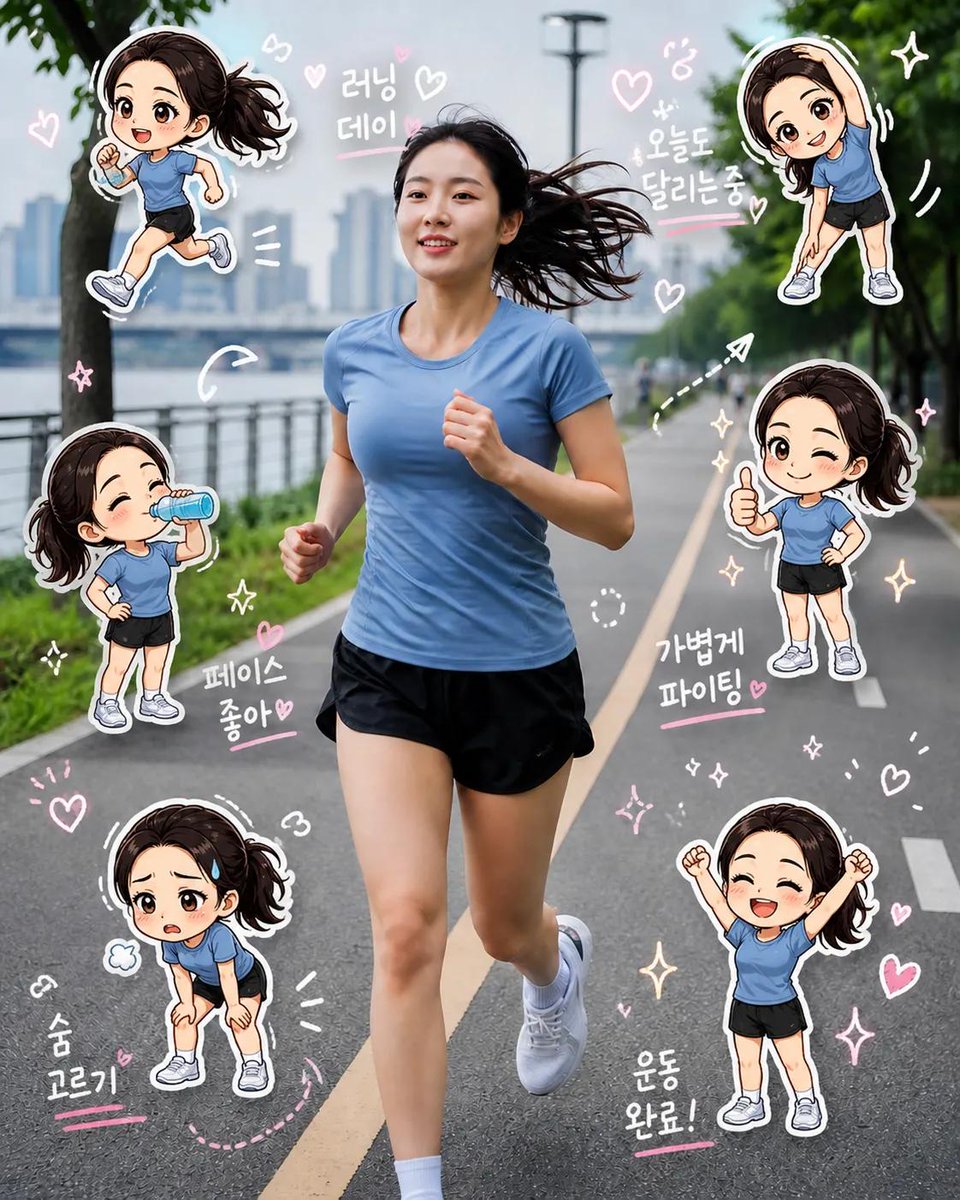
Chibi Clone Sticker Diary — Real Photo to Kawaii Scrapbook
Transform any real photo into a playful scrapbook diary with mini kawaii sticker clones of the subject, doodles, and handwritten notes.
1 / 2
프롬프트 · EN
Create a high-quality “argstyle: chibi clone sticker diary photo” based on the uploaded real-life image. Preserve the original person’s identity, face, hairstyle, hair color, outfit, body proportions, pose, lighting, and background. Do not alter facial features or turn the subject into a full illustration—maintain a realistic photo look. Analyze the scene as a argtheme: fitness/running lifestyle moment. Add 5–8 chibi mini clones of the same person around the subject, designed in a consistent kawaii sticker style (big head, small body, large expressive eyes, clean digital finish). Each clone must clearly resemble the real person (same hair, outfit, colors). Design each chibi with different theme-related actions and emotions. Render each chibi as a sticker with white outlines, soft shadows, and a slightly floating effect. Arrange them around the subject and edges without covering the face or main body. Add light hand-drawn doodles in white with argaccent color: subtle pink accents, keeping a clean scrapbook diary feel. Include 5–8 short handwritten-style phrases matching the mood. Composition: keep the real person as the central focus, surrounded by chibi stickers and doodles. The result should feel like a polished, playful, high-resolution social media lifestyle diary image.
프롬프트 소개
Transform any real photo into a playful scrapbook diary with mini kawaii sticker clones of the subject, doodles, and handwritten notes. Use it as a 컨셉 아트 starting point for GPT Image 2: keep the visual structure and style constraints intact, then swap in your own subject, brand, or scene.
Start by replacing style, theme, and accent color, then keep the camera, composition, and material cues in the same order. This makes the output easier to compare across variations.
이 프롬프트 사용법
- Copy the prompt text and paste it into Sora 2 or your preferred AI image generator.
- Upload a clear, high-resolution photo of the subject you want to transform.
- Adjust the
{style},{theme}, and{accent color}variables to match your desired look and mood (e.g., change 'fitness' to 'travel'). - Generate the image and review the output for chibi clone placement and overall composition.
- Use the final image for social media posts, personal diaries, or fun digital stickers.


