
Cinematic Paris Night — Bugatti & Eiffel Tower Sora 2 Prompt
Generate stunning cinematic fashion photography featuring a custom face reference against Paris at night with dramatic lighting and a Bugatti Chiron.
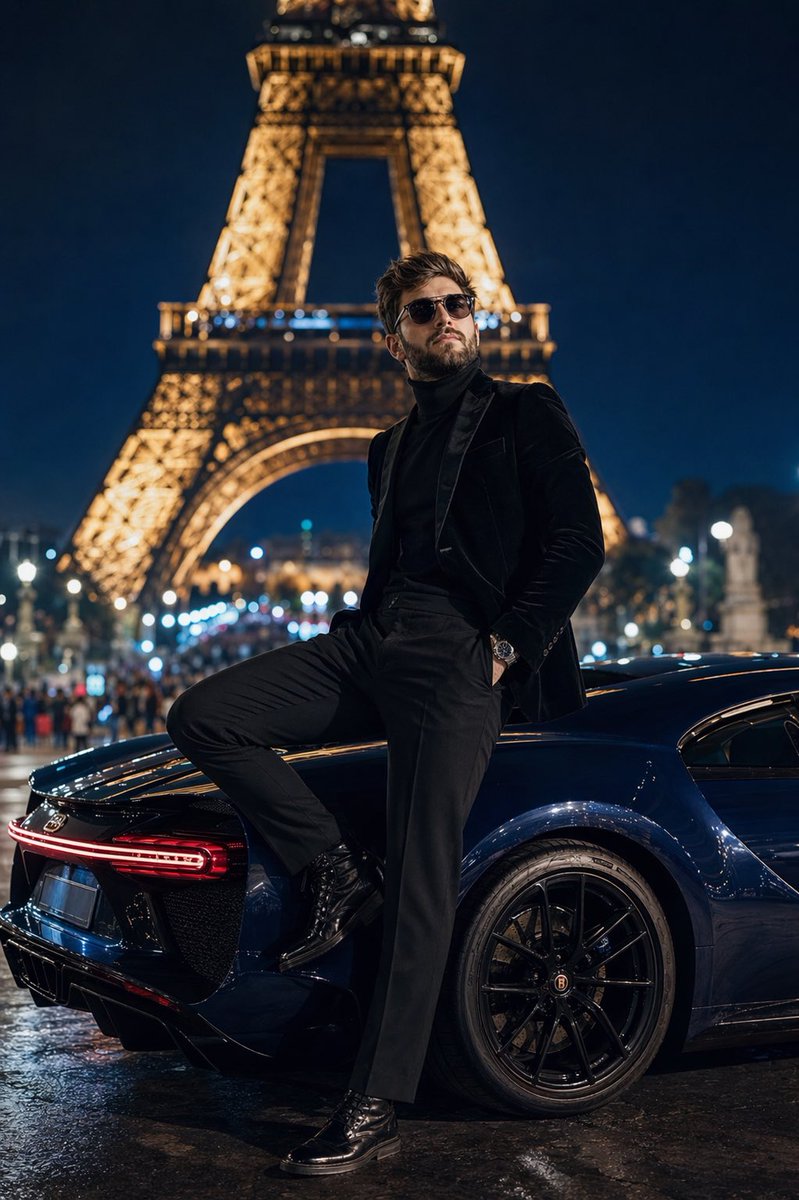
Dramatic, low-angle ground perspective full-body shot captured with a 50mm lens at f/1.4, featuring the specific arguploaded face reference: uploaded face reference (neat beard, slicked-back hair, wearing stylish aviator glasses, tailored high-fashion modern clothing) standing on the platform of arglocation: Trocadéro at night. He is dressed in a argoutfit: structured black velvet blazer over a black cashmere roll-neck sweater, tailored black trousers, and polished black boots, looking up intently at the fully illuminated Eiffel Tower, which dominates the background. Directly behind him is a deep sapphire blue Bugatti Chiron, reflecting the surrounding city lights. His foot is planted on the rear tire, with his body leaning casually back. The composition uses a shallow depth of field, rendering the distant Parisian street lights and crowd into a creamy bokeh. Spotlighting from city lamps creates dramatic, high-contrast shadows. 8k resolution, photorealistic, cinematic high-fashion editorial aesthetic.
프롬프트 소개
Generate stunning cinematic fashion photography featuring a custom face reference against Paris at night with dramatic lighting and a Bugatti Chiron. Use it as a 컨셉 아트 starting point for GPT Image 2: keep the visual structure and style constraints intact, then swap in your own subject, brand, or scene.
Common directions include gptimage2api prompts, gptimage2api, and zh. Treat these tags as creative cues; the prompt structure and preview image are the more useful guide.
Start by replacing uploaded face reference, location, and outfit, then keep the camera, composition, and material cues in the same order. This makes the output easier to compare across variations.
이 프롬프트 사용법
- Copy the full prompt from the page. 2. Replace the face reference with your own uploaded image or description. 3. Customize the location and outfit variables to match your vision. 4. Paste into Sora 2 or your preferred AI video/image generator. 5. Generate and refine by adjusting lighting or camera angle details as needed.


