
Cinematic Perfume Ad in Flooded Ruins — Sora 2 Prompt
Generate a luxury perfume product photo with ethereal, golden-lit classical ruins, customizable brand text, and atmospheric reflections.
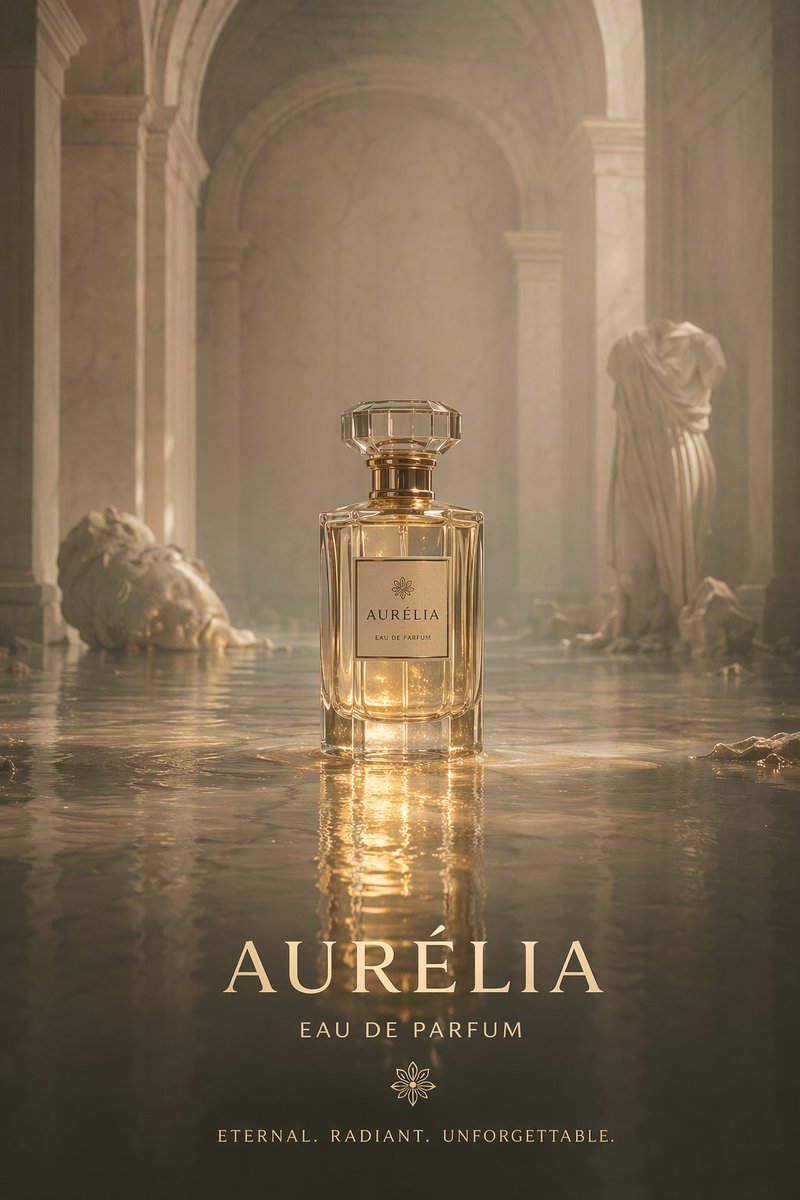
A cinematic product photography shot of an elegant, rectangular glass perfume bottle with a faceted crystal cap and gold accents, sitting in the center of a shallowly flooded ancient stone temple corridor. The bottle features a minimalist square label with a delicate flower logo and the text argbrand name: AURÉLIA above "EAU DE PARFUM". The setting is ethereal and hazy, bathed in warm, golden volumetric lighting that creates glowing reflections on the rippled water surface. In the background, classical ruins emerge from the water: a fallen stone head on the left and a headless draped statue on the right. At the bottom of the image, elegant typography overlays the scene, featuring the large serif text argbrand name: AURÉLIA, followed by "EAU DE PARFUM", a matching flower logo, and the tagline argtagline: ETERNAL. RADIANT. UNFORGETTABLE. in a clean, spaced-out font.
프롬프트 소개
Generate a luxury perfume product photo with ethereal, golden-lit classical ruins, customizable brand text, and atmospheric reflections. Use it as a 컨셉 아트 starting point for GPT Image 2: keep the visual structure and style constraints intact, then swap in your own subject, brand, or scene.
Common directions include gptimage2api prompts, gptimage2api, and en. Treat these tags as creative cues; the prompt structure and preview image are the more useful guide.
Start by replacing brand name and tagline, then keep the camera, composition, and material cues in the same order. This makes the output easier to compare across variations.
이 프롬프트 사용법
- Copy the entire prompt from sora2hub.com. 2. Paste it into your chosen AI video/image generator (e.g., Sora 2). 3. Edit the
{brand name}and{tagline}variables to match your product. 4. Adjust the scene's mood or details in the prompt text if desired. 5. Generate the image and refine as needed.


