
Cinematic Blind Shadow Portrait — Sora 2 Prompt
Create a photorealistic, moody portrait with dramatic venetian blind light stripes and customizable hair, clothing, and expression.
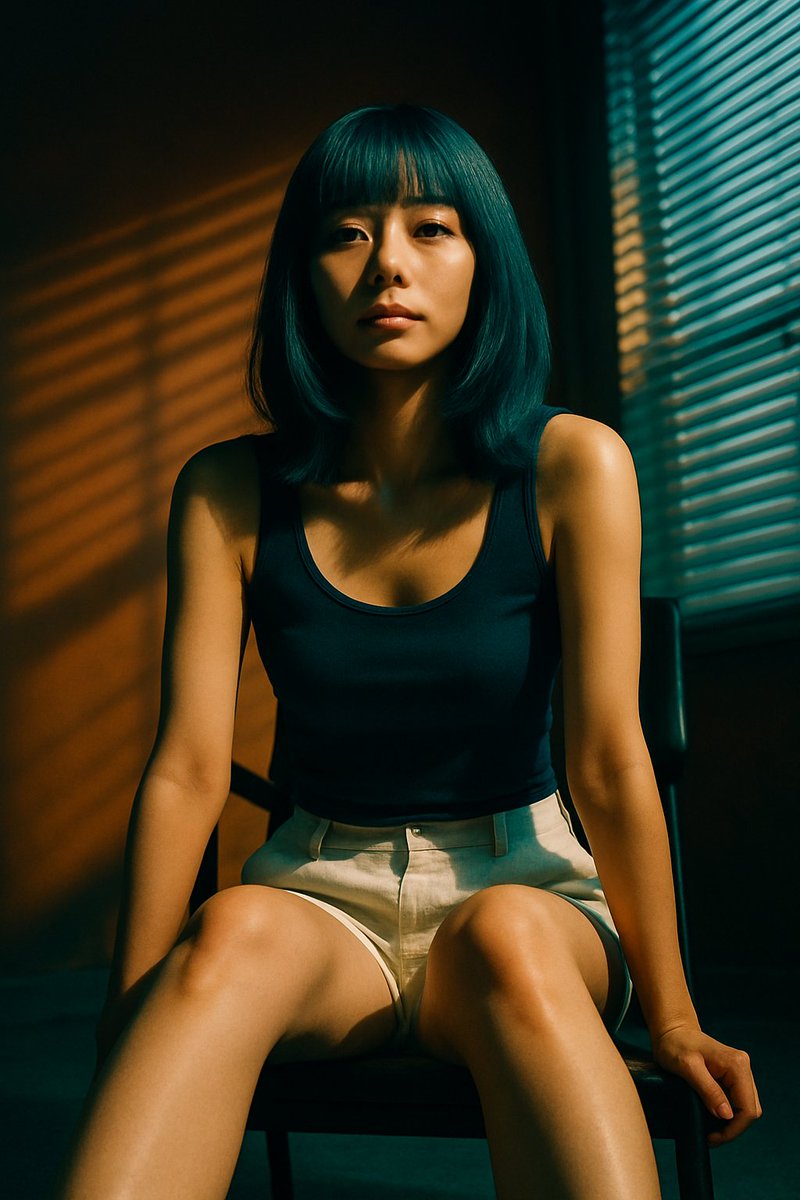
A photorealistic, cinematic portrait of a young East Asian woman sitting on a dark chair. She has shoulder-length bob hair with straight bangs colored arghair color: teal. She is wearing a argtop clothing: navy blue tank top and argbottom clothing: light beige linen shorts. She is leaning slightly forward with her hands resting near her knees, looking directly at the camera with a argexpression: neutral, calm expression. The scene features arglighting style: dramatic shadows from venetian blinds, casting distinct horizontal stripes of warm, golden light across her face, body, and the plain warm-toned wall behind her. A window with closed blinds is visible on the right side of the frame. High contrast, moody atmosphere, highly detailed.
프롬프트 소개
Create a photorealistic, moody portrait with dramatic venetian blind light stripes and customizable hair, clothing, and expression. Use it as a 컨셉 아트 starting point for GPT Image 2: keep the visual structure and style constraints intact, then swap in your own subject, brand, or scene.
Common directions include gptimage2api prompts, gptimage2api, and en. Treat these tags as creative cues; the prompt structure and preview image are the more useful guide.
Start by replacing hair color, top clothing, bottom clothing, and expression, then keep the camera, composition, and material cues in the same order. This makes the output easier to compare across variations.
이 프롬프트 사용법
- Copy the entire prompt text from the page.
- Open your preferred AI image or video generator (e.g., Sora 2, Runway, Pika).
- Replace the default variables (hair color, top clothing, bottom clothing, expression, lighting style) with your desired values or leave the defaults.
- Paste the customized prompt into the model's input field.
- Generate the image and refine by adjusting variables until you achieve the desired mood and look.


