
GPT Image 2AI 프롬프트
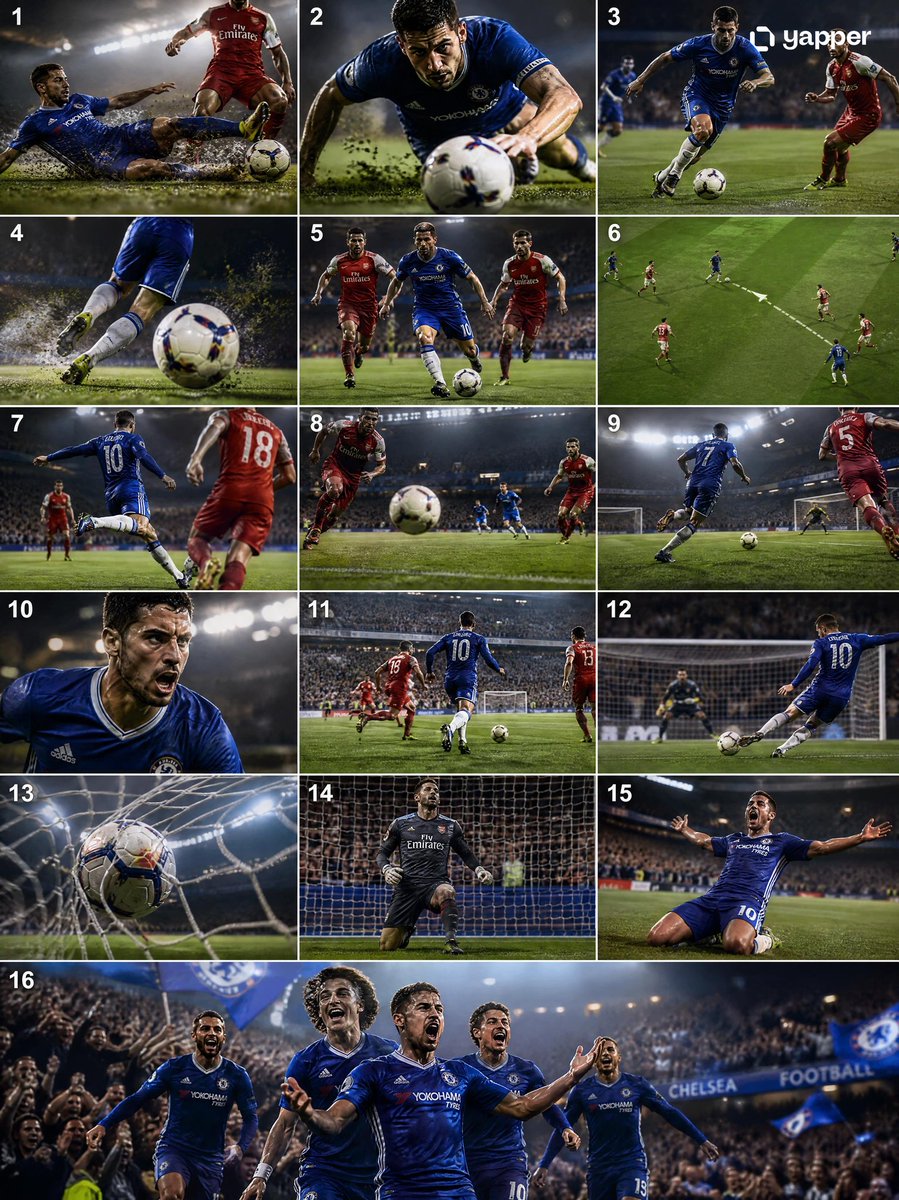
Cinematic Soccer Goal Storyboard — Tackle to Celebration
Generate a professional 4K sports broadcast sequence: dynamic tackles, fast counterattacks, and dramatic goal celebrations with cinematic camera work.
프롬프트 · EN
Create a high-quality 4K cinematic argsport: football (soccer) storyboard showing a full sequence from argstart action: tackle to argend action: goal, using dynamic lighting, dramatic stadium atmosphere, and professional sports broadcast style. The scene begins with an intense midfield moment where a defender performs a strong sliding tackle, grass and dirt particles flying in slow motion as the ball is cleanly won. Transition immediately into a fast counterattack: the player recovers, pushes the ball forward, and accelerates past opponents with quick footwork. Show close-ups of boots striking the ball, sweat, and focused expressions, mixed with wide shots of the field opening up. Add a key pass moment where the ball is threaded through defenders, followed by a sprint toward goal with the crowd rising in anticipation. Build tension with a slow-motion approach to the penalty box, then a powerful shot on goal—either a clean strike or a curled finish. Show the ball hitting the net with dramatic impact, net rippling, and goalkeeper reaction. End with an emotional celebration: the scorer running, sliding, or raising arms as teammates join, stadium lights glowing and crowd erupting. Use varied camera angles (wide, tracking, close-up, POV, slow motion), strong motion blur, and realistic physics (ball spin, turf impact).
프롬프트 소개
Generate a professional 4K sports broadcast sequence: dynamic tackles, fast counterattacks, and dramatic goal celebrations with cinematic camera work. Use it as a 컨셉 아트 starting point for GPT Image 2: keep the visual structure and style constraints intact, then swap in your own subject, brand, or scene.
Start by replacing sport, start action, and end action, then keep the camera, composition, and material cues in the same order. This makes the output easier to compare across variations.
이 프롬프트 사용법
- Copy the full prompt from this page.
- Choose a high-capability video generation model (e.g., Sora 2, Kling, or Runway Gen-3).
- Replace the default sport, start action, and end action values with your preferred scenario if desired.
- Paste the customized prompt into the model's text-to-video interface.
- Generate and review the output; adjust lighting or camera angle keywords for refinements.


