
GPT Image 2AI 프롬프트
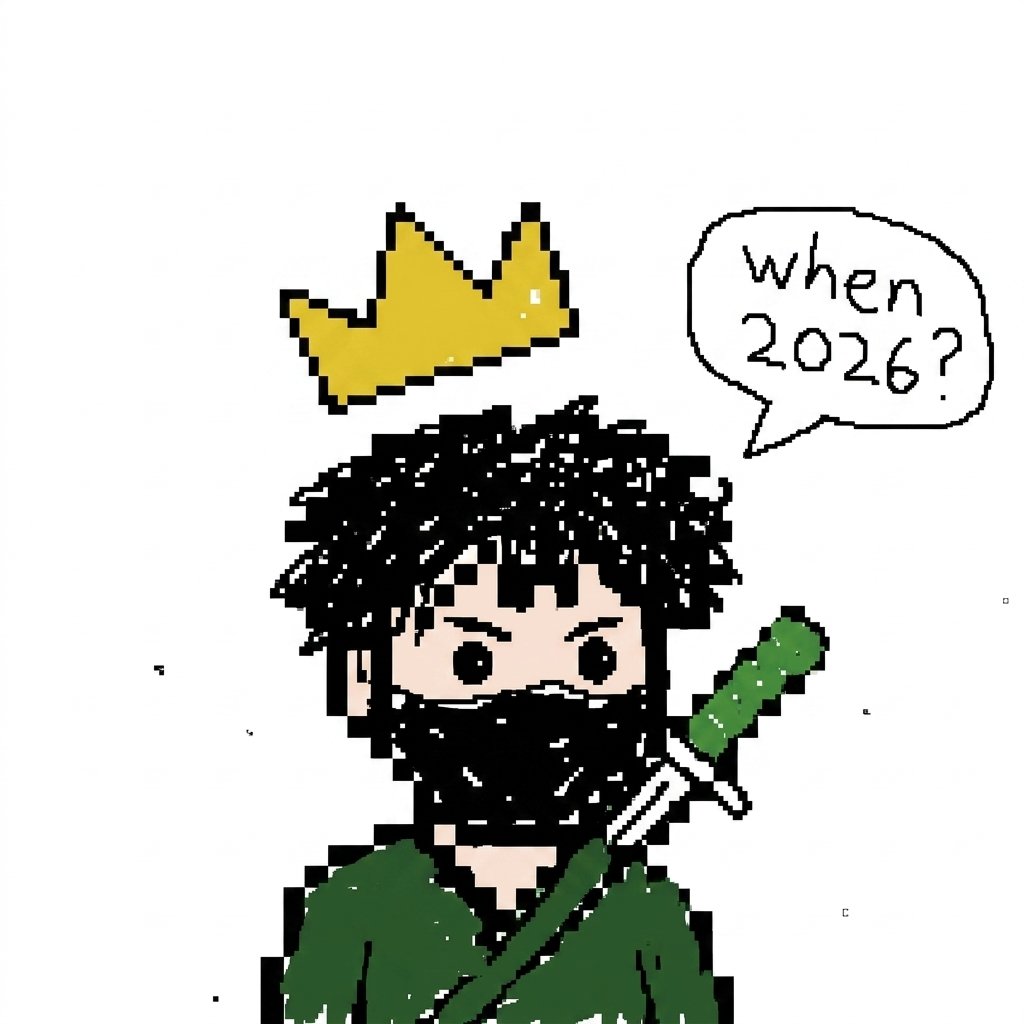
Crowned Pixel Ninja Meme Prompt — Viral Chibi Art
Generates a cute, rough-edged pixel-art ninja with a floating crown and customizable speech bubble for quick, viral meme-style posts.
프롬프트 · EN
Create a simple low-resolution pixel art illustration on a plain white background, centered on a chibi-style ninja or masked warrior with messy black spiky hair, round black eyes, pale skin, and a black face covering. The character wears a dark green robe or cloak and carries a katana diagonally across the back, with a green handle and white guard visible over the right shoulder. Above the character floats a chunky yellow pixel crown with black outline and tiny white shine marks, tilted slightly. To the upper right, add a hand-drawn comic speech bubble outlined in black containing the text argspeech bubble text: When 2026? in uneven handwritten black lettering. Use a deliberately rough, viral meme-like aesthetic with thick black pixel outlines, jagged edges, scattered tiny black specks, minimal shading, and a cropped square composition where the lower body is cut off at the bottom. The character should feel cute but mysterious, like a crowned pixel ninja asking a question.
프롬프트 소개
Generates a cute, rough-edged pixel-art ninja with a floating crown and customizable speech bubble for quick, viral meme-style posts. Use it as a 컨셉 아트 starting point for GPT Image 2: keep the visual structure and style constraints intact, then swap in your own subject, brand, or scene.
Start by replacing speech bubble text, then keep the camera, composition, and material cues in the same order. This makes the output easier to compare across variations.
이 프롬프트 사용법
- Copy the entire prompt text above.
- Paste it into your preferred AI image generator (like Sora 2, DALL·E 3, or Midjourney).
- Change the "speech bubble text" variable to your custom question or joke.
- Adjust the default "When 2026?" text for your meme's context.
- Generate the image and use the square crop for social media posts.


