
Photorealistic Portrait with Marmot — Sora 2 Prompt
Generate a high-quality, warm portrait of a person and a fluffy animal in a scenic garden, perfect for unique, personalized artwork.
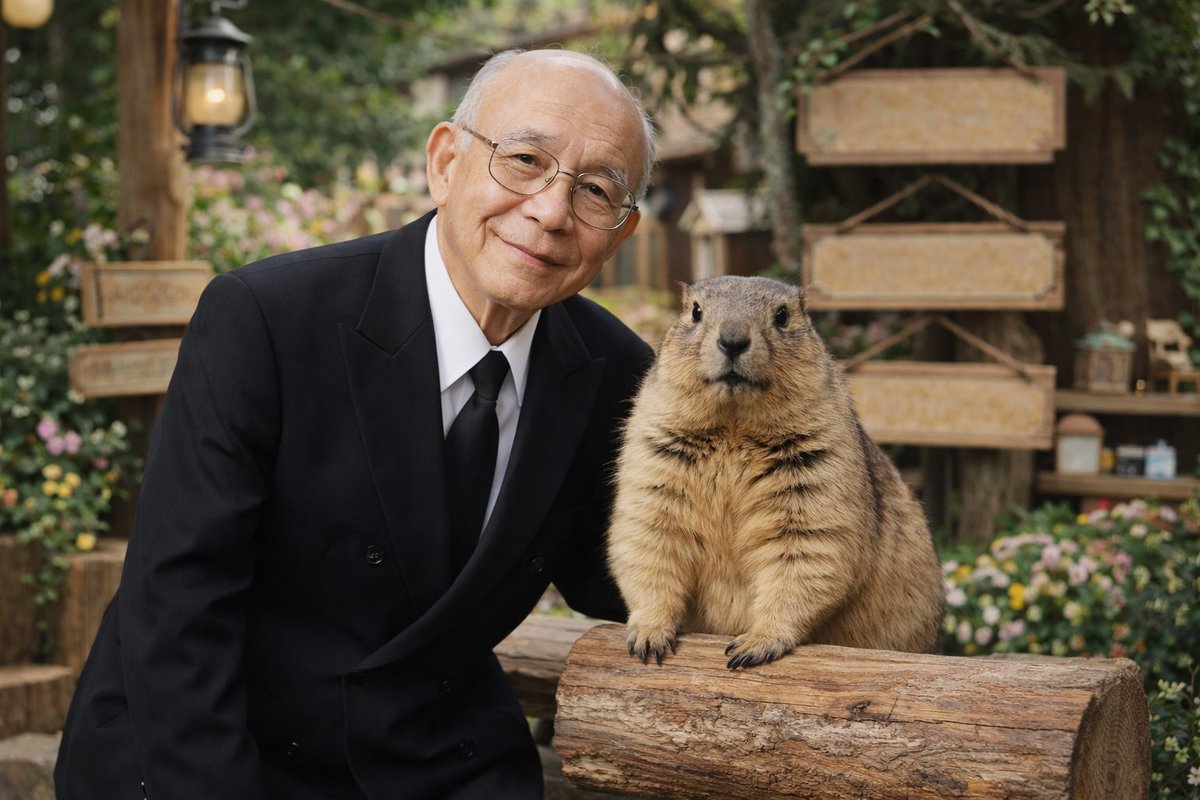
A photorealistic portrait of an argman description: elderly Asian man with thin wire-rimmed glasses wearing a argman attire: black double-breasted suit with a white shirt and black tie. He has a gentle, warm smile and is standing closely next to a arganimal: large fluffy marmot. The animal is standing upright, resting its front paws on a textured wooden log. The background features a argsetting: rustic outdoor garden with blank wooden signs, a vintage lantern on a post, lush greenery, and small colorful flowers. The image features {argument name="lighting and style" default="soft natural lighting, high-quality photographic details, and a shallow depth of field creating a smooth bokeh effect in the background"}.
프롬프트 소개
Generate a high-quality, warm portrait of a person and a fluffy animal in a scenic garden, perfect for unique, personalized artwork. Use it as a 컨셉 아트 starting point for GPT Image 2: keep the visual structure and style constraints intact, then swap in your own subject, brand, or scene.
Common directions include gptimage2api prompts, gptimage2api, and en. Treat these tags as creative cues; the prompt structure and preview image are the more useful guide.
Start by replacing man description, man attire, animal, and setting, then keep the camera, composition, and material cues in the same order. This makes the output easier to compare across variations.
이 프롬프트 사용법
- Copy the entire prompt text from the field below.
- Open your preferred AI image generation model (like Sora 2, DALL-E 3, or Midjourney).
- Paste the prompt. You can customize the
{argument}variables (e.g., change 'elderly Asian man' to 'young woman') to suit your vision. - Adjust any model-specific settings like style or aspect ratio if desired.
- Generate the image and review the photorealistic result.


