
Moody Emoji-Faced Figure in Wet Alley — Sora 2 Prompt
Creates a high-contrast digital illustration of a person with a smiling emoji face in a rainy, lamp-lit alleyway, featuring Shin-Hanga art influences.
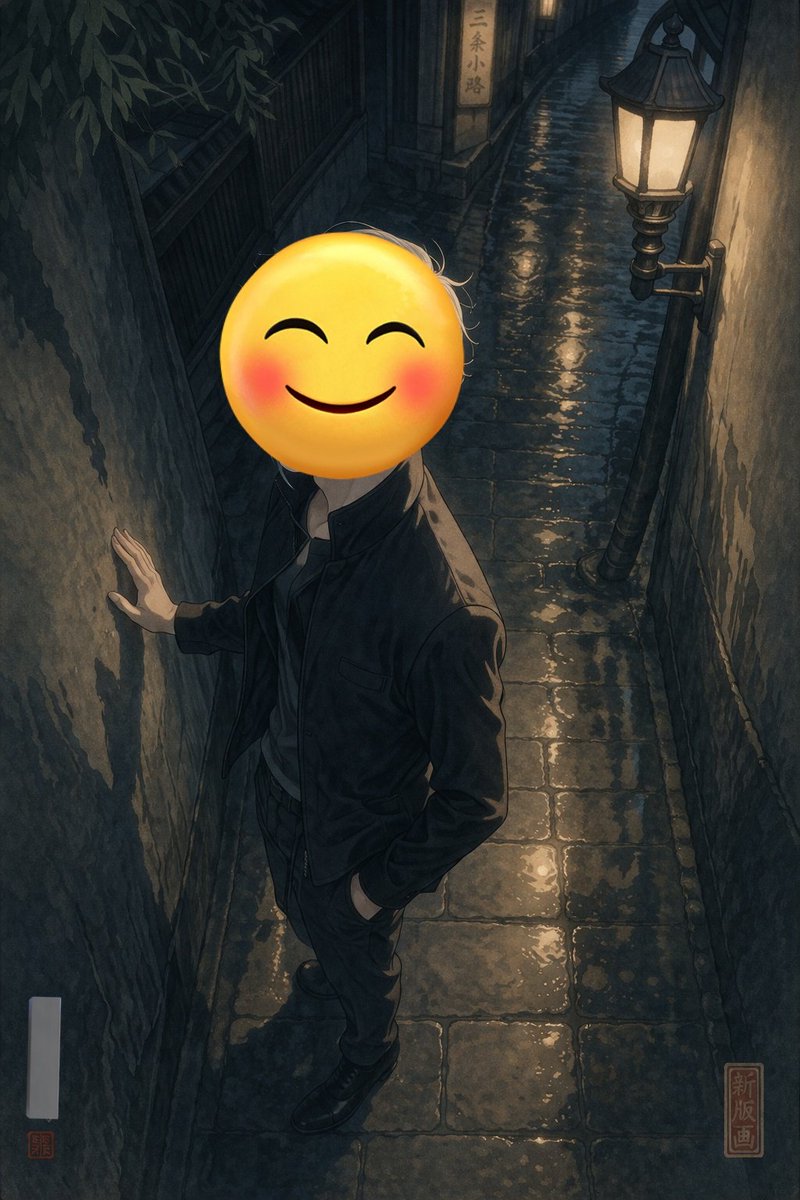
A full-body portrait of a person standing in a argsetting: narrow wet cobblestone alleyway at night. The person is wearing a argclothing: dark jacket and dark trousers, with one hand resting against the rough, textured wall on the left and the other hand casually tucked into their pocket. Their face is completely obscured by a argface replacement: large yellow smiling emoji with blushing cheeks. The scene is illuminated by a single vintage street lamp mounted on the right wall, casting warm yellow light that reflects beautifully off the wet paving stones, creating deep, moody shadows. In the background, a small illuminated sign reads "argbackground sign text: 三条小路". The artwork is a argart style: modern digital illustration with high contrast lighting and subtle shin-hanga influences, featuring a red square seal in the bottom right corner with the text "新版画" and a blank white vertical signature box with a tiny red seal in the bottom left.
프롬프트 소개
Creates a high-contrast digital illustration of a person with a smiling emoji face in a rainy, lamp-lit alleyway, featuring Shin-Hanga art influences. Use it as a 컨셉 아트 starting point for GPT Image 2: keep the visual structure and style constraints intact, then swap in your own subject, brand, or scene.
Common directions include gptimage2api prompts, gptimage2api, and en. Treat these tags as creative cues; the prompt structure and preview image are the more useful guide.
Start by replacing setting, clothing, face replacement, and background sign text, then keep the camera, composition, and material cues in the same order. This makes the output easier to compare across variations.
이 프롬프트 사용법
- Copy the prompt text from the page.
- Paste it into your preferred AI image generator (e.g., Sora 2, Midjourney).
- Edit the variables in curly braces
{}likesettingorface replacementto customize the scene. - Generate the image and refine the prompt for different lighting or styles.


