
GPT Image 2AI 프롬프트
Cinematic Rainy Night Japan Street — Noir Portrait Prompt
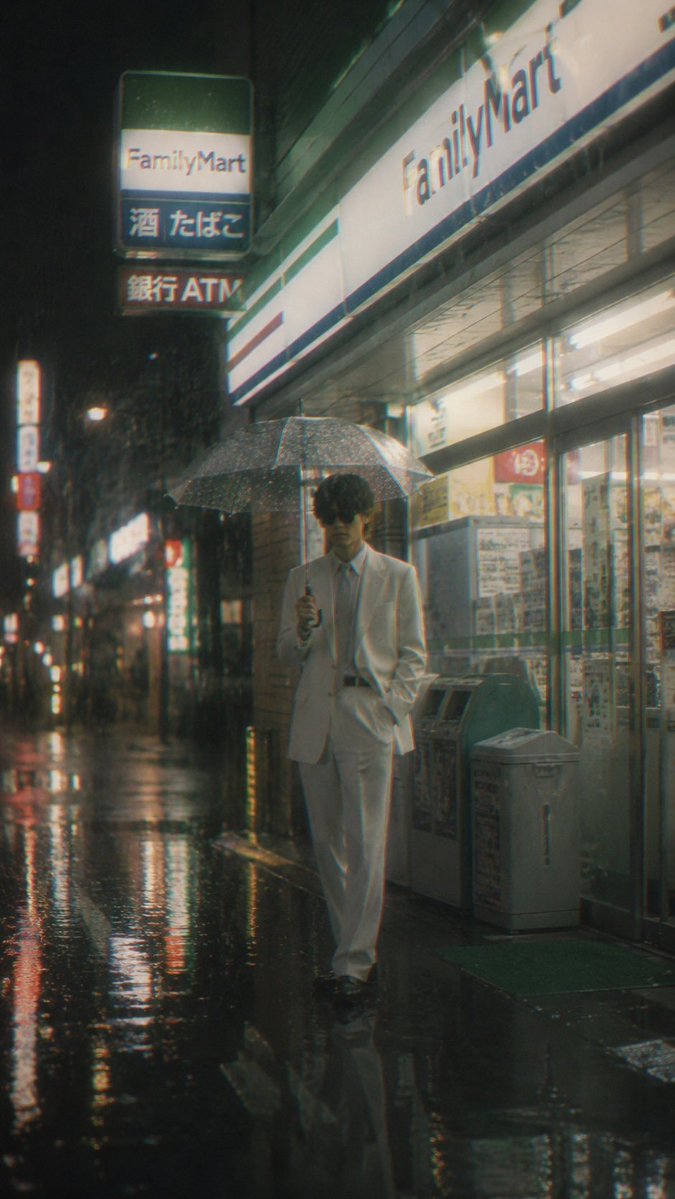
Generate a moody, film-grain portrait of a blurred figure walking past a neon-lit FamilyMart in pouring rain, perfect for urban photography projects.
프롬프트 · EN
创作一张竖构图的电影感雨夜日本街道照片,展示一位 argmain subject: 身穿白色西装、面部模糊的年轻人 在灯火通明的 argstore name: FamilyMart 便利店外缓慢行走。他一手撑着透明雨伞,另一只手插在裤兜里,身着白色西装外套、白色西裤、白衬衫、浅色领带和深色皮鞋;他的面部特意模糊或遮挡以保持匿名感。场景从人行道视角拍摄,采用轻微广角,湿漉漉的黑色路面占据前景,反射着霓虹灯、店招和路灯的光影。店面位于画面右侧,可见玻璃门、海报、垃圾桶、自动售货机或 ATM 机以及绿色入店地垫;巨大的门头招牌写着“FamilyMart”。左上方包含一个悬挂式发光招牌,由 3 个堆叠的面板组成,分别标有“FamilyMart”、“酒 たばこ”和“銀行ATM”。左侧延伸出一排模糊的发光店招和路灯,以增加深度。采用忧郁的新黑色电影氛围,大雨滂沱,雨伞上有清晰的雨滴,地面光泽反射,柔和的雾气,模拟胶片颗粒感,轻微的色差,柔和的青绿色与温暖的荧光色调,浅景深,写实摄影,35mm 胶片质感,细微的动态模糊,高对比度,竖向 9:16 构图。
프롬프트 소개
Generate a moody, film-grain portrait of a blurred figure walking past a neon-lit FamilyMart in pouring rain, perfect for urban photography projects. Use it as a 컨셉 아트 starting point for GPT Image 2: keep the visual structure and style constraints intact, then swap in your own subject, brand, or scene.
Start by replacing main subject and store name, then keep the camera, composition, and material cues in the same order. This makes the output easier to compare across variations.
이 프롬프트 사용법
- Copy the full prompt text, including the
{{main subject}}and{{store name}}placeholders. - Select a capable AI image generator like Sora, Midjourney, or Stable Diffusion.
- Customize the subject and store name variables to change the character or location.
- Paste the prompt and generate your image, adjusting aspect ratio to 9:16 if needed.
- Refine with further edits for personal style or specific details.


