
Urban Fashion Editorial with Cartoon Fusion — Sora 2 Prompt
Create a surreal mixed-media fashion editorial blending hyper-realistic portraiture with vibrant cartoon characters, graphic overlays, and HDR urban lighting.
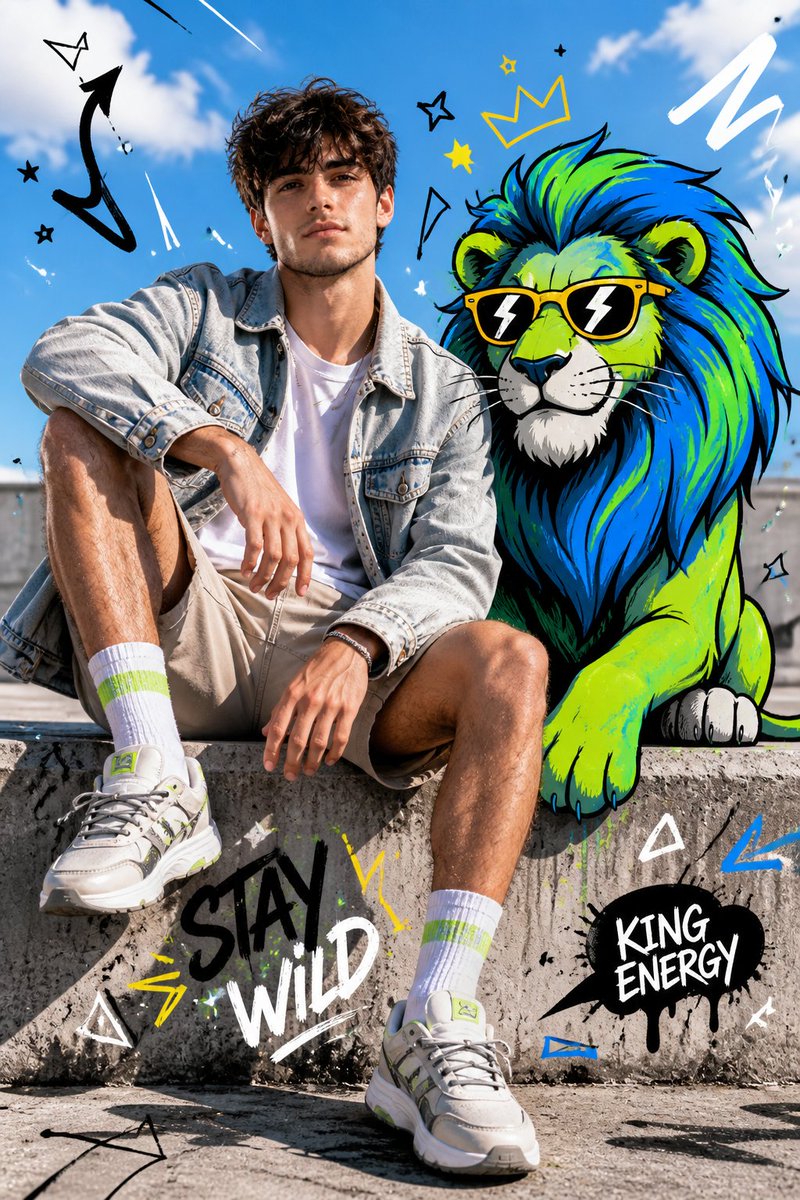
Full-body fashion editorial shot of a confident young person model sitting casually on a concrete ledge, legs slightly apart, one arm resting on knee, the other relaxed, looking straight at camera with a calm dominant expression. Wearing a light denim jacket over a plain white t-shirt, neutral shorts, bright socks, and modern sneakers. Clean styling, natural pose, wind slightly moving hair and fabric.
Beside and partially interacting with a stylized cartoon arganimal: lion, positioned naturally as if sharing the same space. The arganimal: lion is illustrated in bold cartoon style with thick black outlines, vibrant neon color palette (blue, green, yellow accents), exaggerated proportions, expressive features, playful yet powerful presence.
Bg: bright outdoor urban setting with clear blue sky, soft clouds, sunlit concrete textures, strong natural daylight, crisp shadows. Fusion of hyper-realistic photography and graphic illustration, seamless integration between subject and cartoon. Add graphic overlay elements: doodle arrows, scribbles, abstract shapes, comic-style symbols, dynamic motion lines. High contrast, HDR lighting, sharp focus, fashion editorial composition, surreal mixed-media aesthetic, ultra-detailed.
프롬프트 소개
Create a surreal mixed-media fashion editorial blending hyper-realistic portraiture with vibrant cartoon characters, graphic overlays, and HDR urban lighting. Use it as a 컨셉 아트 starting point for GPT Image 2: keep the visual structure and style constraints intact, then swap in your own subject, brand, or scene.
Common directions include gptimage2api prompts, gptimage2api, and ja. Treat these tags as creative cues; the prompt structure and preview image are the more useful guide.
Start by replacing animal, then keep the camera, composition, and material cues in the same order. This makes the output easier to compare across variations.
이 프롬프트 사용법
- Copy the full prompt text and paste it into your Sora 2 or compatible AI video/image generation tool.
- Replace the
{animal}variable with any cartoon creature you prefer (e.g., dragon, bear, fox) or leave the default lion. - Adjust the clothing, color palette, or background details to match your creative vision.
- Generate the output and experiment with multiple renders to explore variations in pose, lighting, and cartoon placement.


