
GPT Image 2AI 프롬프트
Gothic Fallen Angel Queen — Sora 2 Prompt
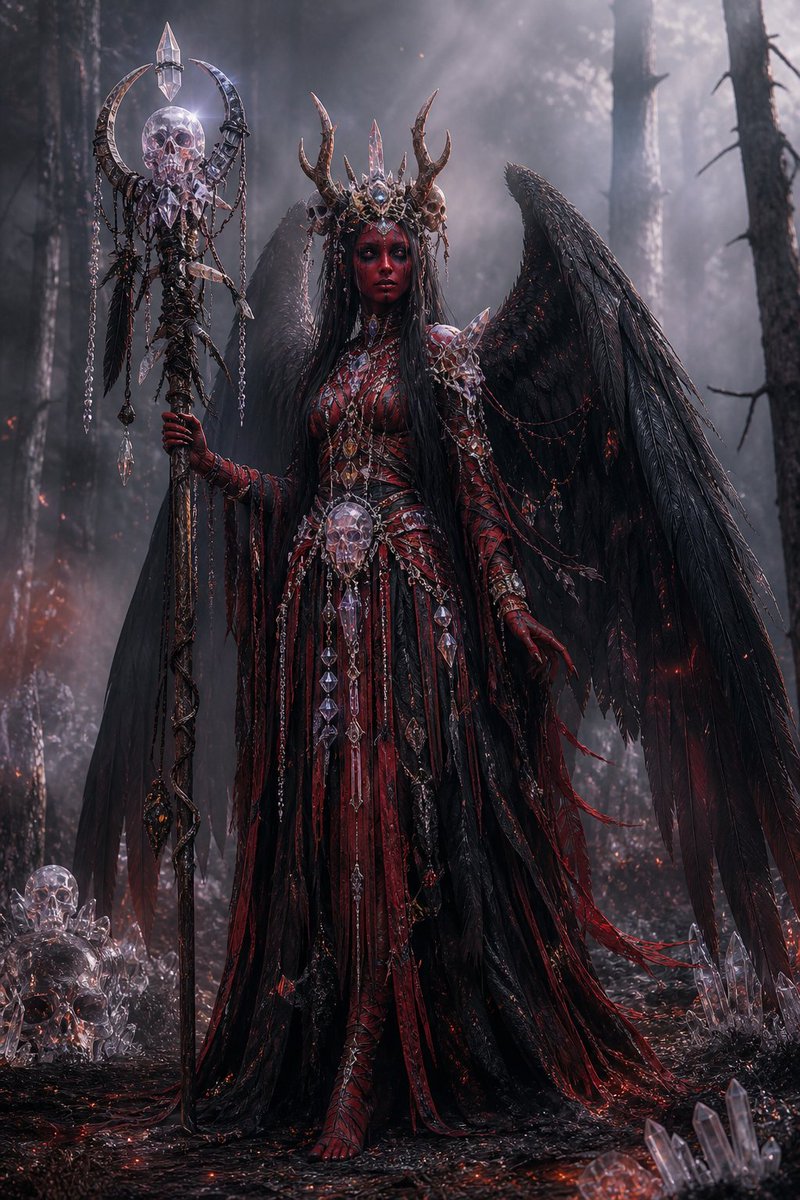
Create a cinematic dark fantasy portrait of an ornate winged necromancer queen in a charred forest, ideal for gothic character art or villain design.
프롬프트 · EN
Create a dark fantasy full-body portrait of a gothic fallen angel queen standing in a smoky burned forest at night, centered in the frame. She has enormous ragged black feathered wings spread behind her, very long straight arghair color: jet black hair, and a mysterious featureless shadowed face hidden beneath an ornate antlered crown made of blackened metal, crystal spikes, tiny skulls, and bone-like horns. Her outfit is an elaborate argdress colors: blood red and black ceremonial gown with layered shredded fabric, leather-like panels, thorny armor, ribbed bodice details, long clawed gloves, dangling chains, ruby accents, skull ornaments, and many clear crystal pendants. She holds a tall necromancer staff in her left hand: a dark twisted pole topped with a crescent-shaped metal frame, a translucent crystal skull, a pointed crystal finial, hanging chains, feathers, and dangling crystal shards. Add a large crystal skull pendant at her waist and scattered crystal skulls and quartz clusters on the charred ground around her. The environment is a dense dead forest with tall black tree trunks, drifting fog, ash, tiny red embers, faint fires in the distance, wet black soil, and dramatic cold moonlit haze from the upper right. Use an ultra-detailed cinematic photoreal fantasy style, high contrast, intricate gothic jewelry, sharp textures, volumetric light rays, moody desaturated blacks and grays with glowing crimson highlights, vertical composition, imposing regal pose, ominous supernatural atmosphere.
프롬프트 소개
Create a cinematic dark fantasy portrait of an ornate winged necromancer queen in a charred forest, ideal for gothic character art or villain design. Use it as a 컨셉 아트 starting point for GPT Image 2: keep the visual structure and style constraints intact, then swap in your own subject, brand, or scene.
Start by replacing hair color and dress colors, then keep the camera, composition, and material cues in the same order. This makes the output easier to compare across variations.
이 프롬프트 사용법
- Copy the full prompt text below.
- Open your preferred AI image generator (e.g., Sora 2, Midjourney, DALL·E).
- Customize the
hair coloranddress colorsvariables to suit your vision. - Paste the prompt and generate.
- Adjust details like staff design or lighting for variations.


