
GPT Image 2AI 프롬프트
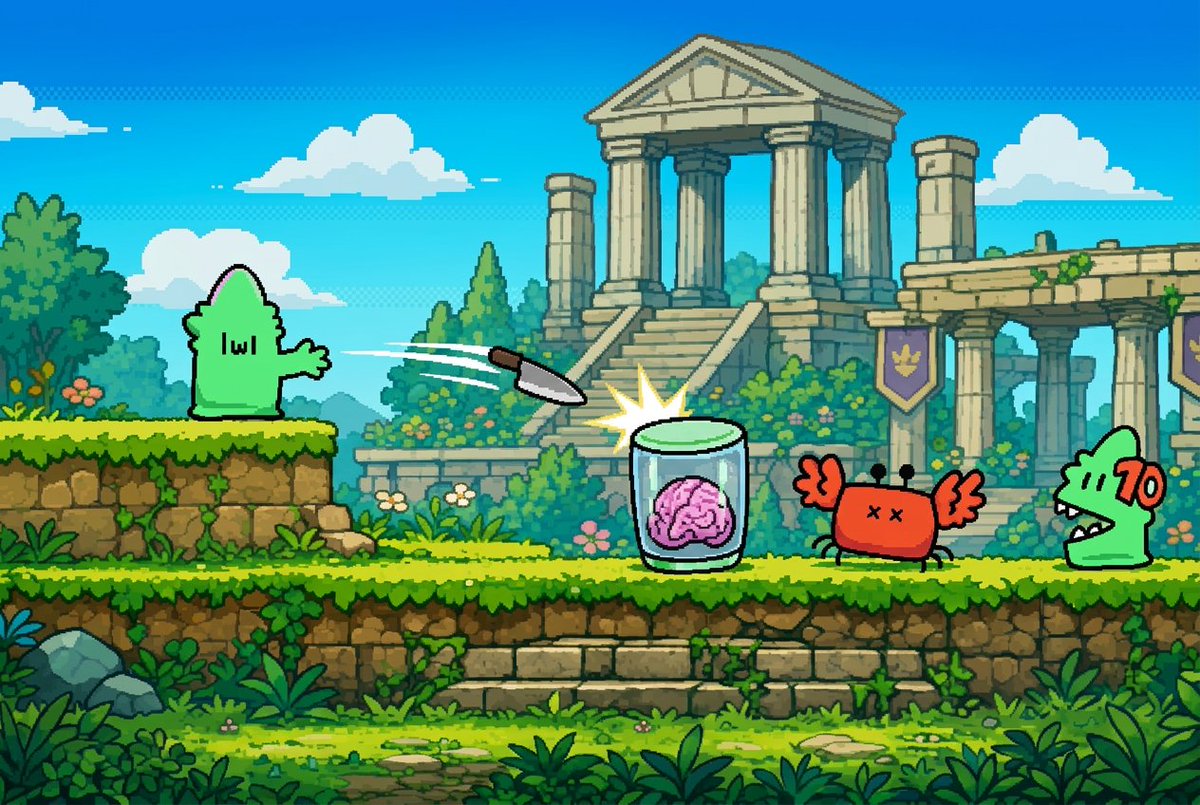
Graffiti Creature to Retro Platformer — Pixel Art Prompt
Transforms a graffiti character into a polished 16-bit side-scroller screenshot with a jungle temple, enemies, and action effects.
프롬프트 · EN
Using the provided reference image as the character source, extract the small green graffiti creature and reimagine it as a clean black-outlined sprite in a colorful retro 2D pixel-art side-scrolling platform game. Do not keep the brick alley background; replace it with a bright fantasy ruin level: blue sky with puffy clouds, lush jungle plants, mossy stone platforms, and a large ancient temple with columns in the background. Place the referenced green creature on the left platform facing right. Add exactly 4 new interactive game elements: 1 flying knife projectile traveling rightward, 1 glass jar containing a pink brain being struck with a starburst impact, 1 red crab-like enemy with X eyes and raised claws, and 1 green crocodile-like enemy on the far right with a red “70” damage number beside it. Make the whole scene look like a polished 16-bit platformer screenshot with crisp pixel edges, saturated colors, parallax depth, and no photorealistic elements.
프롬프트 소개
Transforms a graffiti character into a polished 16-bit side-scroller screenshot with a jungle temple, enemies, and action effects. Use it as a 컨셉 아트 starting point for GPT Image 2: keep the visual structure and style constraints intact, then swap in your own subject, brand, or scene.
Start with small changes to subject, scene, camera, and color, then generate a few variations to compare composition and detail without turning the page copy into keyword stuffing.
이 프롬프트 사용법
- Copy the full prompt text.
- Paste it into your preferred AI image generator (like Sora 2).
- Upload your reference graffiti image when prompted.
- Tweak the creature's color or enemy count if desired.
- Generate and enjoy your custom platformer scene!


