
GPT Image 2AI 프롬프트
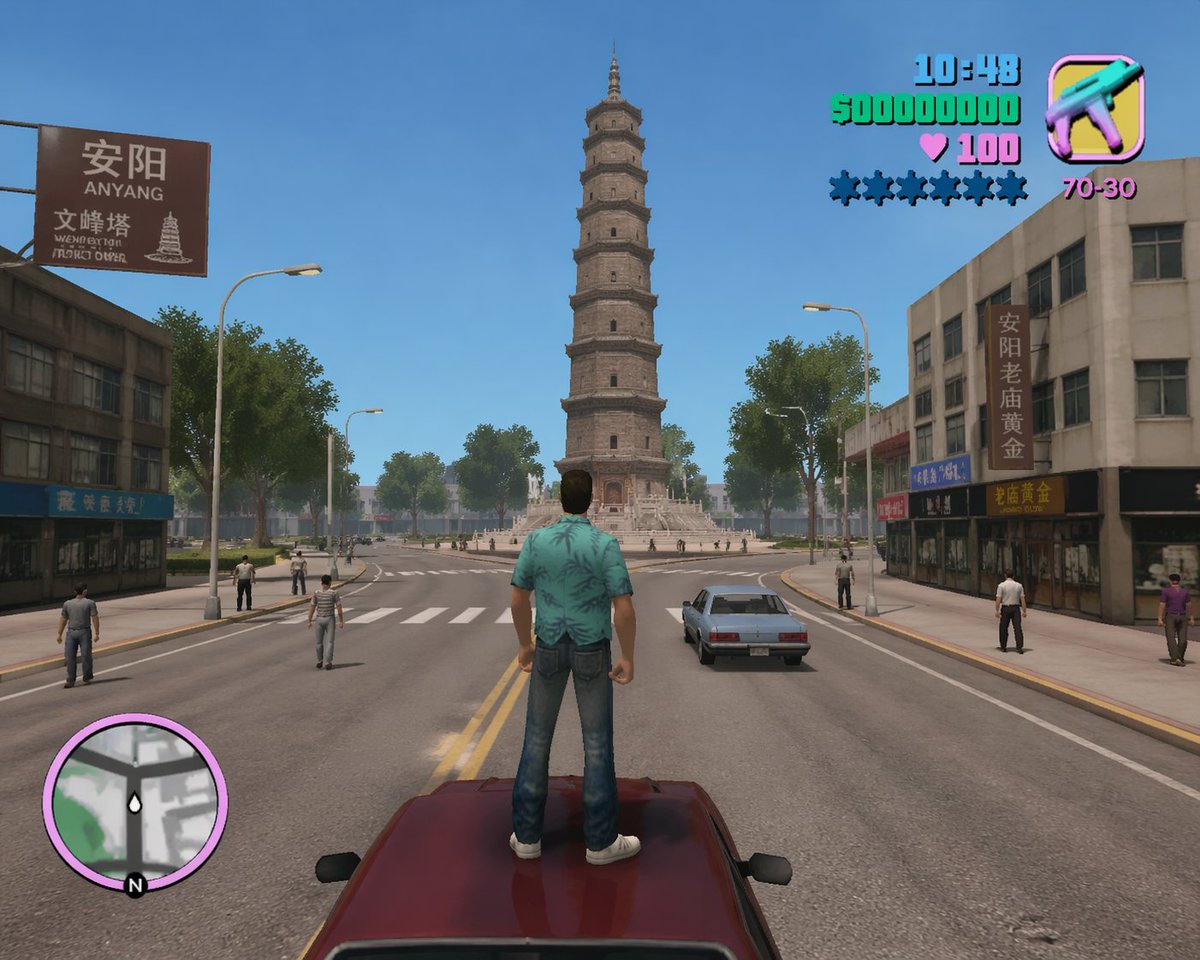
GTA Vice City-Style Anyang: Wenfeng Pagoda Overlook Prompt
Generate a photorealistic game screenshot blending GTA: Vice City style with Anyang's Wenfeng Pagoda, perfect for creative AI art projects.
프롬프트 · EN
生成一张游戏截图,风格为 argstyle: Grand Theft Auto: Vice City,但地点设定在 arglocation: 河南安阳,视角为从北向南俯瞰 arglandmark: 安阳文峰塔。画面风格需具备游戏感,同时尽可能保持写实。时间为白天,路上有行人,主角站在马路中央的一辆车上,正望向文峰塔。
프롬프트 소개
Generate a photorealistic game screenshot blending GTA: Vice City style with Anyang's Wenfeng Pagoda, perfect for creative AI art projects. Use it as a 컨셉 아트 starting point for GPT Image 2: keep the visual structure and style constraints intact, then swap in your own subject, brand, or scene.
Start by replacing style, location, and landmark, then keep the camera, composition, and material cues in the same order. This makes the output easier to compare across variations.
이 프롬프트 사용법
- Copy the prompt template with customizable variables for style, location, and landmark.
- Paste into your preferred AI image generator (e.g., Midjourney, DALL·E, Stable Diffusion) or text-to-image model.
- Adjust the variables if desired: change the game style (default: Grand Theft Auto: Vice City), location (default: Anyang, Henan), or landmark (default: Wenfeng Pagoda).
- Generate the image and review the result. For best photorealism, use a model fine-tuned for realistic game-style outputs.
- Optionally refine by tweaking additional details like time of day or camera angle for varied results.


