
GPT Image 2AI 프롬프트
Generate a Mascot J.Crew Fashion Catalog — Sora 2 Prompt
Transform any mascot into a stylish J.Crew catalog model with 4 classic preppy outfits, soft lighting, and magazine layout.
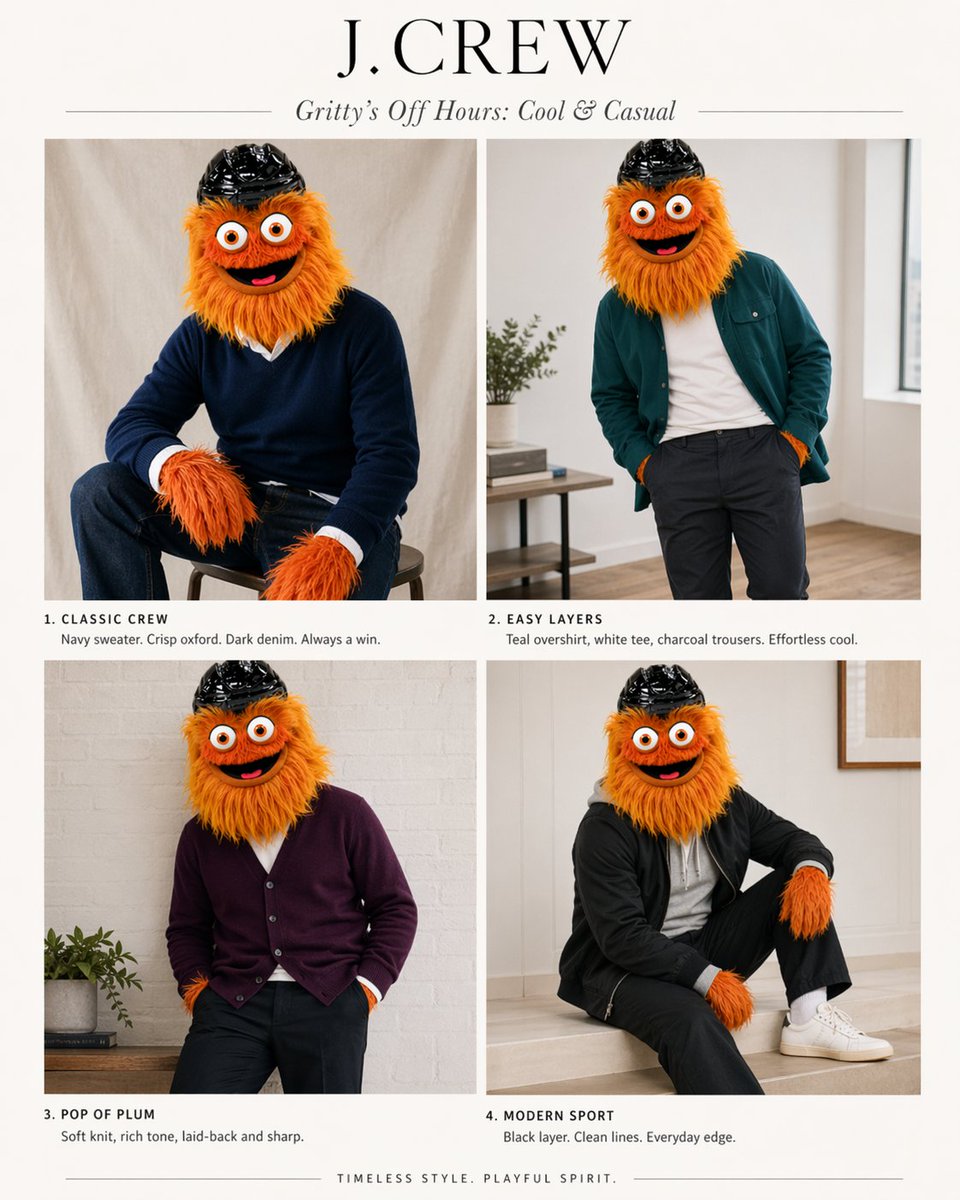
프롬프트 · EN
以提供的参考图作为角色和配色指南,将其转化为一套由该吉祥物担任主角的精致 J.Crew 风格时尚画册。将信息图/图表布局替换为米白色背景下的简洁 2x2 杂志排版。添加一个大型衬线字体品牌标题 argheadline text: J.CREW 以及一个斜体副标题 argsubhead text: Gritty’s Off Hours: Cool & Casual。展示 4 张该角色的造型照片,保留其毛茸茸的橙色皮毛、大眼睛和黑色头盔,但让吉祥物穿上灵感源自参考图中“最佳”配色的现代男装:1) “CLASSIC CREW” — 坐在凳子上,身穿海军蓝毛衣,内搭清爽的白色牛津衬衫,下穿深色牛仔裤;2) “EASY LAYERS” — 随意站立,身穿青色外搭衬衫,内搭白色 T 恤,下穿炭灰色长裤;3) “POP OF PLUM” — 姿态放松,身穿李子色开衫,搭配深色长裤;4) “MODERN SPORT” — 坐着,身穿黑色运动外套,搭配黑色长裤、白色袜子和白色运动鞋。为每个板块下方添加一段简短的目录风格说明,与上述 4 个标题相匹配,并配以简洁的时尚文案。使用柔和的室内自然光,采用极简的家居室内专题布景、高级目录摄影风格以及高雅的学院风美学。在底部居中添加一行简短的结束语:argfooter text: TIMELESS STYLE. PLAYFUL SPIRIT.
프롬프트 소개
Transform any mascot into a stylish J.Crew catalog model with 4 classic preppy outfits, soft lighting, and magazine layout. Use it as a 컨셉 아트 starting point for GPT Image 2: keep the visual structure and style constraints intact, then swap in your own subject, brand, or scene.
Start by replacing headline text, subhead text, and footer text, then keep the camera, composition, and material cues in the same order. This makes the output easier to compare across variations.
이 프롬프트 사용법
- Copy the prompt text and paste it into your preferred AI image generator (e.g., Sora 2, Midjourney, DALL·E).
- Replace the
{headline text},{subhead text}, and{footer text}placeholders with your own branding copy or keep the defaults. - Upload a reference image of your mascot to guide the character’s appearance (orange fur, big eyes, black helmet).
- Choose a model that supports high-quality photorealistic or editorial style generation, and generate the image.
- Review and tweak prompt variables like color palettes or poses to perfect the lookbook.


