
Toy Circus JRPG Battle — 16-Bit Pixel Art Prompt
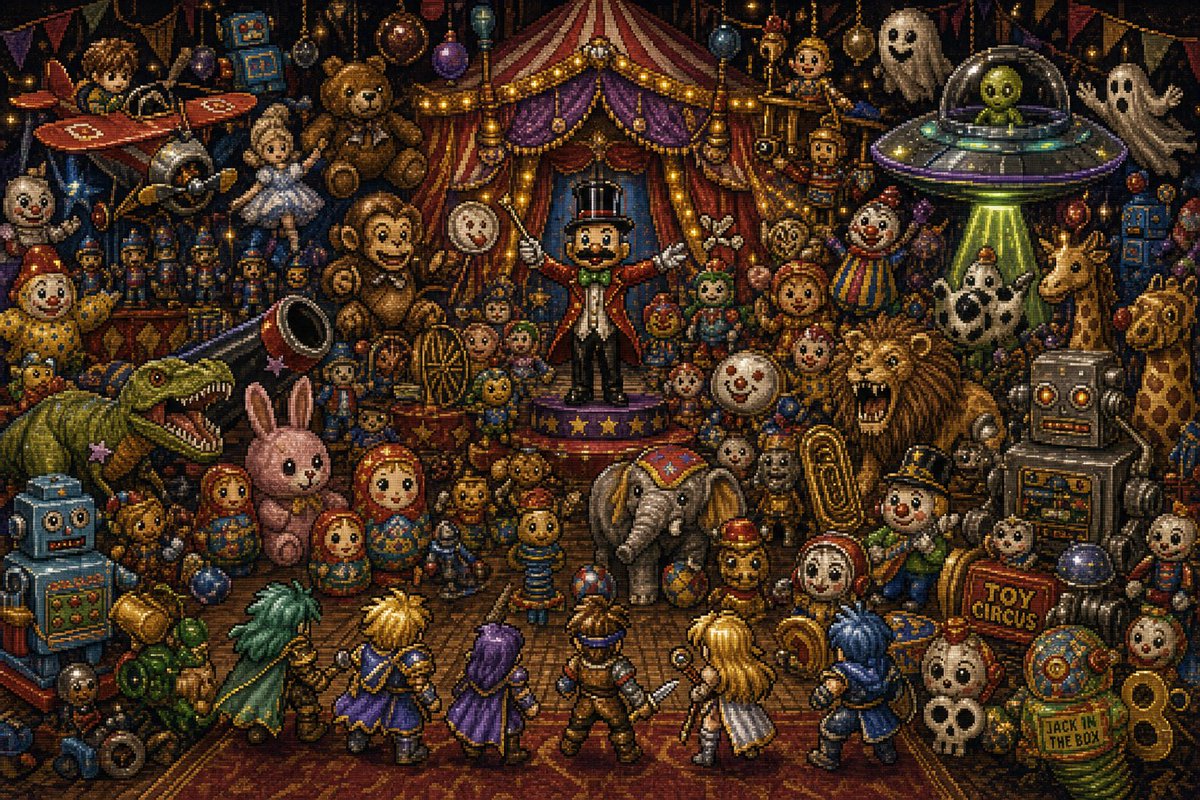
Generate a dense, whimsical-yet-sinister 16-bit JRPG battle scene packed with 34+ toys, monsters, and a 6-hero party in a chaotic toy circus tent.
프롬프트 소개
Generate a dense, whimsical-yet-sinister 16-bit JRPG battle scene packed with 34+ toys, monsters, and a 6-hero party in a chaotic toy circus tent. Use it as a 컨셉 아트 starting point for GPT Image 2: keep the visual structure and style constraints intact, then swap in your own subject, brand, or scene.
This prompt is organized as structured JSON with fields such as type, style, setting, theme, centerpiece, player party, and enemy and toy crowd. Keeping that hierarchy helps the model separate the subject, layout, interface elements, and detail constraints.
Start with small changes to subject, scene, camera, and color, then generate a few variations to compare composition and detail without turning the page copy into keyword stuffing.
이 프롬프트 사용법
- Copy the full prompt from the page and paste it into your AI image generator.
- Select a model that excels at pixel art or detailed illustration (e.g., Sora 2, Midjourney v6, or Stable Diffusion with a pixel-art checkpoint).
- Tweak the
{scene theme}variable to change the overall vibe — try "haunted carnival" or "steampunk toys" for fresh takes. - Adjust aspect ratio or resolution settings to match the recommended 3:2 widescreen composition.
- Generate and iterate: refine lighting or add/remove toy elements until the scene feels just right.


