
GPT Image 2AI 프롬프트
Mac Terminal World Simulation TUI — Sora 2 Prompt
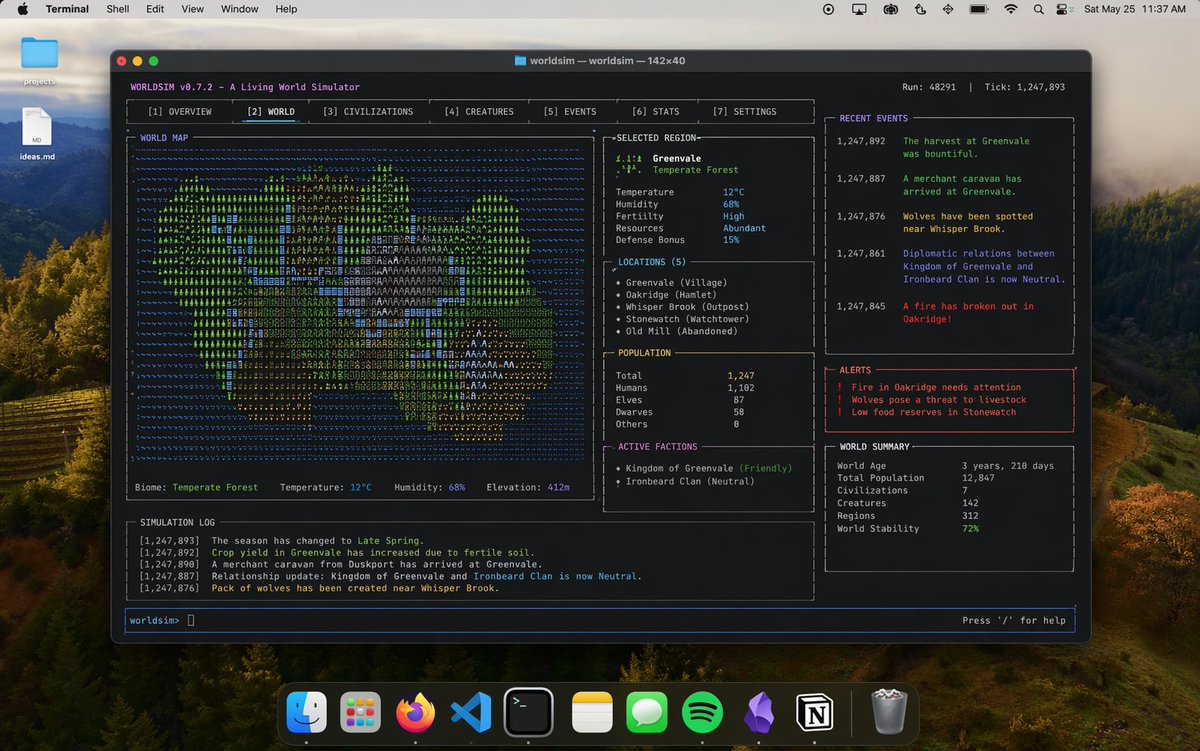
Easily generate hyper-realistic Mac desktop screenshots featuring a full-screen terminal with expressive TUI for world simulation.
프롬프트 · EN
展示一张 argoperating system: mac 桌面截图,显示一个大型终端窗口,正在终端中进行操作,并呈现出与 argtopic: world sim 相关的富有表现力的 arginterface type: TUI 布局
프롬프트 소개
Easily generate hyper-realistic Mac desktop screenshots featuring a full-screen terminal with expressive TUI for world simulation. Use it as a 컨셉 아트 starting point for GPT Image 2: keep the visual structure and style constraints intact, then swap in your own subject, brand, or scene.
Start by replacing operating system, topic, and interface type, then keep the camera, composition, and material cues in the same order. This makes the output easier to compare across variations.
이 프롬프트 사용법
- Copy the prompt from above.
- Open your preferred AI image generator (like Sora 2, Midjourney, DALL·E).
- Paste the prompt and replace
{operating system},{topic}, and{interface type}with your desired values (e.g., "linux", "network monitor", "CLI"). - Generate the image and review the result.
- Optionally, tweak the variables for different visual styles.


