
GPT Image 2AI 프롬프트
3D Microsoft PowerWordEx Stack — AI Prompt
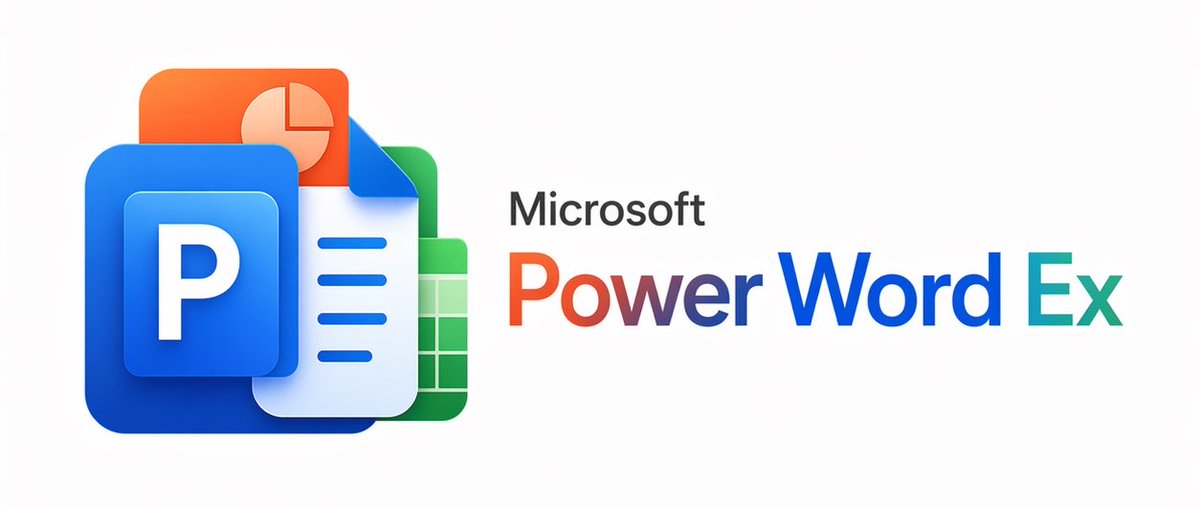
Generate a polished 3D banner that stacks PowerPoint, Word, Excel, and Slides icons beside the gradient 'PowerWordEx' wordmark for a sleek corporate identity.
프롬프트 · EN
一张简洁的极简主义企业宣传图,背景为极浅的灰色,水平居中。在左侧,创建一个由 4 个重叠的 Microsoft Office 风格应用图标组成的 3D 光泽堆叠,图标采用圆角设计并带有柔和阴影:最前方是一个巨大的蓝色 PowerPoint 图标,其中包含一个带有粗体白色大写字母 P 的凸起蓝色小方块;其后是一个带有右上角折页和 3 行蓝色水平文本的白蓝色 Word 文档图标;再后是一个带有白色网格的绿色 Excel 表格图标;最后是一个带有浅色饼图的橙色演示文稿 Slides 图标。这些图标应紧密堆叠成一个紧凑的集群,具有现代平滑的渐变、微妙的反射和柔和的深度感。在图标集群的右侧,放置黑色的“Microsoft”字样,使用简洁的无衬线字体,其下方是一个醒目的大标题“PowerWordEx”,将 3 个产品名称在视觉上合并为一个词:“Power”采用橙色到红色的渐变,“Word”采用深蓝色渐变,“Ex”采用青色到蓝绿色的渐变。保持排版清晰平衡,留白充足,呈现出精致的科技品牌美感,并采用宽幅横幅式的构图。
프롬프트 소개
Generate a polished 3D banner that stacks PowerPoint, Word, Excel, and Slides icons beside the gradient 'PowerWordEx' wordmark for a sleek corporate identity. Use it as a 컨셉 아트 starting point for GPT Image 2: keep the visual structure and style constraints intact, then swap in your own subject, brand, or scene.
Start with small changes to subject, scene, camera, and color, then generate a few variations to compare composition and detail without turning the page copy into keyword stuffing.
이 프롬프트 사용법
- Copy the entire prompt provided.
- Paste it into an AI image generator (e.g., Midjourney, DALL·E, or Sora).
- Optionally tweak descriptions like background shade or icon stacking density.
- Generate to receive a sleek 3D Microsoft Office-inspired banner.
- Experiment with gradient colors for the 'PowerWordEx' wordmark for brand alignment.


