
GPT Image 2AI 프롬프트
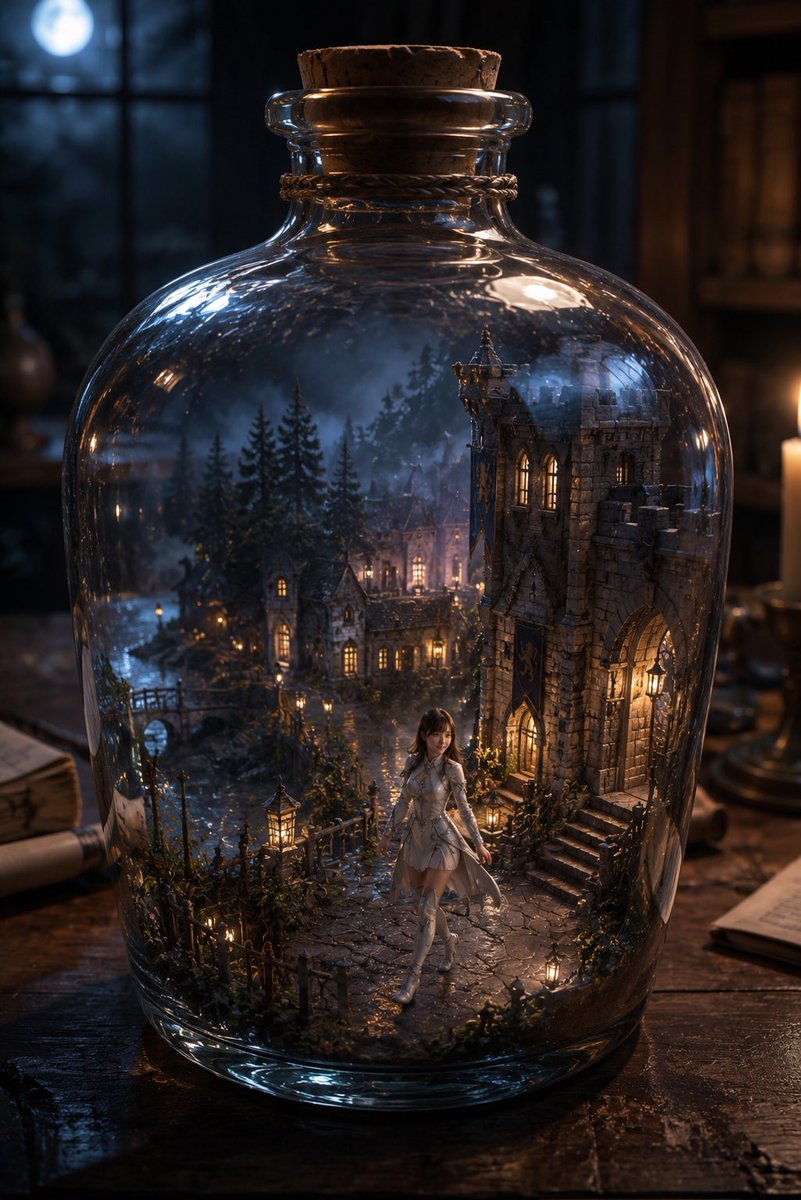
Enchanted Village in a Bottle — Cinematic Fantasy Prompt
Generate a hyper-detailed fantasy scene of a magical medieval village preserved in a glass bottle, complete with a tiny heroine, moonlit wizard study, and realistic glass refraction.
1 / 4
프롬프트 · EN
Create a highly detailed cinematic fantasy scene: a large clear glass apothecary bottle with rounded shoulders sits on an old dark wooden desk, sealed with a rough cork stopper and a twine band around the neck. Inside the bottle is an entire miniature enchanted medieval village at night, as if preserved in a magical terrarium: exactly one prominent stone Gothic castle building on the right with arched doorway, lit windows, steps, and ivy; exactly one small bridge on the left over a narrow stream; several clustered cottage houses with warm glowing windows in the middle distance; tall dark pine trees surrounding the village; cobblestone paths, tiny iron fences, shrubs, moss, and many small warm lanterns. In the foreground inside the bottle stands one small fantasy girl, argcharacter name: Maruko, wearing a argoutfit color: white elegant fantasy dress with armor-like bodice details, long boots, and a soft translucent cape, walking along the path toward the viewer. The bottle glass should have realistic thick refraction, curved highlights, reflections, and slight distortion of the miniature world. Outside the bottle, show a moody wizard-study background: blurred bookshelves, candlelight on the right, parchment and scrolls on the desk, and a blue moon glowing through a window in the upper left. Use argtime of day: moonlit night, warm golden window lights contrasted with cool blue moonlight, shallow depth of field, dramatic volumetric atmosphere, photorealistic fantasy realism, ultra-detailed textures, 3:4 vertical composition, centered bottle filling most of the frame, no text, no watermark.
프롬프트 소개
Generate a hyper-detailed fantasy scene of a magical medieval village preserved in a glass bottle, complete with a tiny heroine, moonlit wizard study, and realistic glass refraction. Use it as a 컨셉 아트 starting point for GPT Image 2: keep the visual structure and style constraints intact, then swap in your own subject, brand, or scene.
Start by replacing character name, outfit color, and time of day, then keep the camera, composition, and material cues in the same order. This makes the output easier to compare across variations.
이 프롬프트 사용법
- Copy the full prompt text from the page.
- Choose your preferred AI video or image model (e.g., Sora 2, Runway, Kling).
- Customize the optional variables like
{character name},{outfit color}, and{time of day}to personalize the scene. - Paste the prompt into your model's generation interface.
- Generate and refine by adjusting lighting or details as needed.


