
Hand-Drawn Japanese News Top 10 Infographic — Sora 2 Prompt
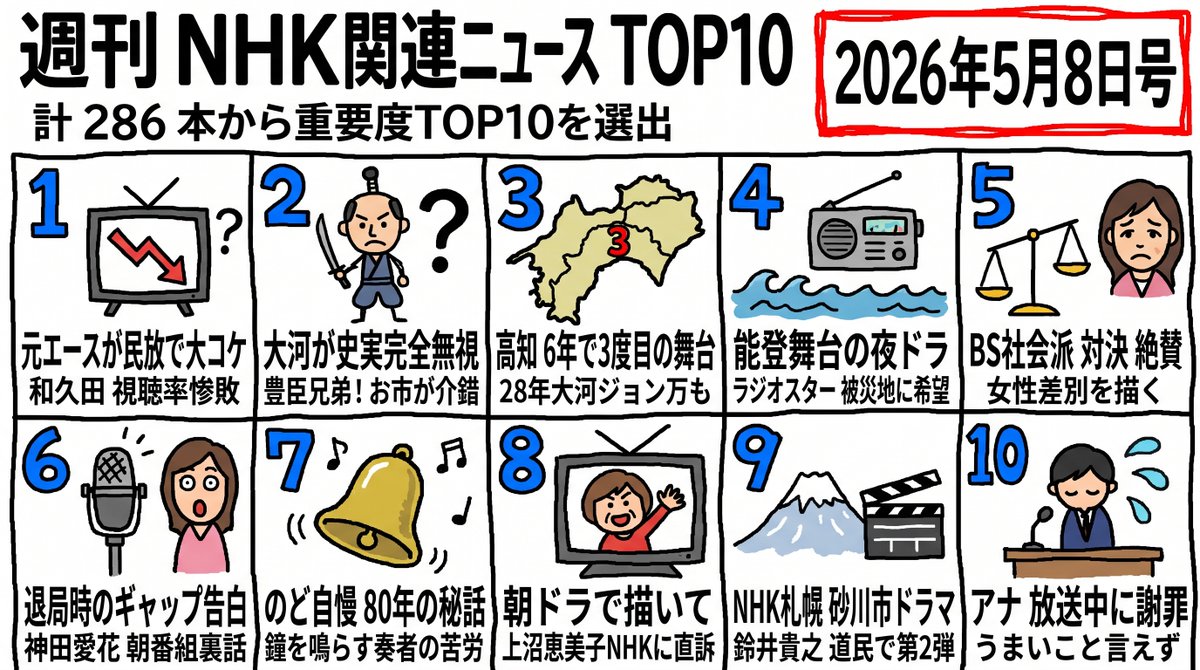
Create a bold marker-style weekly news ranking poster with 10 illustrated cards, a headline, and a dated badge in a manga-news aesthetic.
프롬프트 소개
Create a bold marker-style weekly news ranking poster with 10 illustrated cards, a headline, and a dated badge in a manga-news aesthetic. Use it as a 컨셉 아트 starting point for GPT Image 2: keep the visual structure and style constraints intact, then swap in your own subject, brand, or scene.
This prompt is organized as structured JSON with fields such as type, style, headline, subheadline, issue date badge, layout, and sections. Keeping that hierarchy helps the model separate the subject, layout, interface elements, and detail constraints.
Start with small changes to subject, scene, camera, and color, then generate a few variations to compare composition and detail without turning the page copy into keyword stuffing.
이 프롬프트 사용법
- Copy the entire prompt JSON and paste it into your Sora 2 chat window.
- Select the Sora 2 model or any compatible image-generation model that supports structured layouts.
- Edit the headline, subheadline, or issue date variables (marked with
{argument}) to match your own content. - Swap illustration descriptions in each
sectionsentry to customize the icons for your specific news items. - Run the prompt and generate; refine the caption text or card order as needed for your final poster.


