
Moody Night Car Portrait — Cinematic Popcorn Shot
Create a stunning photorealistic vertical portrait of a stylish woman in a car at night holding caramel popcorn, perfect for luxury lifestyle content.
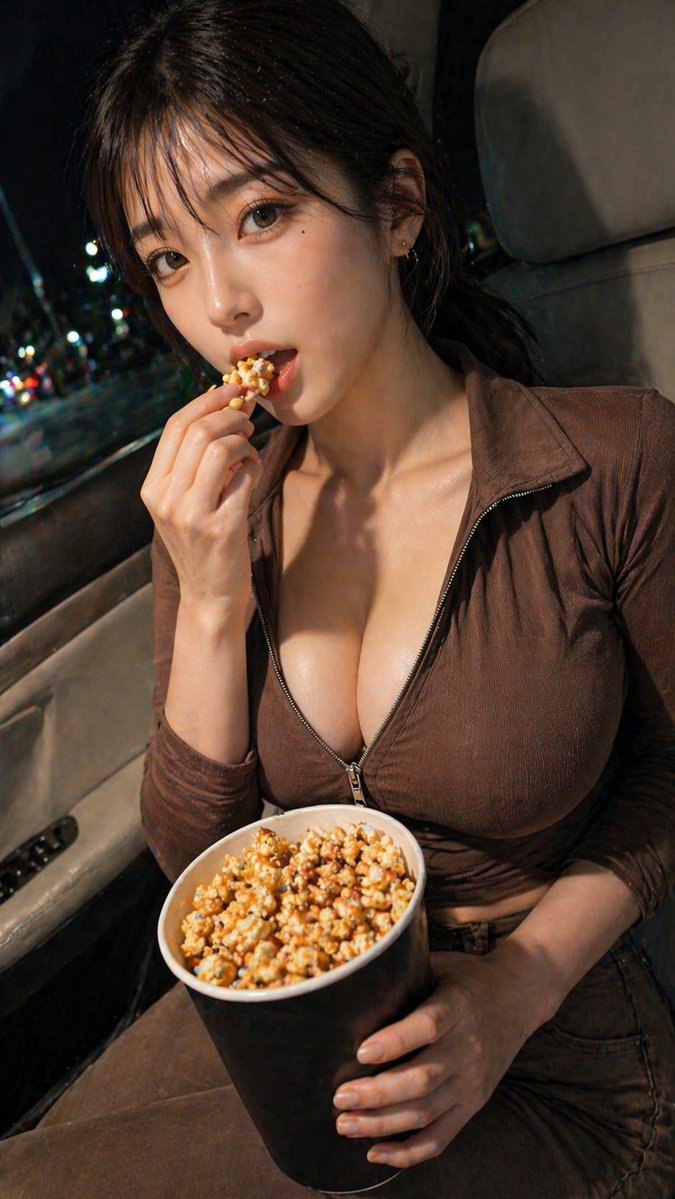
A cinematic vertical smartphone photo of a glamorous young woman sitting in the front passenger seat of a car at night, shot from slightly above chest level in a tight mid-shot. She has arghair color: dark brown hair pulled back loosely with soft strands near the ears, and is wearing a fitted ribbed brown zip-front top or dress with a deep neckline, partially unzipped, creating a sleek nightlife look. Her face is mostly out of frame or obscured, keeping the focus on pose, outfit, and mood rather than identity. She holds 1 large black tub of caramel popcorn in her lap with one hand, while her other hand is raised lightly near her chin in a casual, candid pose. The setting is the interior of a car with 1 visible beige passenger seat, 1 visible door panel with window controls, and a side window showing blurred colorful city lights outside, suggesting nighttime urban traffic. Use warm low-key lighting from the front-left, realistic skin texture, glossy highlights on the collarbone and fabric, shallow depth of field, bokeh streetlights, photorealistic detail, intimate composition, luxury nightlife atmosphere, and a moody editorial aesthetic. Outfit and palette should stay in coordinated brown and neutral tones, with the popcorn sharply detailed and slightly glossy from caramel coating. Render as realistic photography, high contrast, soft shadows, vertical 9:16 framing.
프롬프트 소개
Create a stunning photorealistic vertical portrait of a stylish woman in a car at night holding caramel popcorn, perfect for luxury lifestyle content. Use it as a 컨셉 아트 starting point for GPT Image 2: keep the visual structure and style constraints intact, then swap in your own subject, brand, or scene.
Common directions include gptimage2api prompts, gptimage2api, and ko. Treat these tags as creative cues; the prompt structure and preview image are the more useful guide.
Start by replacing hair color, then keep the camera, composition, and material cues in the same order. This makes the output easier to compare across variations.
이 프롬프트 사용법
- Copy the full prompt text and paste it into your preferred AI image generator like Sora 2 or Midjourney.
- Choose a model that supports photorealistic or cinematic styles for best results.
- Customize the {hair color} variable to match your creative vision.
- Adjust the lighting or outfit details if you want a different mood or palette.
- Generate the image in 9:16 vertical format for social media or editorial use.


