
Live PK Duel — Split Screen, Neck & Neck — Sora 2 Prompt
Capture the intense moment of a live PK duel with a split-screen screenshot showing two streamers and a nail-biting neck-and-neck vote count.
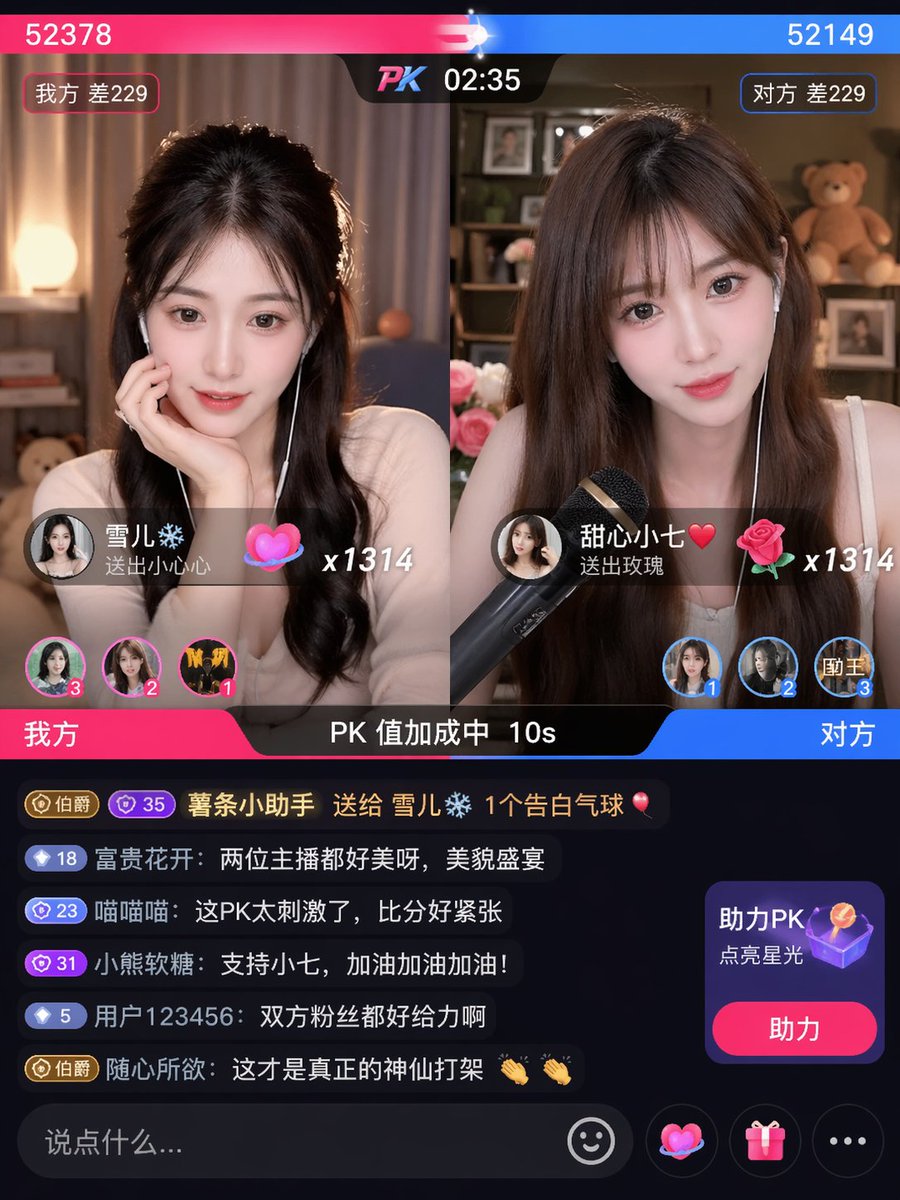
Live stream PK duel screenshot, split screen left and right two streamers, real-time vote score neck and neck
프롬프트 소개
Capture the intense moment of a live PK duel with a split-screen screenshot showing two streamers and a nail-biting neck-and-neck vote count. Use it as a 컨셉 아트 starting point for an AI model: keep the visual structure and style constraints intact, then swap in your own subject, brand, or scene.
Common directions include chatgpt, 直播, 分屏, and 主播. Treat these tags as creative cues; the prompt structure and preview image are the more useful guide.
Start with small changes to subject, scene, camera, and color, then generate a few variations to compare composition and detail without turning the page copy into keyword stuffing.
이 프롬프트 사용법
- Copy the prompt text.
- Open your preferred AI image generator (e.g., Sora 2, Midjourney, DALL-E).
- Paste the prompt and adjust any details like streamer description or vote scores if desired.
- Generate and iterate to get the perfect split-screen duel screenshot.
- Use the output for thumbnails, social posts, or streaming overlays.


