
GPT Image 2AI 프롬프트
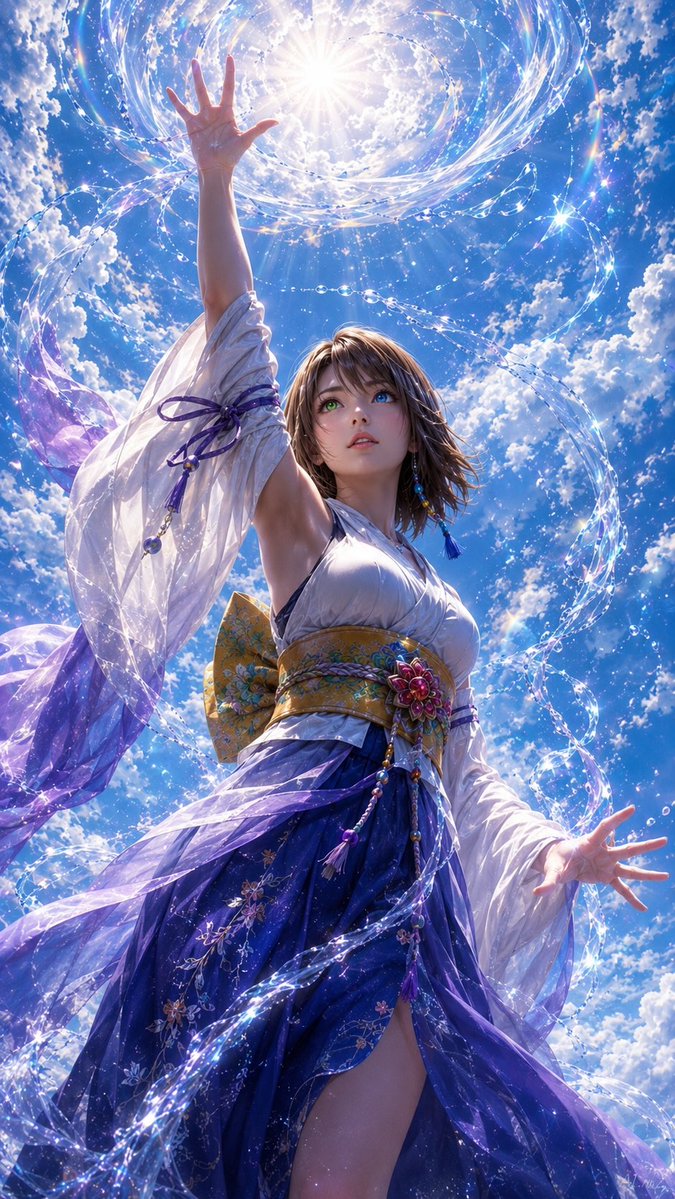
Ethereal Sky Dancer Portrait — Dramatic Fantasy Prompt
Generate a cinematic vertical portrait of a magical woman summoning sparkling water ribbons and crystals against a brilliant sky, perfect for fantasy art and character design.
프롬프트 · EN
创作一张竖版电影感奇幻肖像,主角为 argcharacter description: 一位留着齐肩棕发的优雅年轻女性,采用极具戏剧性的低角度拍摄,背景是布满蓬松白云的灿烂午后天空。她身着优雅飘逸的和服风格礼服:白色缎面紧身胸衣,半透明白色袖子配有紫色丝带系带,宽大的华丽金色腰封饰有花卉装饰和悬垂的珠子流苏,深蓝色至紫色的多层裙摆上绣有花朵,并带有高开叉设计。她的面部特意用柔和的方形模糊处理,姿势极具表现力和魔幻感:一只手臂向上伸向太阳,手掌张开,五指清晰可见;另一只手臂向外伸展,手掌张开,五指清晰可见。她的身体周围环绕着发光的水带和闪烁的水晶般水滴,形成螺旋和弧线,汇聚向她高举的手上方那耀眼的太阳光环。使用 argcolor palette: 天蓝色、白色、紫色、靛蓝色、金色和虹彩高光,营造空灵的奇幻光影,加入镜头光晕、闪烁粒子、半透明织物动态、高度精细的服装纹理、照片级动漫写实风格、动态构图、超高细节、清晰对焦、戏剧性逆光,比例为 9:16。
프롬프트 소개
Generate a cinematic vertical portrait of a magical woman summoning sparkling water ribbons and crystals against a brilliant sky, perfect for fantasy art and character design. Use it as a 컨셉 아트 starting point for GPT Image 2: keep the visual structure and style constraints intact, then swap in your own subject, brand, or scene.
Start by replacing character description and color palette, then keep the camera, composition, and material cues in the same order. This makes the output easier to compare across variations.
이 프롬프트 사용법
- Copy the entire prompt template, including the variables for character description and color palette.
- Paste it into your preferred AI image generator that supports high-detail, photorealistic anime styles (like Sora 2 or similar).
- Customize the
{character description}variable to change the subject's appearance (e.g., hair color, style) to match your vision. - Optionally, modify the
{color palette}variable to alter the dominant hues of the scene. - Generate the image, ensuring the output aspect ratio is set to 9:16 for the intended vertical composition.


