
GPT Image 2AI 프롬프트
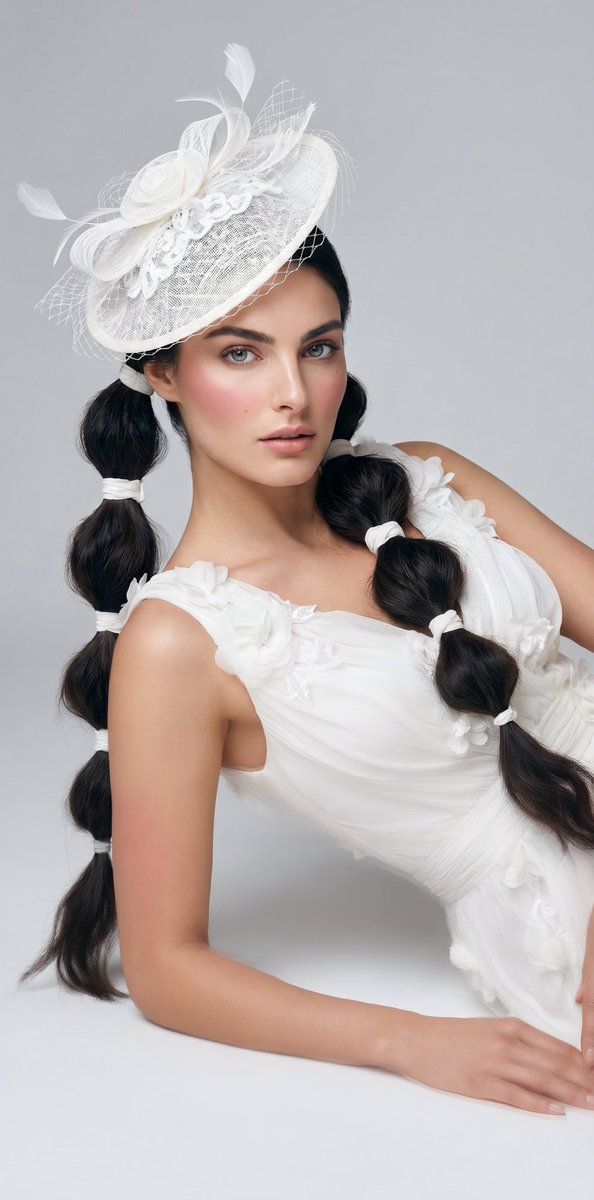
Elegant Bride Portrait with Hat — Sora 2 Prompt
Create a luxurious studio bridal portrait featuring a white gown, elaborate fascinator, and soft editorial lighting, perfect for high-fashion campaigns.
프롬프트 · EN
一张高级时尚影棚肖像,拍摄一位年轻女性侧卧在无缝浅灰色背景前的地面上,构图从帽子向下截取至手部,面部特意用柔和的矩形模糊处理。她身着一件优雅的白色礼服,采用透明褶皱面料,肩带和胸前饰有立体花卉贴花,剪裁修身,呈现出空灵的轮廓。她的发色为 arghair color: 深棕色至黑色,梳成两条长长的泡泡辫,两侧各一条,每条辫子用多个白色发圈扎成圆润的节段。她佩戴着一顶倾斜的夸张白色礼帽,由层叠的网纱、网格、丝带环、蕾丝花边和几簇轻盈的羽毛装饰而成。姿势设定为单手肘支撑,另一只手伸向画面下边缘,躯干呈对角线倾斜,以呈现精致的时尚杂志构图。采用柔和的漫射影棚光,平滑的肤色,极简的阴影,奢华的新娘时尚造型,单色白色服装点缀,以及干净利落的杂志美学。
프롬프트 소개
Create a luxurious studio bridal portrait featuring a white gown, elaborate fascinator, and soft editorial lighting, perfect for high-fashion campaigns. Use it as a 컨셉 아트 starting point for GPT Image 2: keep the visual structure and style constraints intact, then swap in your own subject, brand, or scene.
Start by replacing hair color, then keep the camera, composition, and material cues in the same order. This makes the output easier to compare across variations.
이 프롬프트 사용법
- Copy the prompt from this page.
- Choose your preferred AI video model (e.g., Sora 2).
- Adjust the
{hair color}variable to match your desired aesthetic (e.g., blonde, black). - Paste the prompt into the model's input field and generate.


