
GPT Image 2AI 프롬프트
Leonardo da Vinci Paints Mona Lisa — Live Model Prompt
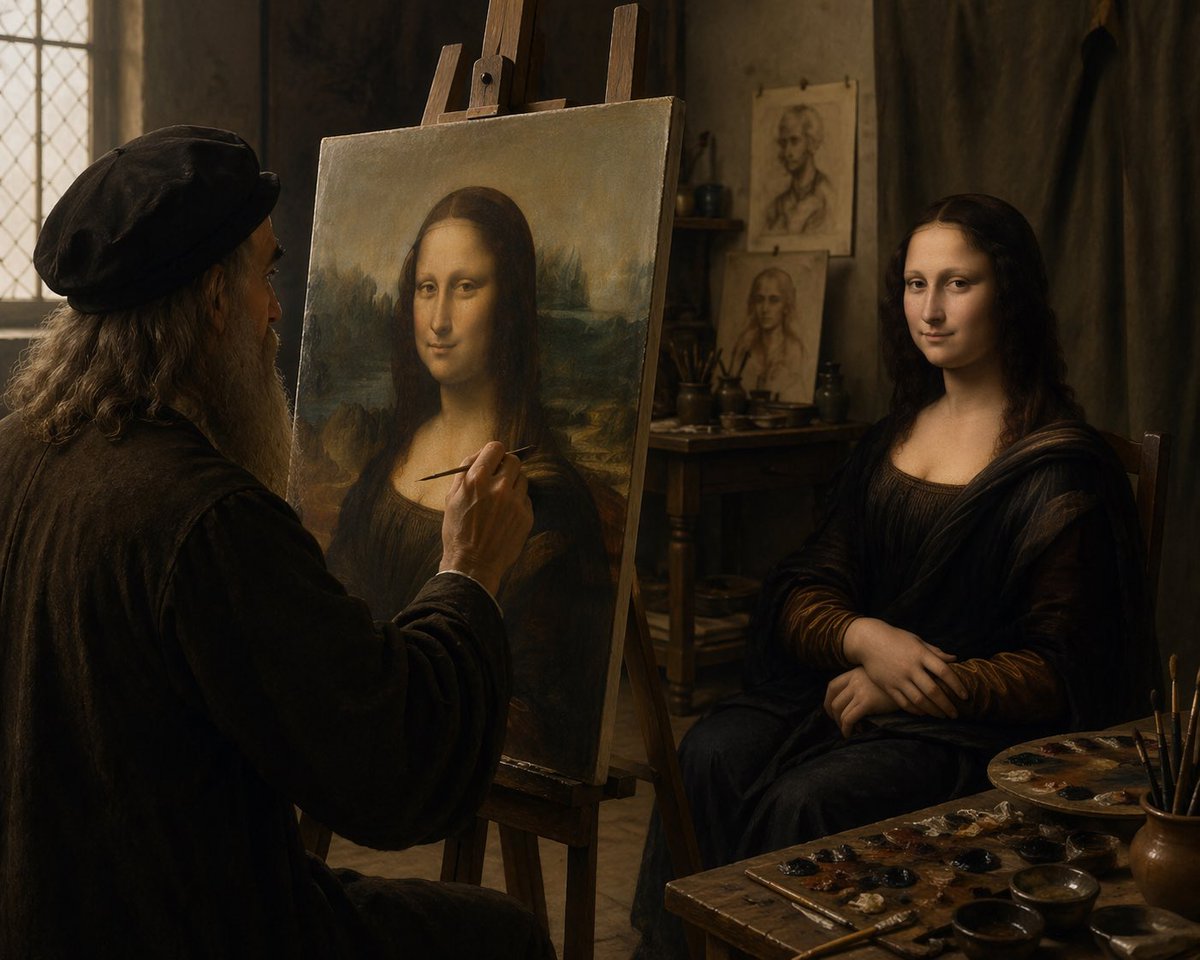
Generate a dramatic, masterfully lit Renaissance studio scene with da Vinci painting the Mona Lisa from a live model, rich in chiaroscuro and historical detail.
프롬프트 · EN
一间电影质感的文艺复兴时期艺术工作室内部,柔和温暖的窗光洒入。画面左侧展示了一位长相酷似列奥纳多·达·芬奇的老年画家,他坐在画架前,正以真人模特为原型绘制《蒙娜丽莎》。画家留着灰白长发和浓密的灰胡须,头戴深色复古帽,身穿厚重的深色长袍。画面中央前景处立着一个木制画架,上面展示着《蒙娜丽莎》的构图;右侧是一位真人女性模特,她保持着标志性的姿势,双手交叠,身着深色文艺复兴风格长裙和面纱般的褶皱布料。整体氛围亲密、宁静且富有绘画感,色调为浓郁的棕色和琥珀色,运用了戏剧性的明暗对照法,背景是老旧的灰泥墙,左侧有一扇铅条镶嵌的玻璃窗,后方木桌上摆放着画笔和习作。在模特身后的背景中,钉着或靠着两幅肖像草图。右下角前景处展示了一张杂乱的画家工作台,上面有 1 个调色板、多个小颜料点、杯中插着几支画笔以及几个浅碗。将场景构图为一张写实的历史照片,捕捉杰作创作瞬间,中景广角镜头,从画家身后略微越肩拍摄,纹理极其细腻,呈现出古典大师的艺术氛围,背景虚化柔和,无任何现代物品。
프롬프트 소개
Generate a dramatic, masterfully lit Renaissance studio scene with da Vinci painting the Mona Lisa from a live model, rich in chiaroscuro and historical detail. Use it as a 컨셉 아트 starting point for GPT Image 2: keep the visual structure and style constraints intact, then swap in your own subject, brand, or scene.
Start with small changes to subject, scene, camera, and color, then generate a few variations to compare composition and detail without turning the page copy into keyword stuffing.
이 프롬프트 사용법
- Copy the prompt text from this page.
- Open your AI generation tool (e.g., Sora 2, Midjourney).
- Paste the prompt and adjust variables like camera angle or lighting intensity.
- Generate and iterate to refine the Renaissance atmosphere.
- Download your cinematic masterpiece for creative projects.


