
GPT Image 2AI 프롬프트
Soft Monochrome Anime Portrait — Fashion Illustration Prompt
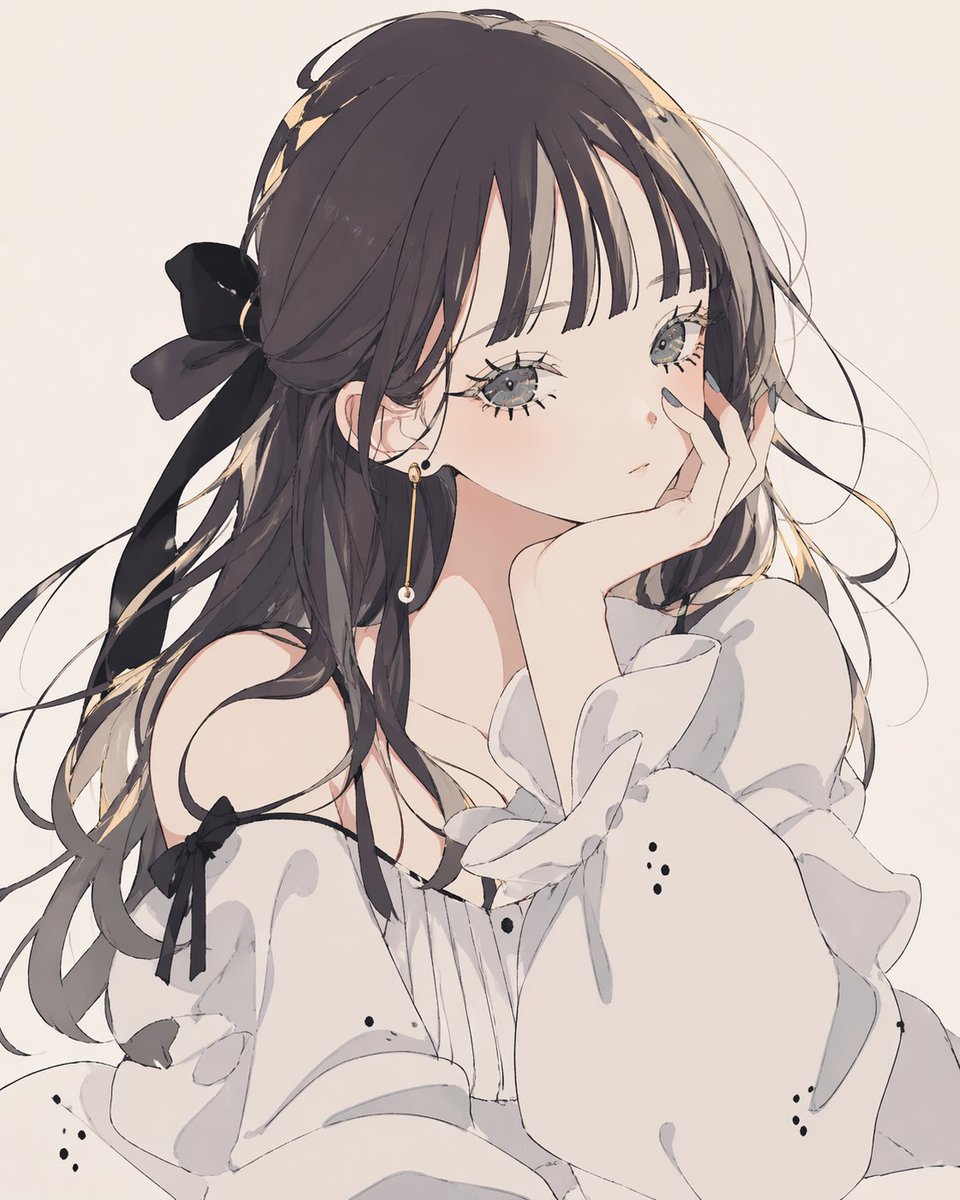
Create a delicate monochrome anime portrait with dreamy fashion aesthetic, ideal for elegant avatars, character art, and soft social media visuals.
프롬프트 · EN
一张柔和、轻盈的动漫肖像,描绘了一位精致的年轻女性,背景为极简的米白色,采用胸部以上的四分之三侧面特写视角。她留着长而微卷的 arghair color: 深棕色配灰褐色挑染 头发,发丝轻盈,留着齐刘海,一侧系着一个巨大的黑色蝴蝶结。她的双眼大而有神,呈浅灰色,睫毛细节丰富,流露出梦幻而遥远的表情。她单手托腮,纤细的手指半掩面庞,指尖涂着柔和的灰色指甲油。她身穿白色露肩衬衫,袖口蓬松,带有柔和的荷叶边和褶皱设计,袖子上系着细细的黑色丝带,营造出柔和的单色对比感。在可见的耳朵上增加一枚简约优雅的金色长款珍珠耳坠。采用干净的日漫插画风格,线条细腻,带有淡淡的腮红、柔和的赛璐珞阴影以及如油画般的发丝高光。整体氛围安静、忧郁且充满女性魅力,具有精致的时装插画质感,配色仅限于白色、黑色、灰褐色和灰色。
프롬프트 소개
Create a delicate monochrome anime portrait with dreamy fashion aesthetic, ideal for elegant avatars, character art, and soft social media visuals. Use it as a 컨셉 아트 starting point for GPT Image 2: keep the visual structure and style constraints intact, then swap in your own subject, brand, or scene.
Start by replacing hair color, then keep the camera, composition, and material cues in the same order. This makes the output easier to compare across variations.
이 프롬프트 사용법
- Copy the prompt to your preferred AI image generator.
- Choose an anime-optimized model (e.g., Stable Diffusion with anime checkpoint, Midjourney Niji mode, or DALL·E with anime style).
- Adjust the
hair colorvariable if desired (default: dark brown with taupe highlights). - Generate the image; for best results, ensure aspect ratio matches portrait orientation.
- Refine by tweaking lighting or details, or add negative prompts for cleaner output.


