
GPT Image 2AI 프롬프트
Shutter Door Graffiti Art — AI Character Prompt
Transform your original character (OC) into stunning after-hours shutter door graffiti art, blending personal creativity with urban street aesthetics.
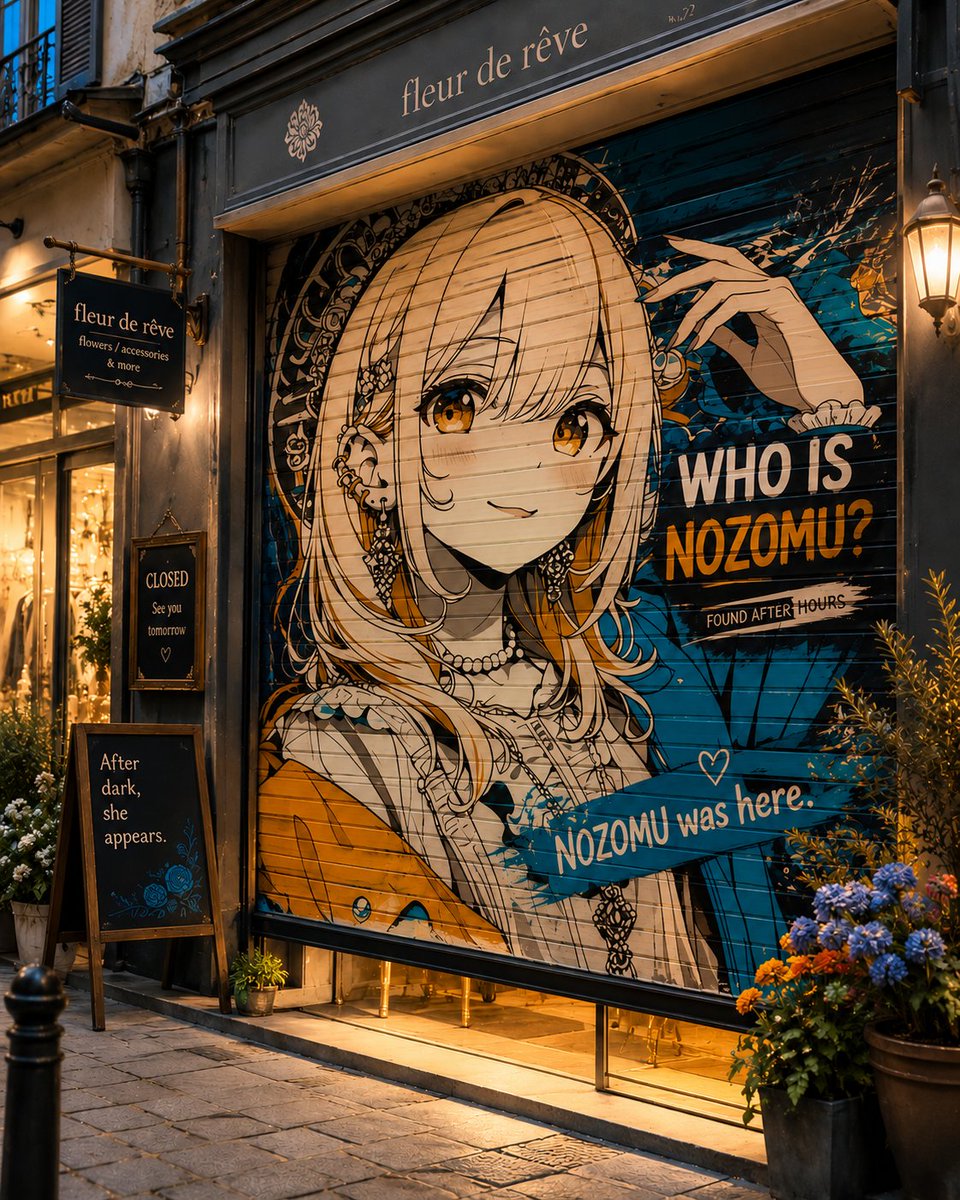
1 / 4
프롬프트 · EN
将 argcharacter: 我的 OC 转化为 "argart: 仅在闭店后显现的卷帘门涂鸦艺术。"
프롬프트 소개
Transform your original character OC into stunning after-hours shutter door graffiti art, blending personal creativity with urban street aesthetics. Use it as a 컨셉 아트 starting point for GPT Image 2: keep the visual structure and style constraints intact, then swap in your own subject, brand, or scene.
Start by replacing character and art, then keep the camera, composition, and material cues in the same order. This makes the output easier to compare across variations.
이 프롬프트 사용법
- Copy the entire prompt text into your chosen AI model (like Sora or similar image generators).
- Replace the default variable
{character}with a description of your original character (e.g., 'a cyberpunk knight with neon eyes'). - Optionally, modify the
{art}variable if you want a different street art style (e.g., 'a rainy alleyway mural'). - Generate the image and iterate—adjust the prompt or variables for the perfect fusion of your OC and graffiti vibe.


