GPT Image 2AI 프롬프트
Realistic Home Kitchen Portrait — Cutting Peaches Sora 2 Prompt
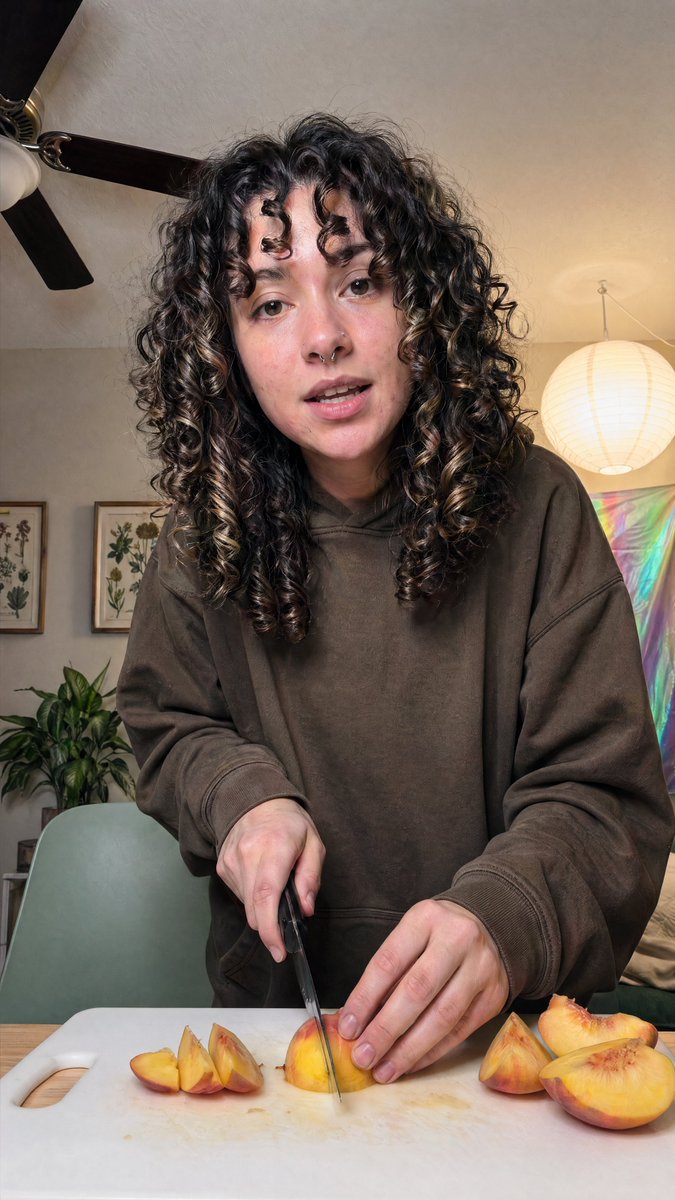
Generate a warm, documentary-style vertical photo of a person casually slicing peaches in a cozy, well-decorated kitchen with soft natural lighting and authentic details.
1 / 2
프롬프트 · EN
一张写实的竖版智能手机照片,拍摄了一位 argperson: 年轻女性 站在厨房或餐桌旁,在白色塑料切菜板上切熟桃子的场景。主体位于画面中心,取景范围约为大腿中部或腰部以上,身体微微向镜头倾斜,呈现出随意的抓拍姿态。她留着非常浓密、长且深棕至黑色的天然卷发,发丝卷曲分明并带有少量浅棕色挑染,垂在肩头并部分遮住脸颊两侧。她穿着一件超大号的 arghoodie color: 深棕色 连帽衫,袖口宽松,赋予画面一种轻松的居家生活感。一只手垂直握着厨房刀,正在切开位于切菜板中央的桃瓣,另一只手扶着水果。切菜板上清晰可见 7 块桃子:左侧有 3 块较小的桃瓣,中间有 1 块正在切开的桃瓣,右侧有 3 块较大的桃子(包括半个桃子)。桌面为浅色木纹。房间光线温暖舒适,背景为米色墙壁和天花板,左上方可见一台带有 3 片扇叶的深色吊扇,左侧墙上挂有 2 幅植物画框,左下角背景处有一盆绿叶植物,桌后有一把浅鼠尾草绿色的椅子,右侧悬挂着一个发光的白色圆纸灯笼,右后方背景处有一块彩虹色调的墙面挂饰或反光织物面板。采用柔和的室内光线、自然的肤色、细腻的阴影、写实的水果纹理和刀具细节、纪录片风格的构图、浅至中等的景深,营造出真实地道的日常居家美学。
프롬프트 소개
Generate a warm, documentary-style vertical photo of a person casually slicing peaches in a cozy, well-decorated kitchen with soft natural lighting and authentic details. Use it as a 컨셉 아트 starting point for GPT Image 2: keep the visual structure and style constraints intact, then swap in your own subject, brand, or scene.
Start by replacing person and hoodie color, then keep the camera, composition, and material cues in the same order. This makes the output easier to compare across variations.
이 프롬프트 사용법
- Copy the full prompt text and paste it into your preferred AI image generator that supports Sora 2 or similar models.
- Select a high-quality photorealistic model like Sora 2 for the most lifelike results.
- Customize the
{person}and{hoodie color}variables to match your desired subject and style. - Adjust any details such as the background decor or lighting to fit your creative vision.
- Generate the image and review the output, refining the prompt if needed for perfect results.