
GPT Image 2AI 프롬프트
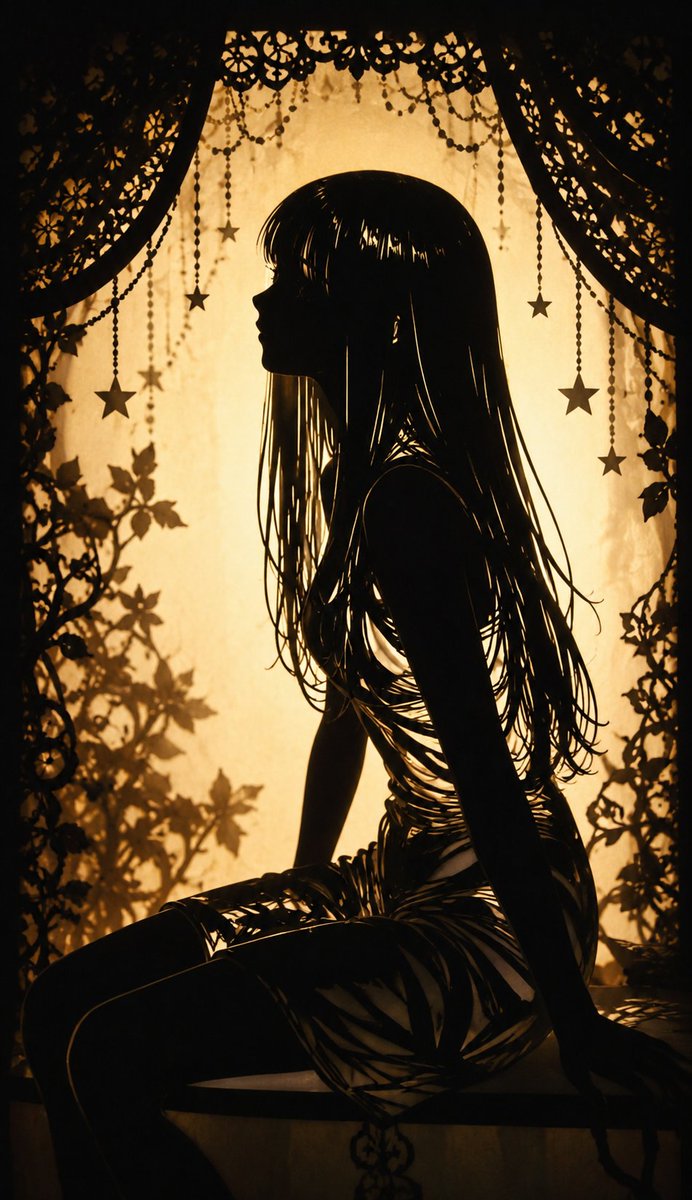
Shadow Puppet Style Conversion — Sora 2 Prompt
Transform any illustration into a dramatic shadow puppet style with intricate silhouettes, layered cutouts, and ethereal backlit effects for stunning visual storytelling.
1 / 4
프롬프트 · EN
请将此插图转换为 argstyle: shadow puppet 风格。通过强烈的背光强调剪影效果,并利用精细的镂空和图层增加复杂的阴影表现,从而营造出一种梦幻且具有戏剧张力的美感。
프롬프트 소개
Transform any illustration into a dramatic shadow puppet style with intricate silhouettes, layered cutouts, and ethereal backlit effects for stunning visual storytelling. Use it as a 컨셉 아트 starting point for GPT Image 2: keep the visual structure and style constraints intact, then swap in your own subject, brand, or scene.
Start by replacing style, then keep the camera, composition, and material cues in the same order. This makes the output easier to compare across variations.
이 프롬프트 사용법
- Copy this prompt into your preferred AI image model.
- Choose a Sora 2 or compatible generative model for best results.
- Replace the default style variable with 'shadow puppet' or another style like 'silhouette art'.
- Add your source image description or upload a reference illustration.
- Generate and refine the output by adjusting backlit intensity or shadow complexity.


