
GPT Image 2AI 프롬프트
Creek Portrait with Privacy Face Block — Sora 2 Prompt
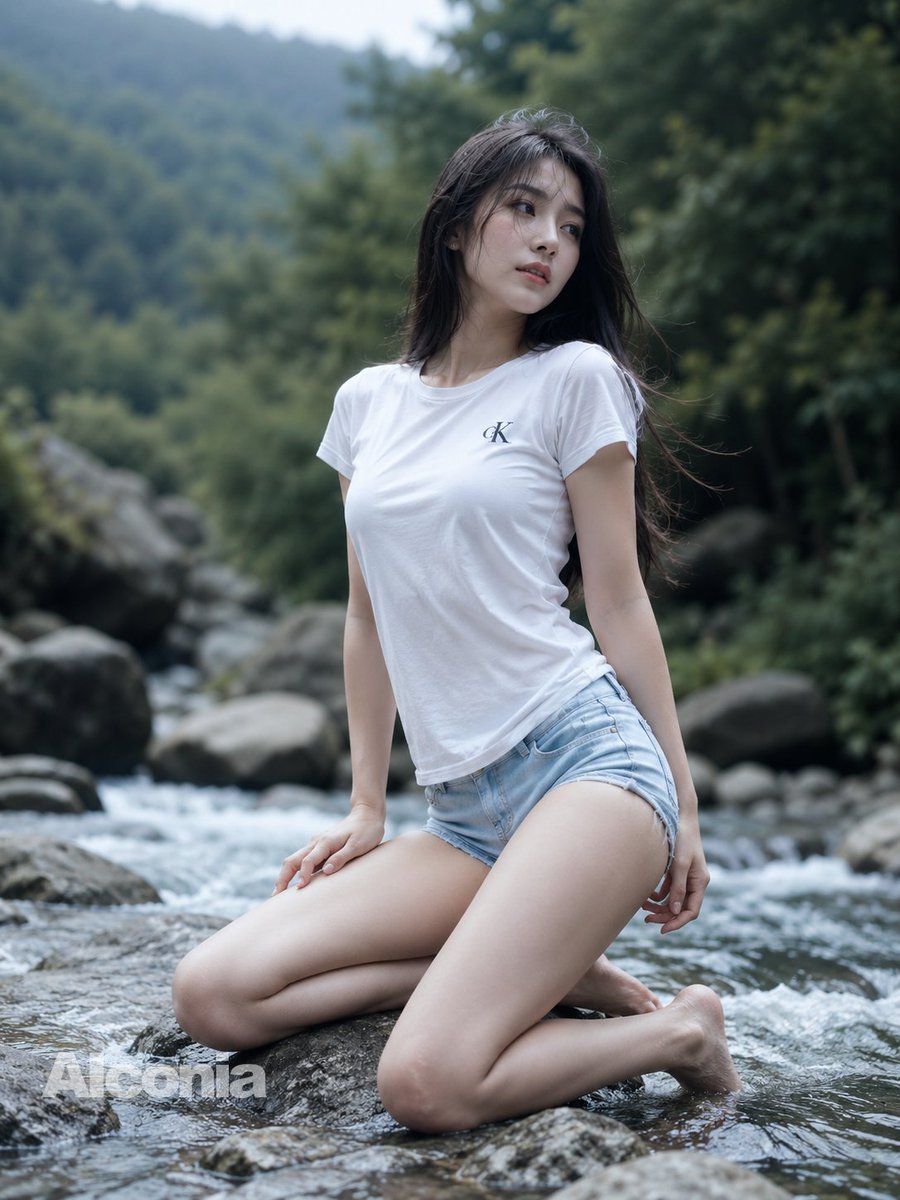
Generate a cinematic, hyper-realistic outdoor portrait of a woman kneeling in a mountain stream, featuring natural lighting, shallow depth of field, and a stylish pixelated privacy overlay.
프롬프트 · EN
创作一张高度细节化的写实户外肖像,主角是一位 argsubject description: 年轻东亚女性,她跪在浅浅的岩石山溪中,呈四分之三侧面姿势,一只手撑在湿润的岩石上,另一只手臂自然下垂。她留着长长的深色头发,自然垂落在肩头并随风轻拂,面部被一个居中的方形像素化隐私遮挡块覆盖。她身穿一件修身的 argshirt color: 白色 短袖 T 恤,左胸处印有黑色小巧的“CK”标志,下身穿着浅蓝色牛仔短裤;她赤着脚,膝盖和小腿浸在流动的溪水中。背景是郁郁葱葱的绿色森林山谷,布满光滑的大河石,溪水泛起白色的涟漪,远景是柔焦的林木山峦。采用自然阴天光线、冷色调、浅景深、逼真的皮肤纹理、湿润的岩石、电影级虚化效果、竖构图,呈现高分辨率 DSLR 摄影质感,具备 85mm 镜头感,柔和的对比度,并在左下角添加一个半透明的 argwatermark text: AIonia 水印。
프롬프트 소개
Generate a cinematic, hyper-realistic outdoor portrait of a woman kneeling in a mountain stream, featuring natural lighting, shallow depth of field, and a stylish pixelated privacy overlay. Use it as a 컨셉 아트 starting point for GPT Image 2: keep the visual structure and style constraints intact, then swap in your own subject, brand, or scene.
Start by replacing subject description, shirt color, and watermark text, then keep the camera, composition, and material cues in the same order. This makes the output easier to compare across variations.
이 프롬프트 사용법
- Copy the entire prompt text from the page.
- Paste it into your preferred AI image generator (e.g., Sora, Runway).
- Customize the
subject description,shirt color, andwatermark textvariables in the curly brackets to match your vision. - Generate the image and review the output. Adjust the variables for different styles or subjects.


