
GPT Image 2AI 프롬프트
Anime Mage & Fire Dragon Ruins — Sora 2 Prompt
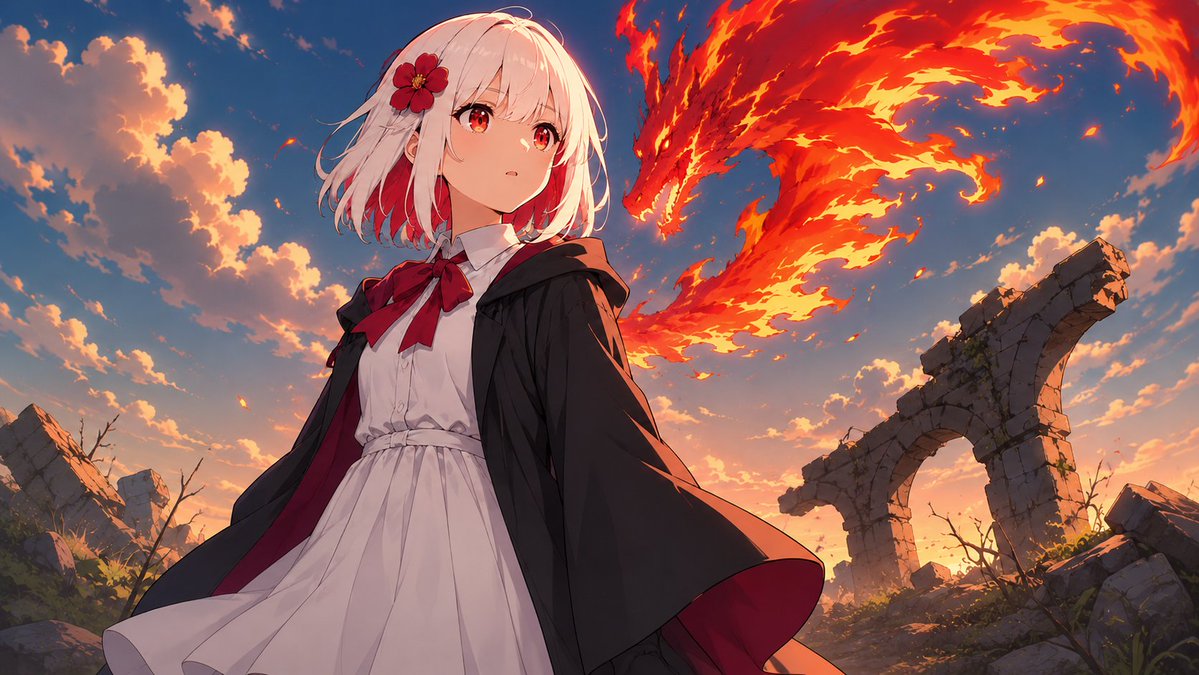
Generate a cinematic widescreen anime fantasy illustration featuring a cloaked mage and a fiery dragon over ancient ruins at sunset.
프롬프트 · EN
创作一张电影级宽屏动漫奇幻插画,画面前景中站着 argcharacter name: 一位白发法师少女,背景是日落时分的古老石制遗迹。她留着随风飘动的短发,发色为 arghair color: 浅白色并带有红色挑染,佩戴着红色的芙蓉花发饰,身穿白色翻领连衣裙,裙摆带有褶皱,颈部系着巨大的红色蝴蝶结,外披一件在风中翻涌的黑色连帽斗篷,内衬为深绯红色。她的面部被一个位于正中央的哑光鲑鱼粉色方形遮挡块刻意遮盖。在她身后,一条由翻腾的橙红色火焰组成的巨大火龙在天空中划出弧线,其头部和翼状火焰轨迹发出强光,火星四溅。场景设定为破败的奇幻景观,两侧是破碎的石拱门和坍塌的砖石,点缀着稀疏的枯枝和杂草,天空呈现温暖的金色日落云彩与深蓝色天幕,并带有强烈的橙色轮廓光。采用低角度英雄式构图,斗篷动态飘逸,高细节绘画风动漫渲染,戏剧性光影,前景角色细节锐利,具有大气深度和史诗般的魔法冒险氛围,比例为 16:9。
프롬프트 소개
Generate a cinematic widescreen anime fantasy illustration featuring a cloaked mage and a fiery dragon over ancient ruins at sunset. Use it as a 컨셉 아트 starting point for GPT Image 2: keep the visual structure and style constraints intact, then swap in your own subject, brand, or scene.
Start by replacing character name and hair color, then keep the camera, composition, and material cues in the same order. This makes the output easier to compare across variations.
이 프롬프트 사용법
- Copy the entire prompt text.
- Paste it into your preferred AI image or video generation model.
- Customize the character's name and hair color by editing the {argument} placeholders.
- Generate the image to get a dramatic, high-detail anime scene.


