
GPT Image 2AI 프롬프트
Character Growth Chart Generator — Sora 2 Prompt
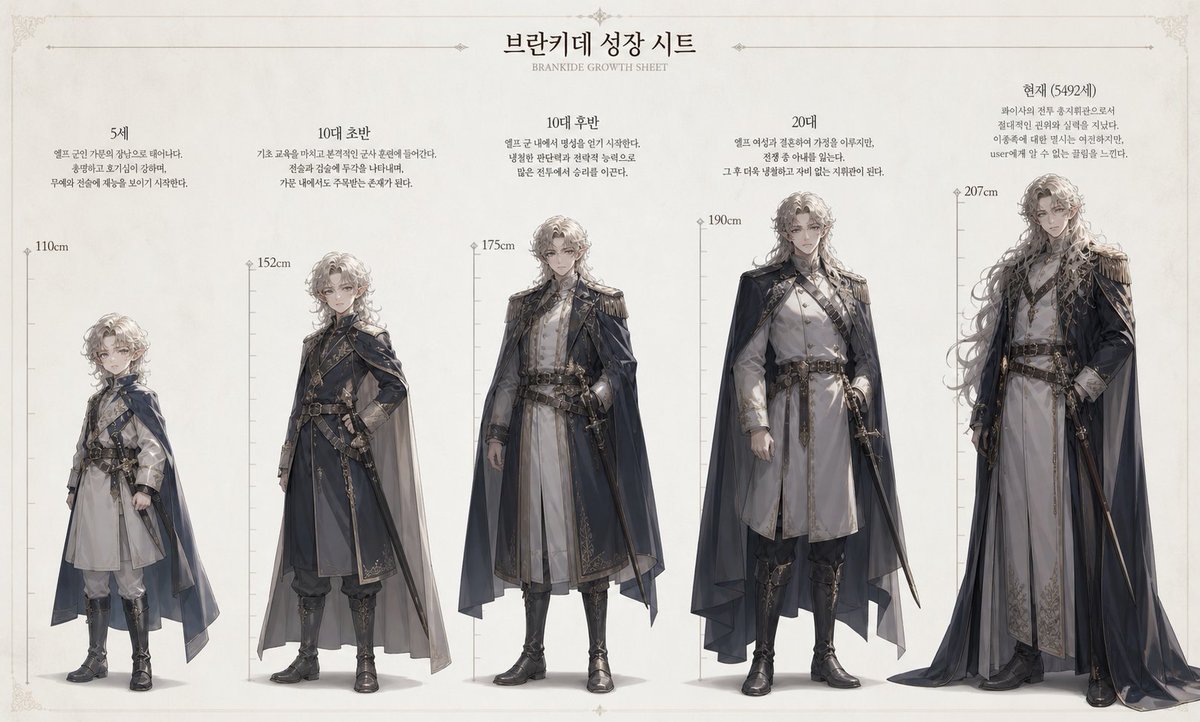
Create a detailed, full-body aging timeline from a single reference image, showing height and physical changes across key life stages.
프롬프트 · EN
参考此图像创建一份角色成长图。 [当前角色信息]
- 姓名:argname: Brankide
- 年龄:argage: 5492 岁
- 身高:argheight: 207cm
- 职业:argjob: 精灵战斗指挥官
- 性格:argpersonality: 冷酷无情 [格式]
在边缘标注身高刻度。创建一个自然的成长过程,按时间顺序划分为 5 岁、青少年早期、青少年晚期、20 多岁以及当前年龄。展示全身形象,并清晰呈现身高差异。
프롬프트 소개
Create a detailed, full-body aging timeline from a single reference image, showing height and physical changes across key life stages. Use it as a 컨셉 아트 starting point for GPT Image 2: keep the visual structure and style constraints intact, then swap in your own subject, brand, or scene.
Start by replacing name, age, height, and job, then keep the camera, composition, and material cues in the same order. This makes the output easier to compare across variations.
이 프롬프트 사용법
- Copy the prompt template into your AI model interface (e.g., Sora 2).
- Replace the placeholder variables (
name,age, etc.) with your character's specific details. - Upload your chosen reference image to guide the model's generation.
- Adjust the age milestones or description tweaks if you want a different progression focus.
- Generate the image, then iterate on the prompt if needed for better alignment with your vision.


