
GPT Image 2AI 프롬프트
Cinematic Explosion Chase in Rainy City — Sora 2 Prompt
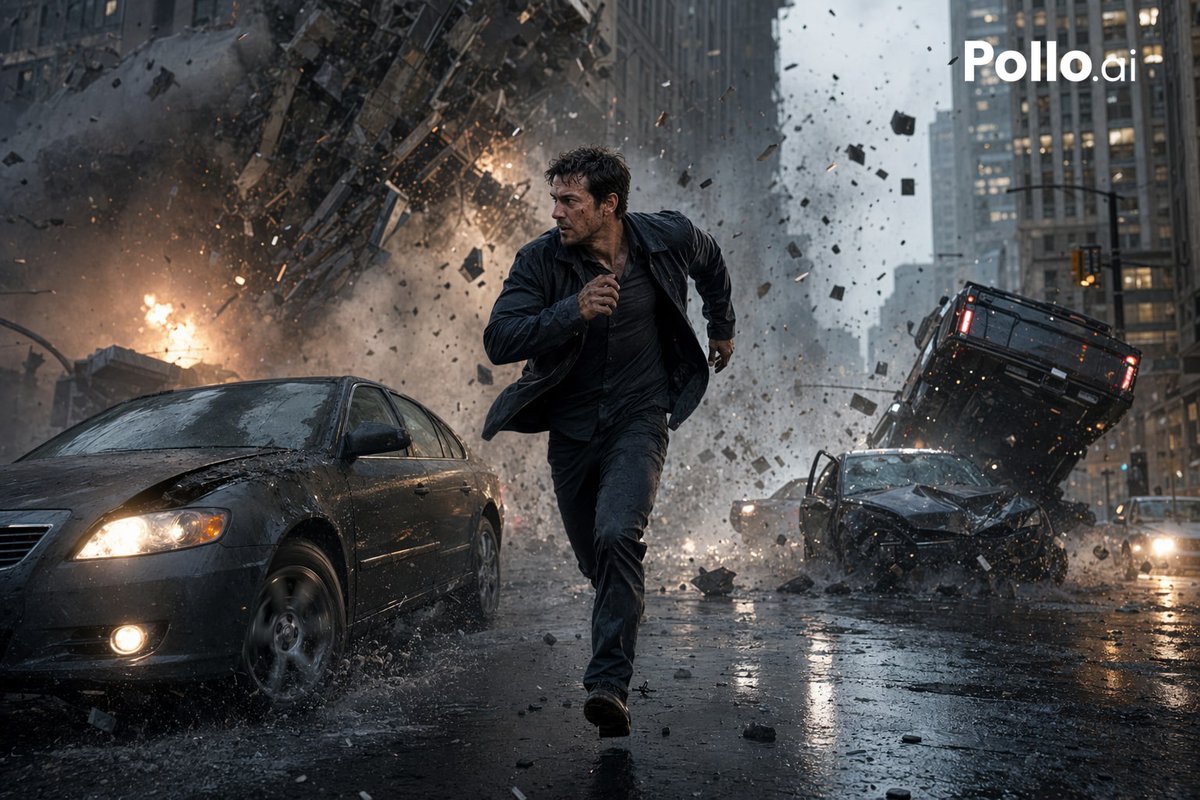
Generate cinematic action scenes: a man fleeing a city explosion in rain, with dynamic debris and lighting. Perfect for film posters and AI.
프롬프트 · EN
一个电影级写实动作场景,背景位于雨中的市中心街道峡谷,展示了 argmain subject: 一名 30 多岁的深色头发男子 在前景中央正对着镜头奔跑,表情紧张,表现出求生欲,身穿湿透的深色夹克、深色衬衫和深色长裤,正处于迈步奔跑的姿态,一只手臂向前摆动。在他身后,一场巨大的城市爆炸撕裂了街道和高层建筑的下层外墙,向四面八方喷射出巨大的烟雾、火焰、灰尘、破碎的混凝土、玻璃和金属碎片。场景中包含 3 辆清晰可见的受损车辆:左前景中有一辆开着前大灯、引擎盖凹陷并溅起雨水的深色轿车;右中景中有一辆车头严重受损的深色汽车;右侧后方有一辆倾斜向上、翻倒或腾空的黑色 SUV。潮湿的沥青路面反射着前大灯、火光和灰色的摩天大楼。浓密的碎片充斥着空气,碎石块在运动中定格。阴沉的暴雨天气,去饱和的蓝灰色调搭配橙色火光,飞溅的碎片带有戏剧性的动态模糊,但奔跑的人物保持清晰对焦,低角度广角镜头构图,灾难大片般的真实感,超精细纹理,高对比度,动态景深,体积烟雾,雨水喷溅,电影级布光。在右上角添加一个白色的 argwatermark text: Pollo.ai 标志。
프롬프트 소개
Generate cinematic action scenes: a man fleeing a city explosion in rain, with dynamic debris and lighting. Perfect for film posters and AI. Use it as a 컨셉 아트 starting point for GPT Image 2: keep the visual structure and style constraints intact, then swap in your own subject, brand, or scene.
Start by replacing main subject and watermark text, then keep the camera, composition, and material cues in the same order. This makes the output easier to compare across variations.
이 프롬프트 사용법
- Copy the prompt text.
- Open your AI image/video generator (e.g., Sora 2, Midjourney, Runway).
- Replace
{main subject}and{watermark text}with your own values if desired. - Paste the prompt and generate.
- Refine by tweaking descriptive terms or re-running for variations.


