
GPT Image 2AI 프롬프트
3D Surreal Dream Analysis Terrain Map — Sora 2 Prompt
Generate a layered 3D dreamscape terrain map with symbol infographics, cultural interpretation panels, and a lucidity meter for deep dream analysis.
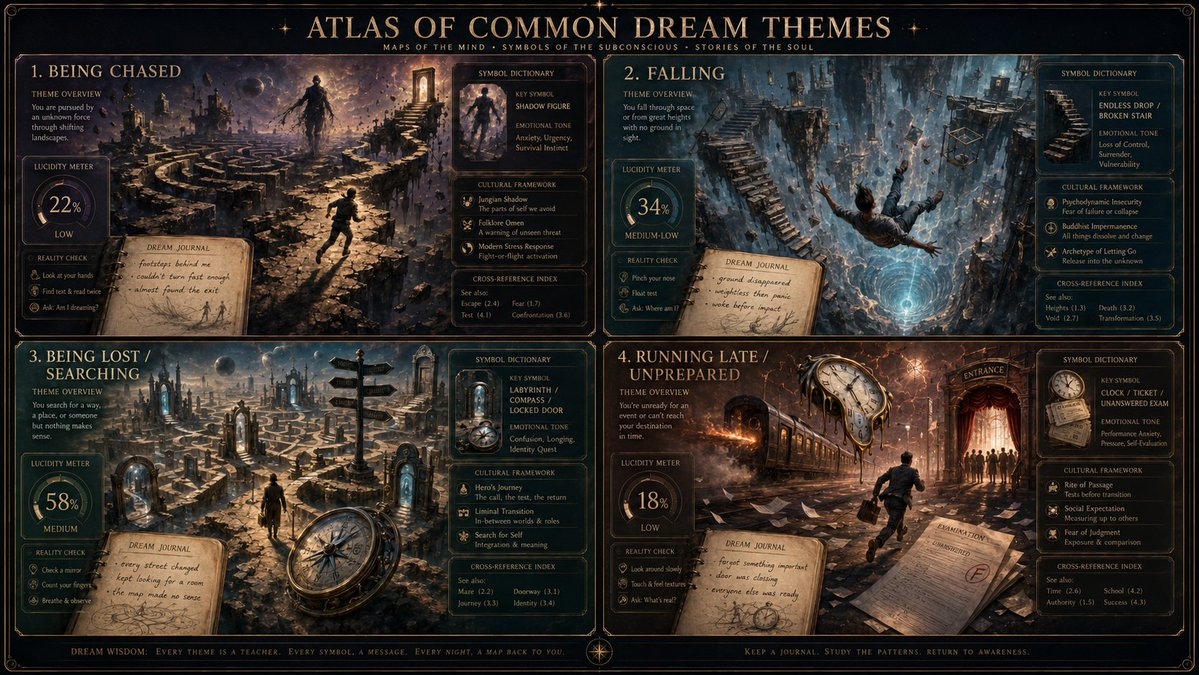
프롬프트 · EN
render_target = ( 3d_surreal_terrain_map_of_argdream theme: [dream_theme]_dreamscape * 1.2 ) + ( dream_symbol_dictionary_infographic_ui_with_argkey symbol: [key_symbol] and argemotional tone: [emotional_tone]_callouts * 1.5 ) + ( [cultural_framework]_interpretation_lens_panel_with_cross-reference_index * 1.3 ) + ( lucidity_meter_widget_set_to_[lucidity_level]_with_reality_check_reminders * 0.9 ) + ( dream_journal_notebook_overlay_with_handwritten_key_moments * 0.7 ) + ( ambient_studio_background_gradient_matching_[emotional_tone]_lighting * 1.0 ) - ( generic_floating_zzz_and_sandman_dust / 3.0 ) - ( cliché_flying_through_clouds_or_teeth_falling_out_default / 2.5 ) - ( overused_brain_x-ray_and_gears / 2.0 ) - ( flat_2d_psychology_textbook_diagram / 2.5 )
프롬프트 소개
Generate a layered 3D dreamscape terrain map with symbol infographics, cultural interpretation panels, and a lucidity meter for deep dream analysis. Use it as a 컨셉 아트 starting point for GPT Image 2: keep the visual structure and style constraints intact, then swap in your own subject, brand, or scene.
Start by replacing dream theme, key symbol, and emotional tone, then keep the camera, composition, and material cues in the same order. This makes the output easier to compare across variations.
이 프롬프트 사용법
- Copy the full prompt text and paste it into a compatible AI image generator like Sora 2.
- Replace the bracketed variables like
[dream_theme],[key_symbol], and[emotional_tone]with your specific dream details. - Adjust the multipliers (e.g.,
1.2,1.5) to change the visual weight and prominence of different map layers. - Generate the image and review the surreal terrain, noting how symbols and callouts are displayed.
- Iterate by changing your theme, symbol, or cultural framework to explore different subconscious landscapes.


