
GPT Image 2AI 프롬프트
Whiteboard Photo Enhancer — Clear & Readable Notes
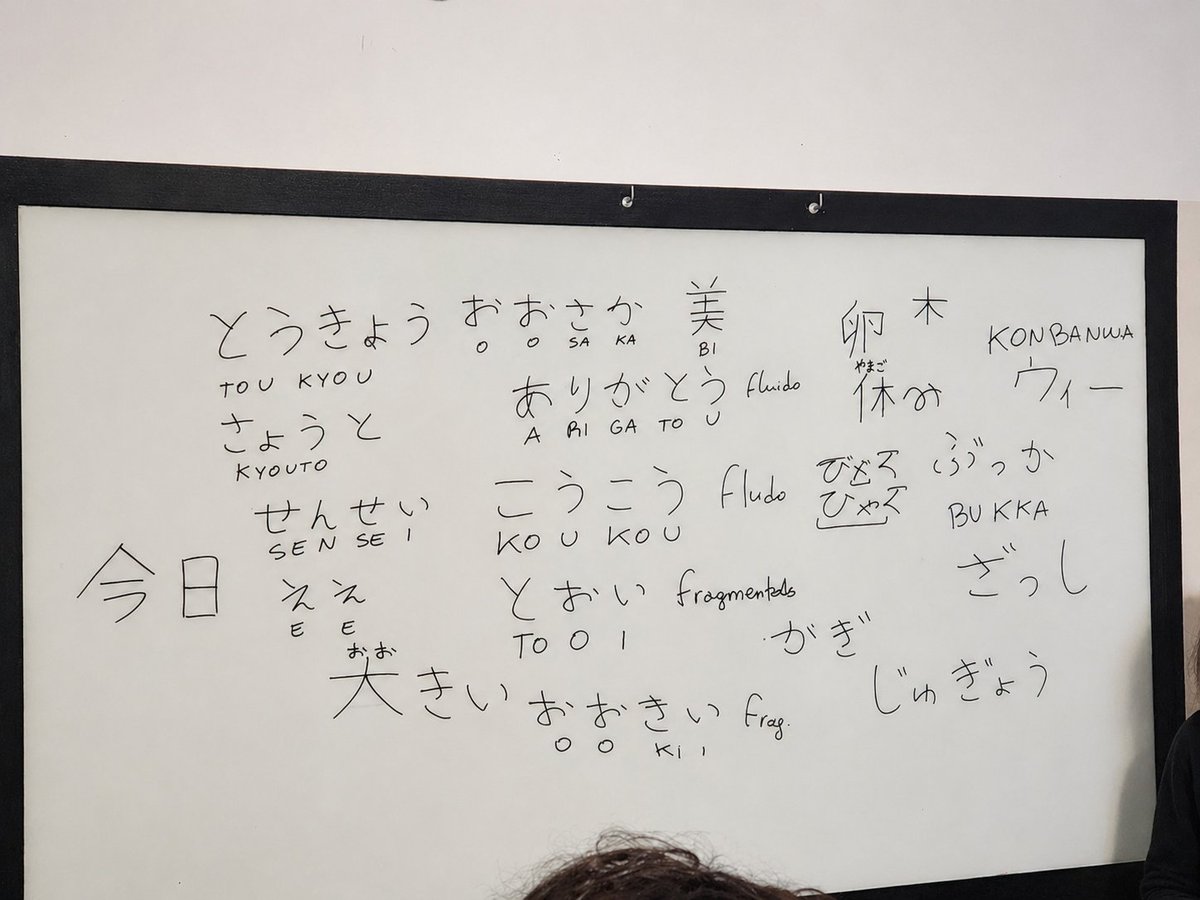
Transforms a blurry classroom whiteboard photo into a sharp, high-contrast image while perfectly preserving the original handwritten notes and layout.
프롬프트 · EN
使用提供的参考照片,在相同的摄像机角度和构图下重现白板场景,并将其增强为更清晰、高画质的照片。去除眩光/反光,增加对比度和锐度,提亮白板表面,并使所有手写文字更深、更易读,同时整齐地保留在原位置。保持黑色边框、墙壁、挂钩以及底部/右侧边缘的部分人头与原始构图一致。保留手写内容,包括可见的日语单词和罗马拼音/笔记,例如 とうきょう / TOU KYOU, きょうと / KYOUTO, せんせい / SEN SE I, ええ / E E, おおさか / SA KA, ありがとう / A RI GA TO U, こうこう / KO U KO U, とおい / TO O I, 大きい, おおきい, 美 / BI, 卵, 木, 休み, でなく / びゃく, ぶっか / BUKKA, ざっし, かぎ, しゅぎょう, 今日, KONBANWA, フィー,以及西班牙语笔记 fluido, fragmentado 和 Frag。
프롬프트 소개
Transforms a blurry classroom whiteboard photo into a sharp, high-contrast image while perfectly preserving the original handwritten notes and layout. Use it as a 컨셉 아트 starting point for GPT Image 2: keep the visual structure and style constraints intact, then swap in your own subject, brand, or scene.
Start with small changes to subject, scene, camera, and color, then generate a few variations to compare composition and detail without turning the page copy into keyword stuffing.
이 프롬프트 사용법
- Copy the full prompt text above.
- Select a compatible AI image generation model like DALL-E 3 or GPT-4o.
- Upload your original whiteboard photo as the reference image.
- Generate the image. Tweak the prompt for specific languages or glare removal if needed.


