
GPT Image 2AI 프롬프트
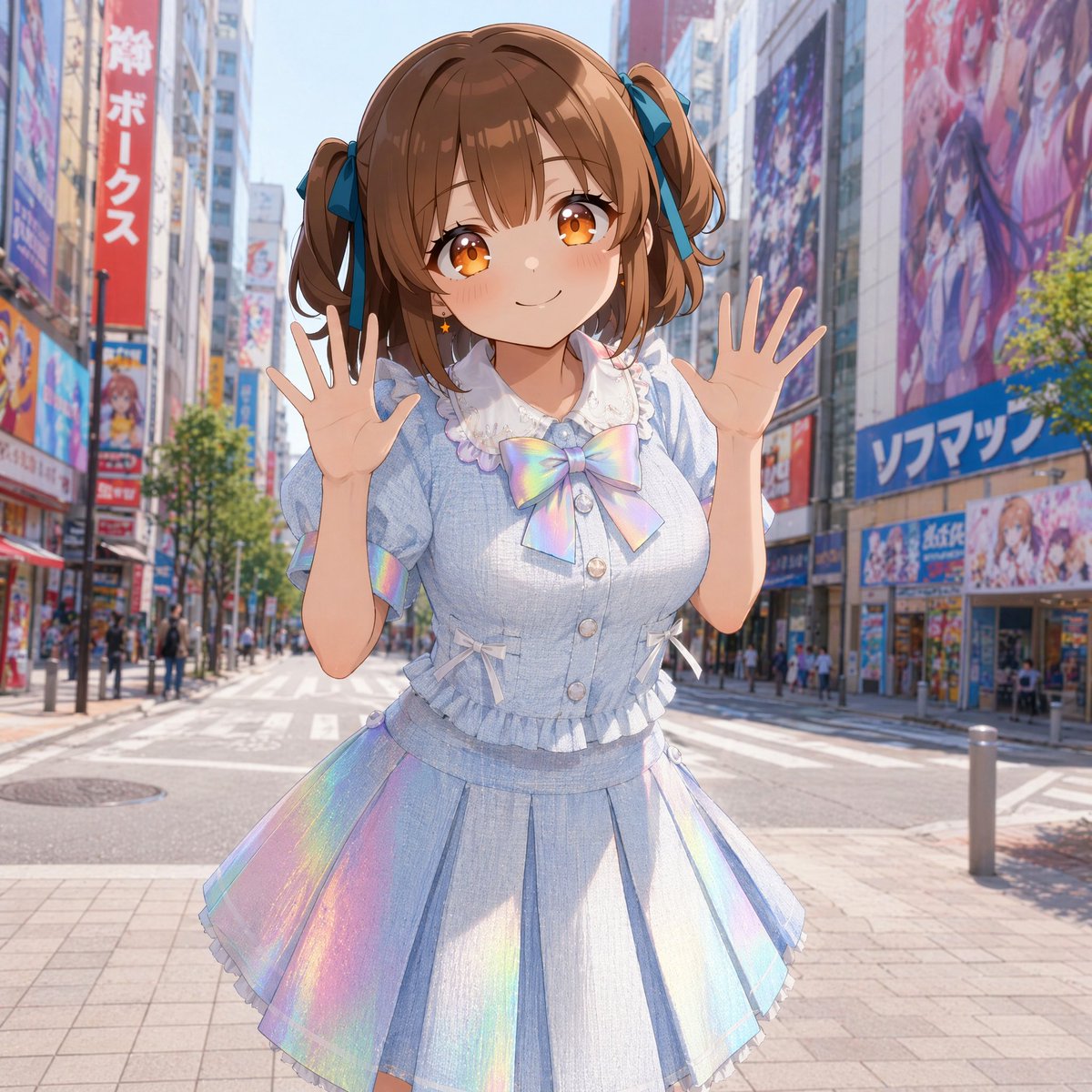
Akihabara Idol with Mosaic Face — Anime Art Prompt
Generate a vibrant, high-resolution anime-style illustration of a cute idol in a sunny, colorful Akihabara-style street, complete with a mosaic face for a unique, stylized look.
프롬프트 · EN
创作一张明亮、高分辨率的动漫风格插画,主角是 argcharacter name: 一位开朗的年轻偶像少女,她站在阳光明媚的秋叶原风格城市街道中央。街道两旁是宽阔的人行横道,高楼大厦上挂满了色彩缤纷的动漫广告牌、商店招牌、海报和店面。角色处于半身至膝盖的构图,身体微微前倾,双手举在脸侧做出俏皮的问候姿势,手指张开。她的脸部被一个暖肤色的平坦不透明马赛克方块刻意遮挡,覆盖了整个面部区域,但头发和服装清晰可见。她留着 arghair color: 浅栗棕色 的双马尾,发带为深青蓝色蝴蝶结,配有柔和的刘海和卷曲的侧发。为她穿上一套柔和色调的偶像服装:浅蓝色短袖衬衫,带有泡泡袖、白色蕾丝领、荷叶边装饰、前襟纽扣、侧边小蝴蝶结,胸前有一个巨大的虹彩蝴蝶结,搭配同款百褶裙,裙摆带有闪烁的全息彩虹镶片和精致的荷叶边。服装看起来可爱、轻盈且富有光泽,具有细腻的织物纹理和反光的柔和高光。使用生动的正午阳光、晴朗的蓝天、柔和的阴影,以及具有写实城市景深感的背景,行人和招牌略微模糊,而角色保持清晰细腻。整体氛围:愉快的晨间出行,可爱的日本流行偶像时尚,精致的 AI 动漫插画,色彩鲜艳,线条干净,半写实光影,1:1 正方形构图。
프롬프트 소개
Generate a vibrant, high-resolution anime-style illustration of a cute idol in a sunny, colorful Akihabara-style street, complete with a mosaic face for a unique, stylized look. Use it as a 컨셉 아트 starting point for GPT Image 2: keep the visual structure and style constraints intact, then swap in your own subject, brand, or scene.
Start by replacing character name and hair color, then keep the camera, composition, and material cues in the same order. This makes the output easier to compare across variations.
이 프롬프트 사용법
- Copy the full prompt text from the page.
- Paste it into your preferred AI image generator (like Sora, Midjourney, or Stable Diffusion).
- Customize the {character name} and {hair color} variables inside the curly braces to match your vision.
- Adjust any other details, like clothing colors or poses, if desired.
- Generate the image and enjoy your unique anime idol illustration!


