
GPT Image 2AI 프롬프트
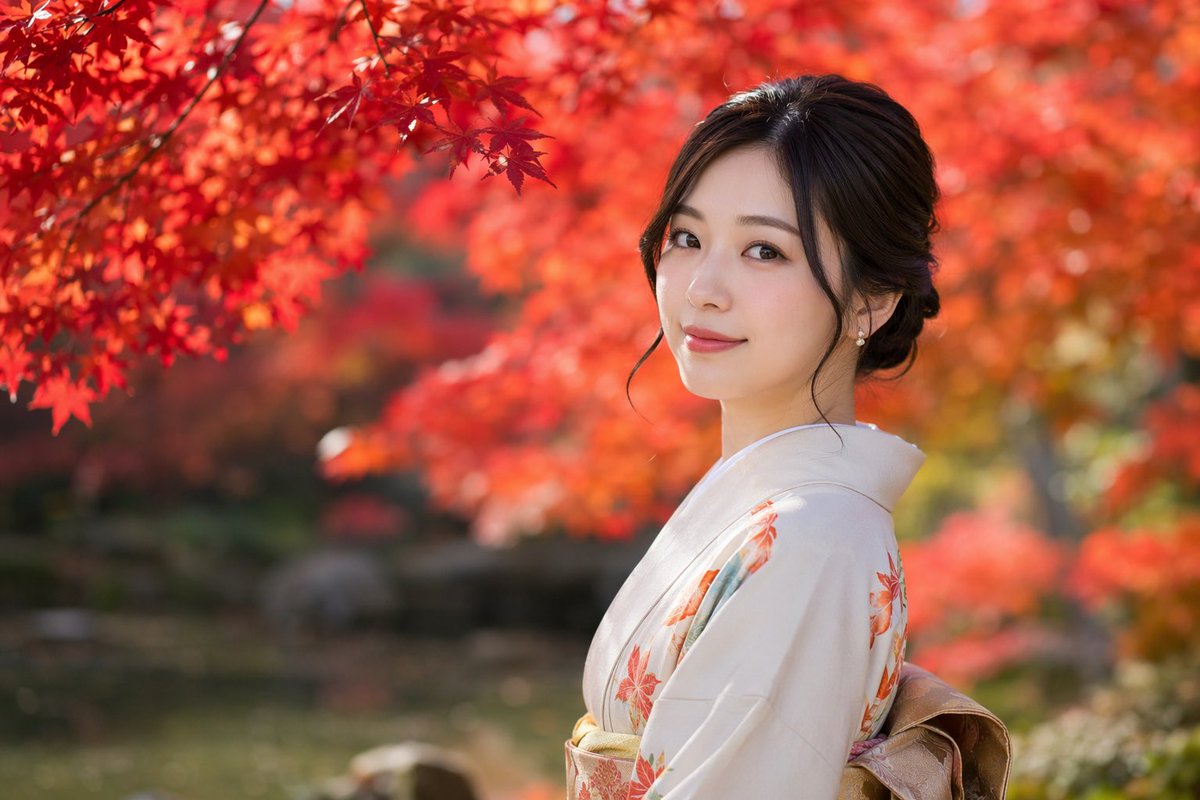
Realistic Kimono Portrait in Autumn Garden — Sora 2 Prompt
Create a cinematic, photorealistic portrait of a Japanese woman in a kimono, set in a vibrant, softly blurred autumn garden.
프롬프트 · EN
一张 argphotography style: 具有浅景深和柔和虚化效果的写实人像,主角是一位 argsubject: 年轻日本女性,正回头看向镜头,脸上带着 argexpression: 温柔的微笑。她身着 argattire: 带有橙色枫叶图案的浅米色和服,腰间系着金色腰带。深色长发盘成优雅的发髻,几缕发丝垂在脸颊旁,耳边戴着精致的珍珠耳环。背景设定为 argsetting: 红叶绚烂的秋日庭院,左上角点缀着鲜艳的红叶,背景经过深度虚化处理,营造出宁静而富有电影感的氛围。
프롬프트 소개
Create a cinematic, photorealistic portrait of a Japanese woman in a kimono, set in a vibrant, softly blurred autumn garden. Use it as a 컨셉 아트 starting point for GPT Image 2: keep the visual structure and style constraints intact, then swap in your own subject, brand, or scene.
Start by replacing photography style, subject, expression, and attire, then keep the camera, composition, and material cues in the same order. This makes the output easier to compare across variations.
이 프롬프트 사용법
- Copy the prompt text and paste it into your AI image generation tool (e.g., Sora 2, Midjourney, DALL-E).
- Choose a model that excels at photorealism, such as Sora 2 or Flux.
- (Optional) Adjust the variables like
photography style,subject,expression,attire, orsettingto customize the output. - Set your preferred aspect ratio and quality parameters, then generate the image.
- Iterate by tweaking the prompt details or model settings until you achieve the desired result.


