
GPT Image 2AI 프롬프트
Men's Formal Style Analysis Poster — Sora 2 Prompt
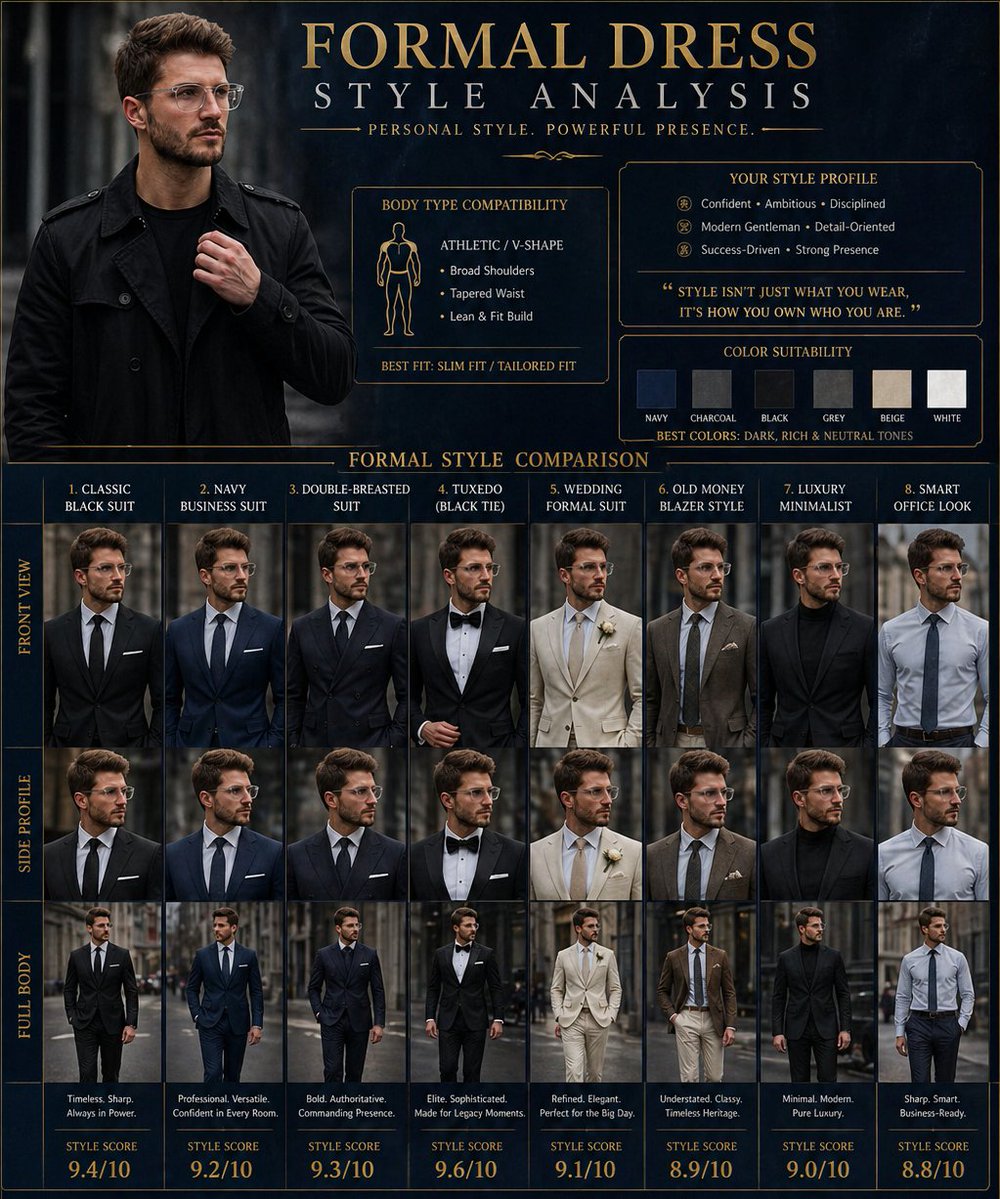
Generate a photorealistic 4K men's fashion infographic showing 8 formal styles with elegance scores, confidence index, and best recommendation, ensuring consistent facial features.
프롬프트 · EN
创建一张高端的“argposter title: 正装风格分析”海报,主角为 argsubject: 参考图中的同一位男士。展示他身着不同正装风格的形象,确保面部特征和身份高度一致。包含的风格有:经典黑色西装、海军蓝商务西装、双排扣西装、礼服、婚礼正装、老钱风西装、奢华极简正装、商务休闲风。添加体型适配度、色彩适合度、优雅评分、自信指数、奢华感评分以及最佳正装推荐。包含正面、侧面和全身对比图。采用深蓝色与黑色奢华背景,时尚顾问信息图风格,现代排版,时尚编辑布局,高细节,逼真的高端男士时尚海报,4K 画质。
프롬프트 소개
Generate a photorealistic 4K men's fashion infographic showing 8 formal styles with elegance scores, confidence index, and best recommendation, ensuring consistent facial features. Use it as a 컨셉 아트 starting point for GPT Image 2: keep the visual structure and style constraints intact, then swap in your own subject, brand, or scene.
Start by replacing poster title and subject, then keep the camera, composition, and material cues in the same order. This makes the output easier to compare across variations.
이 프롬프트 사용법
- Copy the prompt text.
- Paste it into Sora 2 or a compatible AI image generator.
- Optionally, replace the
{argument name="subject"}placeholder with a description of your own subject (e.g., "a model with short black hair"). - Adjust the poster title by modifying
{argument name="poster title"}if needed. - Generate the image to get a high-detail 4K poster.


