
GPT Image 2AI 프롬프트
Hyperrealistic Chameleon Macro Photography — Sora 2 Prompt
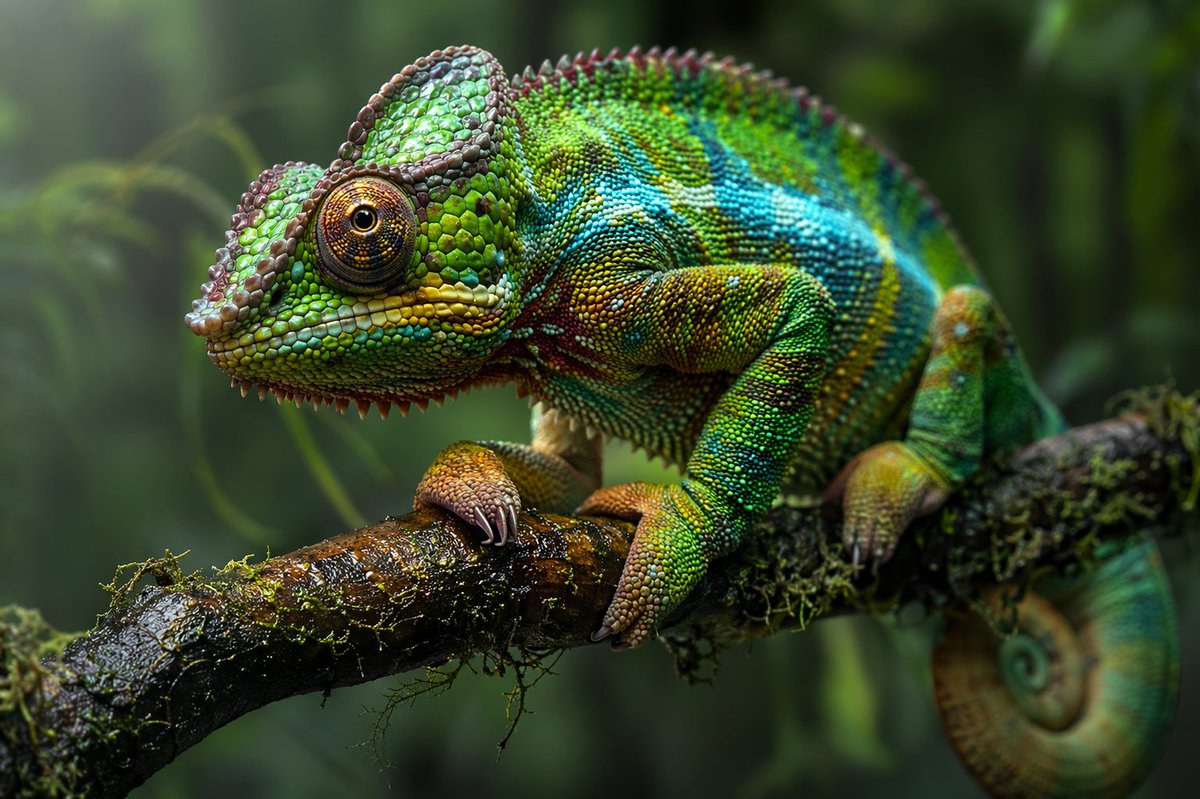
Generate a stunning hyperrealistic macro photo of a vibrant chameleon perched on a mossy branch, with customizable colors and lush jungle backgrounds.
프롬프트 · EN
一张 argphotography style: 超写实微距摄影作品,主体为一只 argprimary color: 鲜艳的绿色和蓝色 变色龙,栖息在 argbackground environment: 茂密丛林 中潮湿且长满苔藓的树枝上。变色龙拥有错综复杂的凸起鳞片,点缀着黄色和红色,并配有一只细节极其丰富的硕大眼睛。它锋利的爪子紧紧抓着深色且纹理分明的木头,尾巴紧紧卷成螺旋状垂在树枝下方。背景是柔和的深绿色虚化叶片,突出了爬行动物身上极度清晰的 8k 分辨率细节。柔和的自然光衬托出潮湿的质感。
프롬프트 소개
Generate a stunning hyperrealistic macro photo of a vibrant chameleon perched on a mossy branch, with customizable colors and lush jungle backgrounds. Use it as a 컨셉 아트 starting point for GPT Image 2: keep the visual structure and style constraints intact, then swap in your own subject, brand, or scene.
Start by replacing photography style, primary color, and background environment, then keep the camera, composition, and material cues in the same order. This makes the output easier to compare across variations.
이 프롬프트 사용법
- Copy the entire prompt text above.
- Paste it into your preferred AI image generator (e.g., Sora 2, Midjourney, DALL·E 3).
- Replace the text inside curly braces (e.g.,
{argument name="primary color" default="鲜艳的绿色和蓝色"}) with your desired colors, style, or background. - Run the generation and enjoy your detailed 8K chameleon macro shot!


