
GPT Image 2AI 프롬프트
Sapphire Elegance: Blue Couture Group Portrait — Sora 2 Prompt
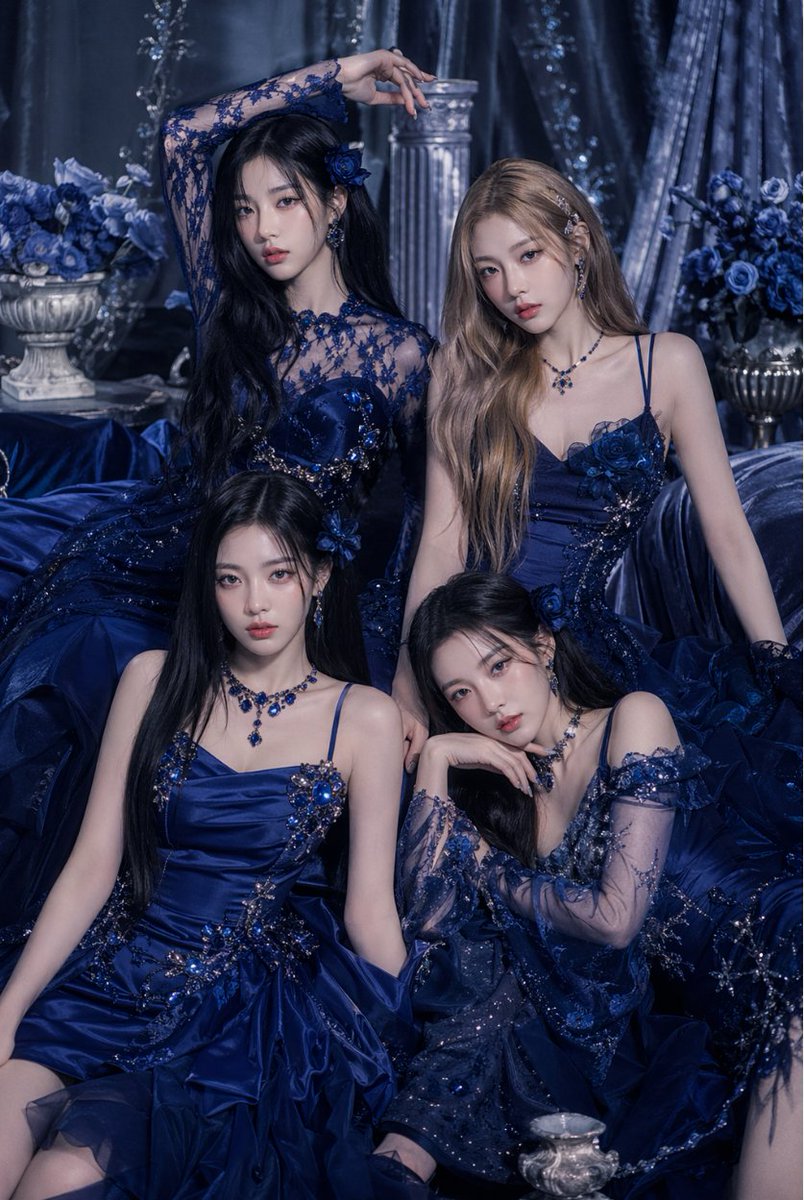
Create a dramatic editorial portrait of elegant women in coordinated sapphire haute couture, surrounded by ornate blue set design and moody lighting.
프롬프트 · EN
一张奢华的摄影棚时尚肖像,画面中 arggroup size: 四位 优雅的年轻女性在充满戏剧性的皇家蓝梦幻场景中紧密靠在一起。她们身着协调一致的深蓝宝石色和午夜海军蓝高定晚礼服,礼服上点缀着闪亮的珠饰、花卉贴花、亮片、蕾丝袖、透明网纱细节以及蓬松的层叠裙摆。场景呈现单色调的蓝色,带有冷峻、忧郁且高端的编辑风格调色。将女性安排在紧凑的三角形构图中:两位站立或位于后方高处,两位坐在前方铺有织物的地面上,姿态优雅各异:一人手臂举过头顶,一人微微倾斜,一人端坐,一人手托下巴。她们的礼服各具特色但风格统一,饰有华丽的水晶装饰、刺绣花朵和修身胸衣。搭配配套的蓝宝石首饰,包括吊坠耳环、宝石项链和花卉发饰。她们留着飘逸的长发,发色混合了深黑色和柔和的浅棕色,造型顺滑且充满魅力。周围环绕着华丽的布景:背景中有 2 个插满蓝玫瑰的古典瓮形花瓶、1 根凹槽石柱、厚重的闪光天鹅绒窗帘,以及周围堆叠的大量缎面织物。灯光柔和且漫射,在缎面和珠宝上形成微妙的高光,营造出一种高贵、神秘且浪漫的氛围。采用竖构图时尚编辑肖像拍摄,从腰部以上到全身坐姿构图,展现高度细腻的织物纹理,呈现精致的奢华美妆广告美学,画面中无可见文字。
프롬프트 소개
Create a dramatic editorial portrait of elegant women in coordinated sapphire haute couture, surrounded by ornate blue set design and moody lighting. Use it as a 컨셉 아트 starting point for GPT Image 2: keep the visual structure and style constraints intact, then swap in your own subject, brand, or scene.
Start by replacing group size, then keep the camera, composition, and material cues in the same order. This makes the output easier to compare across variations.
이 프롬프트 사용법
- Copy the full prompt into your AI image platform's text field.
- Ensure you are using a model capable of high-detail fashion imagery, such as Sora 2.
- Modify the
group sizevariable (default "四位"=four) if desired. - Generate the image and review the results.
- Optionally tweak keywords like "blue roses" or "velvet drapes" to refine the setting.


