
Customizable Minimalist Fashion Flat Lay Prompt
Generate a clean editorial-style fashion collage featuring 5 customizable items, including jacket color, brand logos, and background text, perfect for social media and digital wardrobe projects.
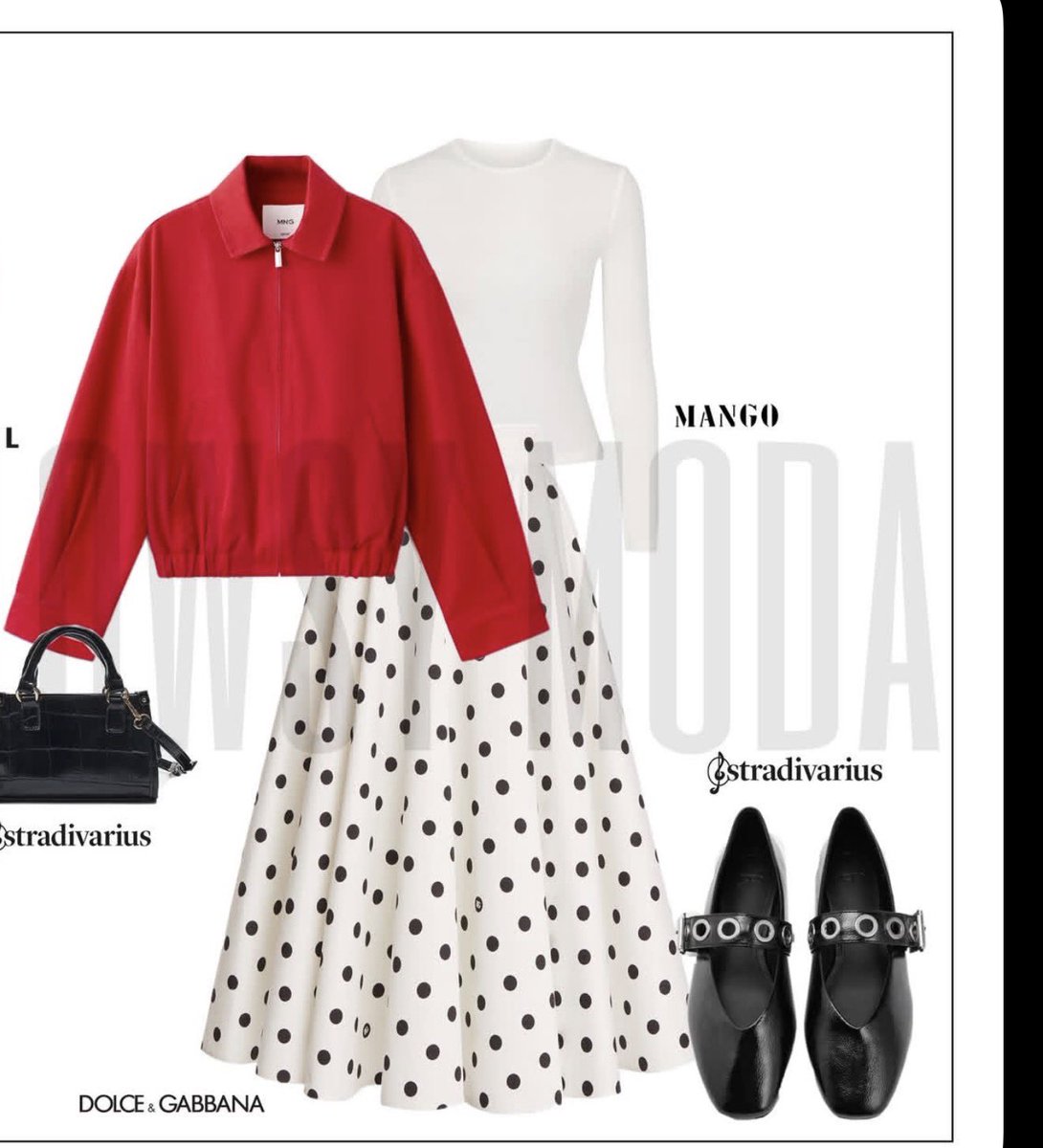
在浅灰白色背景上呈现一张干净的编辑风时尚拼贴图,带有细黑色矩形边框,呈现出极简杂志穿搭项目风格。将穿搭以平铺构图置于中心,包含 5 件可见的时尚单品:左侧叠放一件亮色 argjacket color: 深红色 短款拉链夹克,配有尖领和松紧下摆;下方叠穿一件合身的 argtop color: 白色 长袖圆领针织衫,露出肩部和袖子;下方为一条米白色大廓形中长款 A 字裙,裙身带有间距均匀的黑色大波点;左下角放置一个结构感十足的小号黑色手提包,配有短手柄和细腻的亮面鳄鱼纹理;右下角放置一双黑色方头玛丽珍平底鞋,配有宽带和银色金属圆环扣。在衣物后方的中间位置添加超大号的极浅灰色背景文字 argbackground brand text: MANGO,并进行拉伸处理。在布局周围放置较小的黑色时尚品牌标识:在穿搭右上角附近放置 argtop right logo: MANGO,在手提包和鞋子附近放置“Stradivarius”,在裙摆附近的左下角放置“DOLCE & GABBANA”。整体构图应平衡、时髦且具有现代感,采用柔和的摄影棚灯光,无阴影或仅有淡淡的柔和阴影,边缘剪裁清晰,呈现出精致的社交媒体时尚项目美学。
프롬프트 소개
Generate a clean editorial-style fashion collage featuring 5 customizable items, including jacket color, brand logos, and background text, perfect for social media and digital wardrobe projects. Use it as a 컨셉 아트 starting point for GPT Image 2: keep the visual structure and style constraints intact, then swap in your own subject, brand, or scene.
Start by replacing jacket color, top color, background brand text, and top right logo, then keep the camera, composition, and material cues in the same order. This makes the output easier to compare across variations.
이 프롬프트 사용법
- Copy the prompt from this page.
- Adjust the customizable variables (jacket color, top color, background text, top-right logo) to suit your style.
- Choose an AI image model such as Sora 2, DALL-E, or Stable Diffusion.
- Paste the prompt and generate the fashion flat lay.
- Refine by tweaking variables or trying different brand names for unique collages.


