
GPT Image 2AI 프롬프트
Dramatic Split-Face Typography Portrait — Sora 2 Prompt
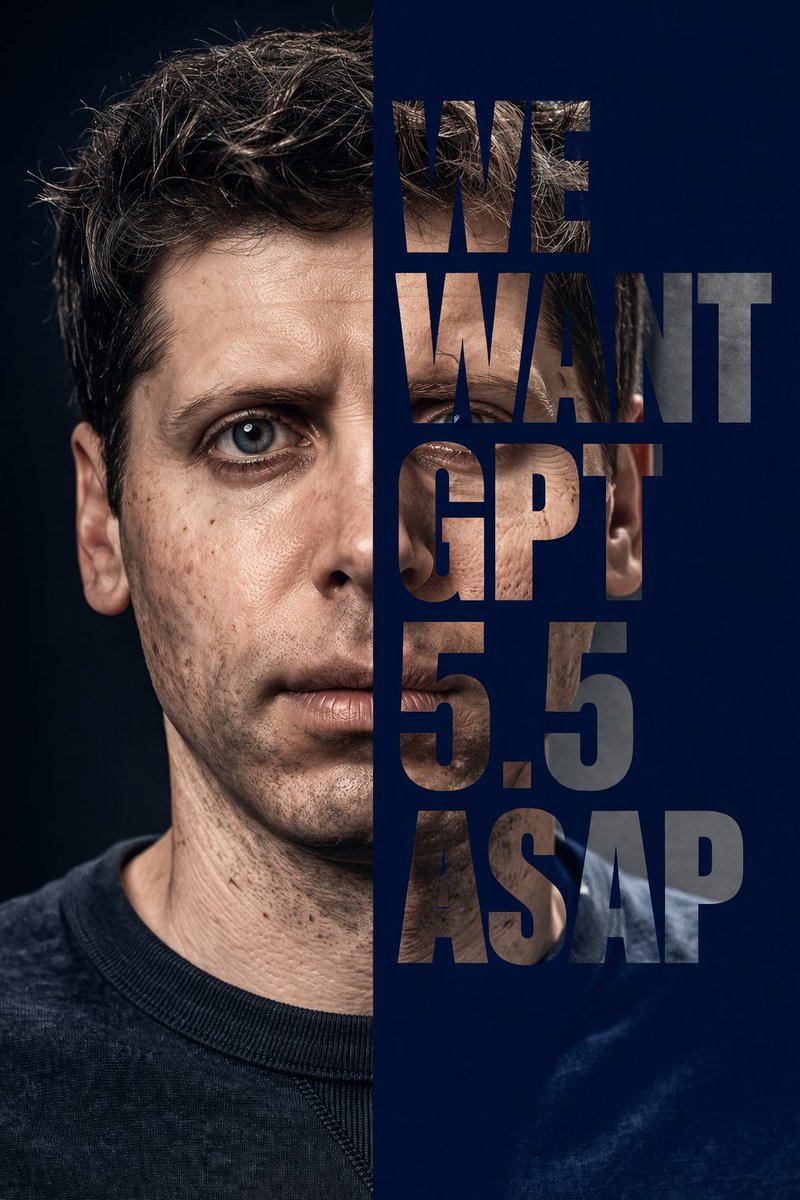
Instantly generate a dramatic split-face portrait where bold text acts as a clipping mask, seamlessly revealing the subject’s face.
프롬프트 · EN
一张高度逼真、极具戏剧性的摄影棚人像,主角为 argsubject: 一位长相酷似 Sam Altman 的男性,留着棕色短卷发,拥有蓝色眼睛、细眉毛和细腻的皮肤纹理,身穿深色圆领毛衣。构图沿中线垂直分割。左半部分为深色背景下的标准摄影人像。右半部分为纯色 argbackground color: 深蓝色 背景,并配有巨大的粗体无衬线文字作为剪切遮罩。文字内容为 "argoverlay text: WE WANT GPT 5.5 ASAP",垂直堆叠为五行。字母如同透明窗口,显露出该男性的右侧面部和躯干,并与左侧完美对齐,通过排版呈现出完整的人像。
프롬프트 소개
Instantly generate a dramatic split-face portrait where bold text acts as a clipping mask, seamlessly revealing the subject’s face. Use it as a 컨셉 아트 starting point for GPT Image 2: keep the visual structure and style constraints intact, then swap in your own subject, brand, or scene.
Start by replacing subject, background color, and overlay text, then keep the camera, composition, and material cues in the same order. This makes the output easier to compare across variations.
이 프롬프트 사용법
- Copy the prompt above and paste it into your AI image generator.
- Select a model that excels at photorealism, such as Sora 2 or Stable Diffusion with a realistic checkpoint.
- Customize the
subjectargument with a detailed description of your character (hair, eyes, expression). - Tweak the
background colorandoverlay textarguments to match your creative vision. - Generate and iterate—adjust the prompt or model settings for optimal results.


