
GPT Image 2AI 프롬프트
Full-Stack Software Architecture Prompt — Sora 2
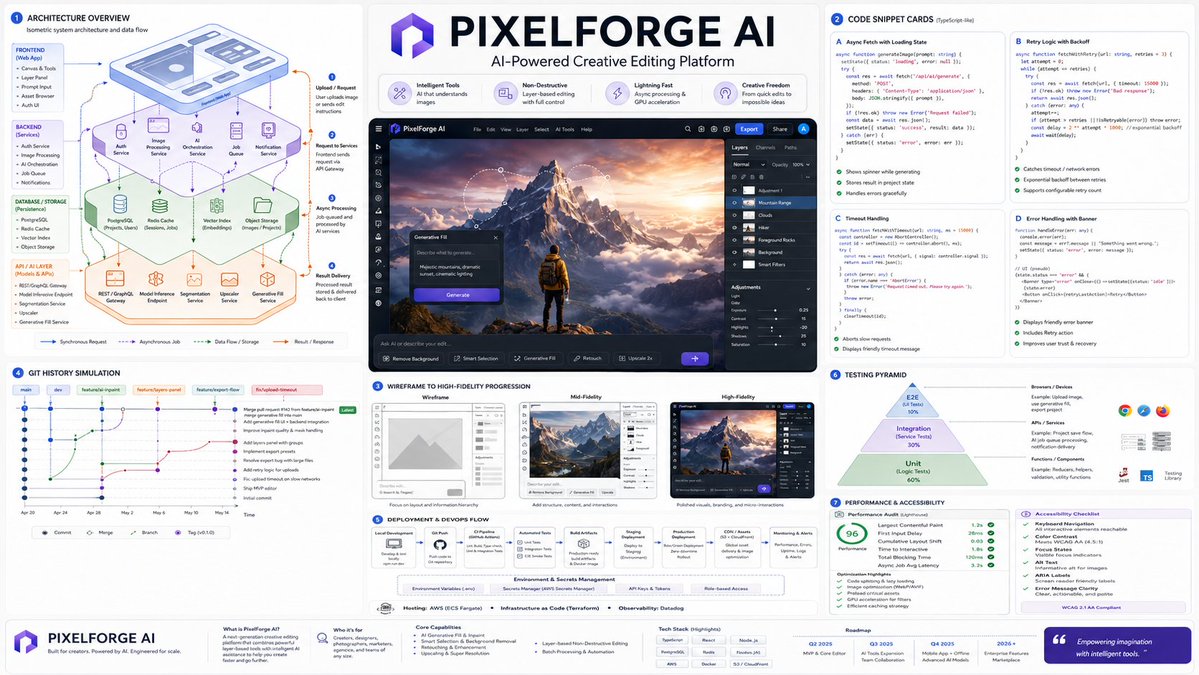
Generate a complete software development lifecycle visualization: isometric architecture diagrams, annotated code snippets, UI wireframes, Git history, deployment flowcharts, and testing pyramids in o
프롬프트 · EN
针对一款 AI 驱动的类似 Photoshop 的应用执行以下操作:Render_Target = ( Isometric_Architecture_Diagram_Of_argproject name: [PROJECT_NAME] * 1.7 ) + ( Code_Snippet_Cards_Annotated_With_Async_Fetch_State_And_Error_Handling_For_argproject name: [PROJECT_NAME] * 1.6 ) + ( Wireframe_To_High_Fidelity_UI_Progression_In_3_Panels_For_argproject name: [PROJECT_NAME] * 1.5 ) + ( Git_Commit_History_Simulation_With_Branch_Names_And_Feature_Merge_For_argproject name: [PROJECT_NAME] * 1.3 ) + ( Deployment_Flowchart_Environment_Variables_Hosting_CI/CD_For_argproject name: [PROJECT_NAME] * 1.4 ) + ( Testing_Pyramid_Visual_Unit_Integration_E2E_With_Example_Snippets_For_argproject name: [PROJECT_NAME] * 1.2 ) + ( Performance_Audit_Card_And_Accessibility_Checklist_For_argproject name: [PROJECT_NAME] * 1.0 ) - ( Clichéd_Hacker_Terminal_Green_On_Black_Or_Hoodie_Programmer_Stock_Photos / 3.4 ) - ( Uncommented_Code_Dumps_Without_Layman_Explanation / 3.0 )
프롬프트 소개
Generate a complete software development lifecycle visualization: isometric architecture diagrams, annotated code snippets, UI wireframes, Git history, deployment flowcharts, and testing pyramids in o. Use it as a 컨셉 아트 starting point for GPT Image 2: keep the visual structure and style constraints intact, then swap in your own subject, brand, or scene.
Start by replacing project name, then keep the camera, composition, and material cues in the same order. This makes the output easier to compare across variations.
이 프롬프트 사용법
- Copy the entire prompt template above.
- In your chosen AI image generator (e.g., Sora 2), paste the prompt.
- Replace every
[PROJECT_NAME]placeholder with your actual project or app name (e.g.,MyFitnessApp). - Optionally adjust the weight multipliers (e.g.,
* 1.7) to emphasize or de-emphasize specific components like architecture or testing. - Generate the image. If results are noisy, simplify the prompt by removing a few components to focus the output.


