
GPT Image 2AI 프롬프트
Cinematic Rainy City Portrait with Japanese Typography — Sora 2 Prompt
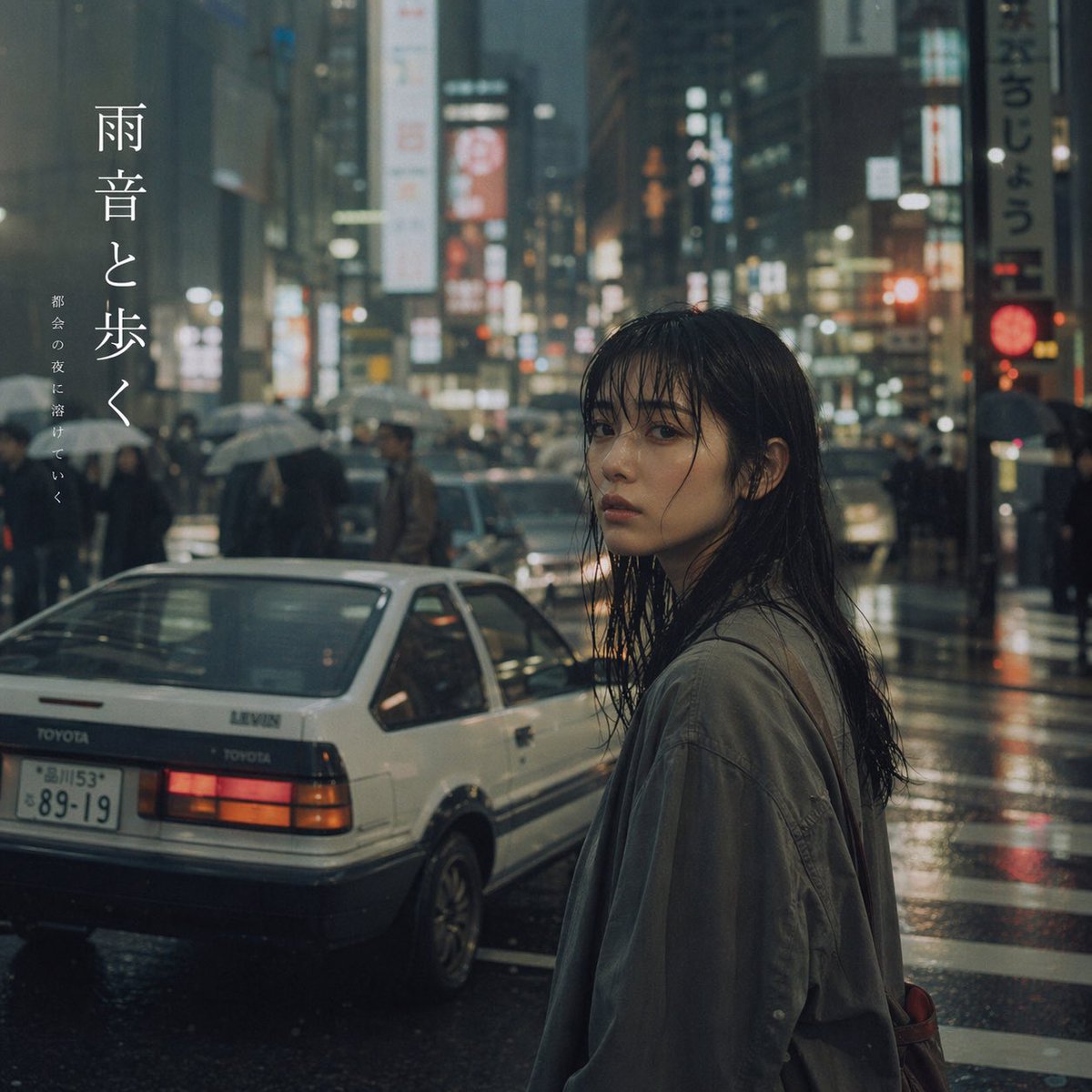
Generate a moody, cinematic portrait of a woman in a rainy neon-lit city, complete with a vintage car and elegant vertical Japanese text overlay.
프롬프트 · EN
一张电影感十足、情绪浓郁的摄影作品,画面中一位年轻的亚裔女性在繁华的 argcity setting: 东京 雨夜街头回眸凝望。她湿漉漉的黑色长发贴在脸颊上,神情 argatmosphere: 忧郁,身穿一件宽松的灰绿色外套。街道湿润,倒映着城市模糊而闪烁的霓虹灯与交通信号灯。背景中,人群撑着雨伞穿行。她左侧的湿沥青路面上停着一辆 argcar model: 白色复古丰田 Levin 两厢车,红色的尾灯亮起,挂着日本车牌。图像左上方有优雅的竖排日文,大号衬线字体写着“argmain text: 雨音と歩く”,旁边配有较小的竖排文字“argsubtext: 都会の夜に溶けていく”。整体美学风格极具氛围感、写实且富有电影质感,捕捉到了城市喧嚣中那份宁静而内省的瞬间。
프롬프트 소개
Generate a moody, cinematic portrait of a woman in a rainy neon-lit city, complete with a vintage car and elegant vertical Japanese text overlay. Use it as a 컨셉 아트 starting point for GPT Image 2: keep the visual structure and style constraints intact, then swap in your own subject, brand, or scene.
Start by replacing city setting, atmosphere, car model, and main text, then keep the camera, composition, and material cues in the same order. This makes the output easier to compare across variations.
이 프롬프트 사용법
- Copy the full prompt text from this page.
- Select a compatible AI image generator like Sora 2 or a similar text-to-image model.
- Customize the variables in the curly braces
{}to change the city, mood, car, or text to match your vision. - Paste the customized prompt into the model's input field.
- Generate the image and review the cinematic, atmospheric result.


