
GPT Image 2AI 프롬프트
Hand-Drawn Photo Annotations — Japanese Journal Style Prompt
Turn any photo into a charming Japanese-style journal page with cute hand-drawn labels, arrows, and diary-like text annotations.
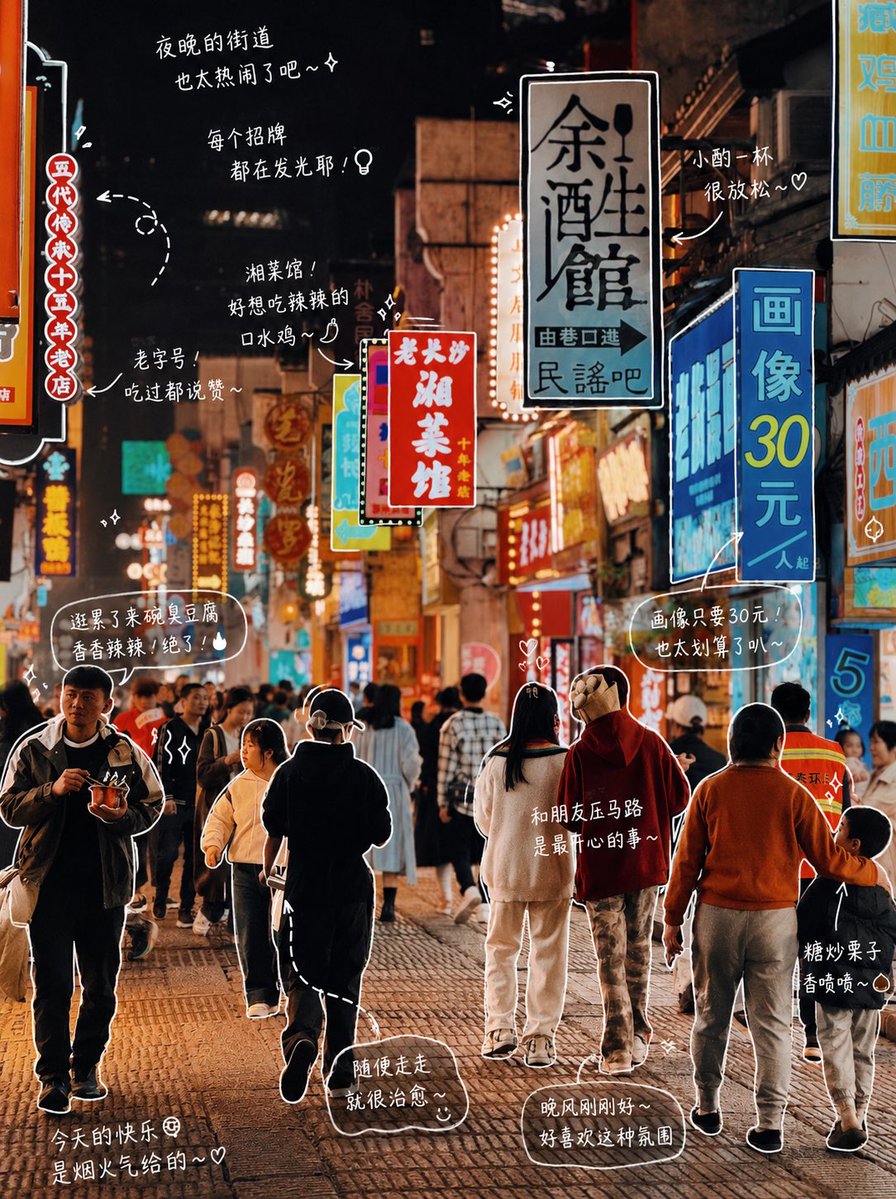
1 / 3
프롬프트 · EN
修改照片:请观察照片中的元素,并为每个物体添加有意义的手绘风格标注。填入照片中的物体(例如:argitem list: 披萨, 汽水)。[绘画规则]:• 使用类似白色画笔的纤细手绘线条 • 一笔画风格,随意,略带不规则感 • 为物体添加轮廓线 • 使用箭头或虚线进行视觉引导。[文字规则]:• 手写字体(日系可爱风格) • 短句,如同自言自语 • 带有情感色彩的日记风格。[标注规则]:• 饮品 -> 口感、温度、心情(例如:清爽、微甜、刚刚好) • 食物 -> 质地、美味程度(例如:软糯、超级好吃) • 空间 -> 氛围(例如:非常放松,喜欢这种感觉) • 整体 -> 一句总结(例如:argmood summary: 今天有点小开心~)。[装饰]:• 适度添加蒸汽、闪光、爱心、星星和小表情等元素。不要过度装饰,保留留白。
프롬프트 소개
Turn any photo into a charming Japanese-style journal page with cute hand-drawn labels, arrows, and diary-like text annotations. Use it as a 컨셉 아트 starting point for GPT Image 2: keep the visual structure and style constraints intact, then swap in your own subject, brand, or scene.
Start by replacing item list and mood summary, then keep the camera, composition, and material cues in the same order. This makes the output easier to compare across variations.
이 프롬프트 사용법
- Copy the entire prompt into your preferred AI image model that supports image editing and text generation.
- Upload or select the photo you want to annotate.
- Replace the default item list (e.g., pizza, soda) with the actual objects visible in your photo.
- Adjust the mood summary line to match your desired emotional tone.
- Generate and review — tweak the decoration level or text style if needed.


