
GPT Image 2AI 프롬프트
Bugatti Chiron Photorealistic Prompt — Notre-Dame Cathedral
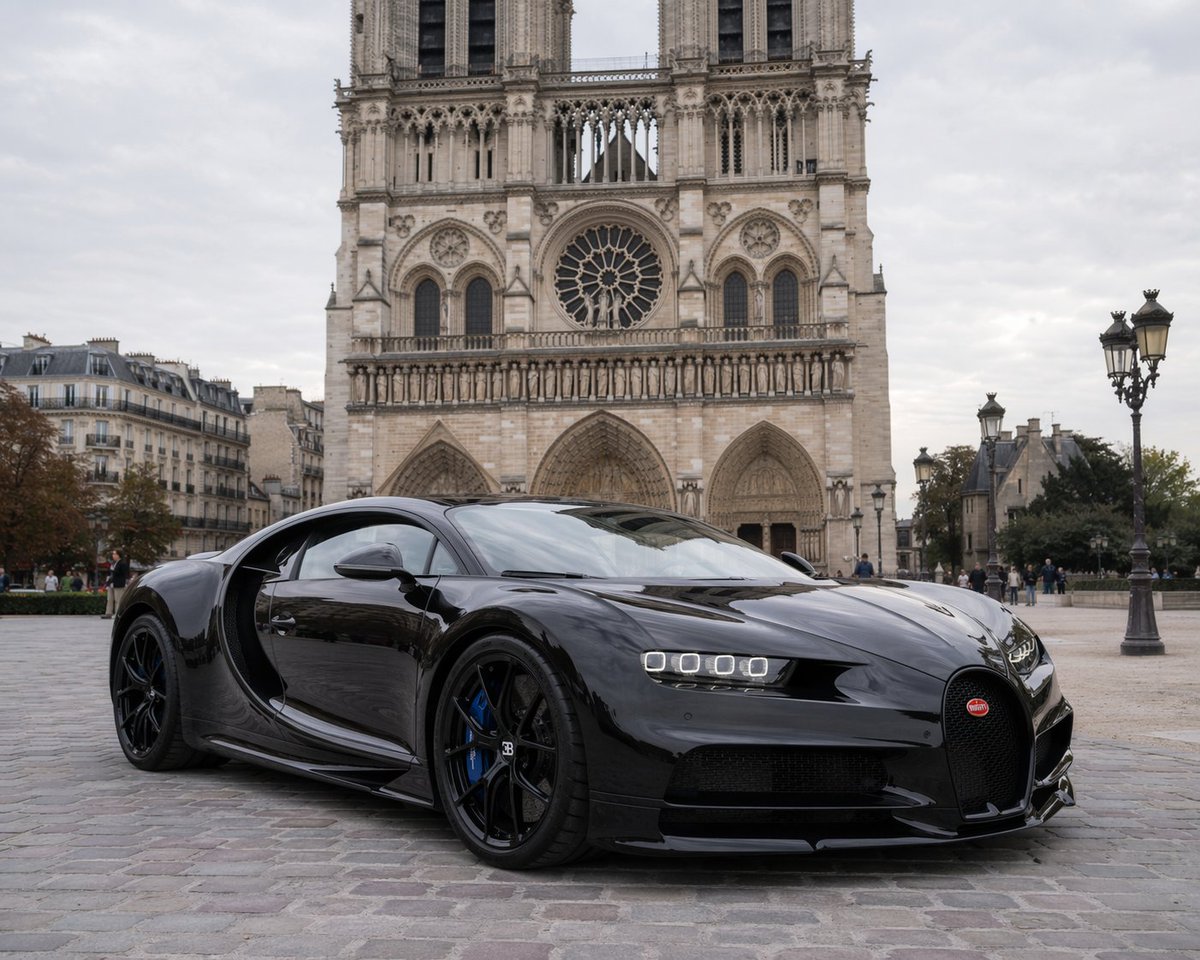
Generate a photorealistic image of a black Bugatti Chiron supercar in front of Notre-Dame Cathedral, with Parisian street details and low-angle view.
프롬프트 · EN
一张照片级的汽车摄影作品,展示了一辆停在鹅卵石广场上的时尚、光泽黑色 argcar model: Bugatti Chiron。这辆超级跑车拥有标志性的马蹄形格栅和红色徽标、明亮的四方形 LED 前大灯、黑色合金轮毂以及引人注目的 argbrake caliper color: blue 制动卡钳。其高反射表面映照出周围的环境。背景中矗立着巴黎宏伟的 arglandmark: Notre-Dame Cathedral,展现了其复杂的哥特式建筑风格、双塔、中央玫瑰窗和拱形入口。左侧可见经典的巴黎公寓楼,右侧排列着华丽的复古路灯。远处,几名行人走在 argweather/sky: overcast 的天空下。图像采用略微低的角度拍摄,以强调汽车极具侵略性的空气动力学姿态。
프롬프트 소개
Generate a photorealistic image of a black Bugatti Chiron supercar in front of Notre-Dame Cathedral, with Parisian street details and low-angle view. Use it as a 컨셉 아트 starting point for GPT Image 2: keep the visual structure and style constraints intact, then swap in your own subject, brand, or scene.
Start by replacing car model, brake caliper color, landmark, and weather/sky, then keep the camera, composition, and material cues in the same order. This makes the output easier to compare across variations.
이 프롬프트 사용법
- Copy the prompt and paste it into your Sora 2 AI model interface.
- Replace the
car model,landmark, orbrake caliper colorarguments to customize the scene (e.g., change to Lamborghini at the Eiffel Tower). - Set the output to high resolution and enable photorealism mode if available.
- Run the generation and review the result; tweak the angle or lighting variables as needed.
- Download or share your stunning car-and-landmark composition.


