
GPT Image 2AI 프롬프트
Gothic Portrait Makeover — Sora 2 Prompt
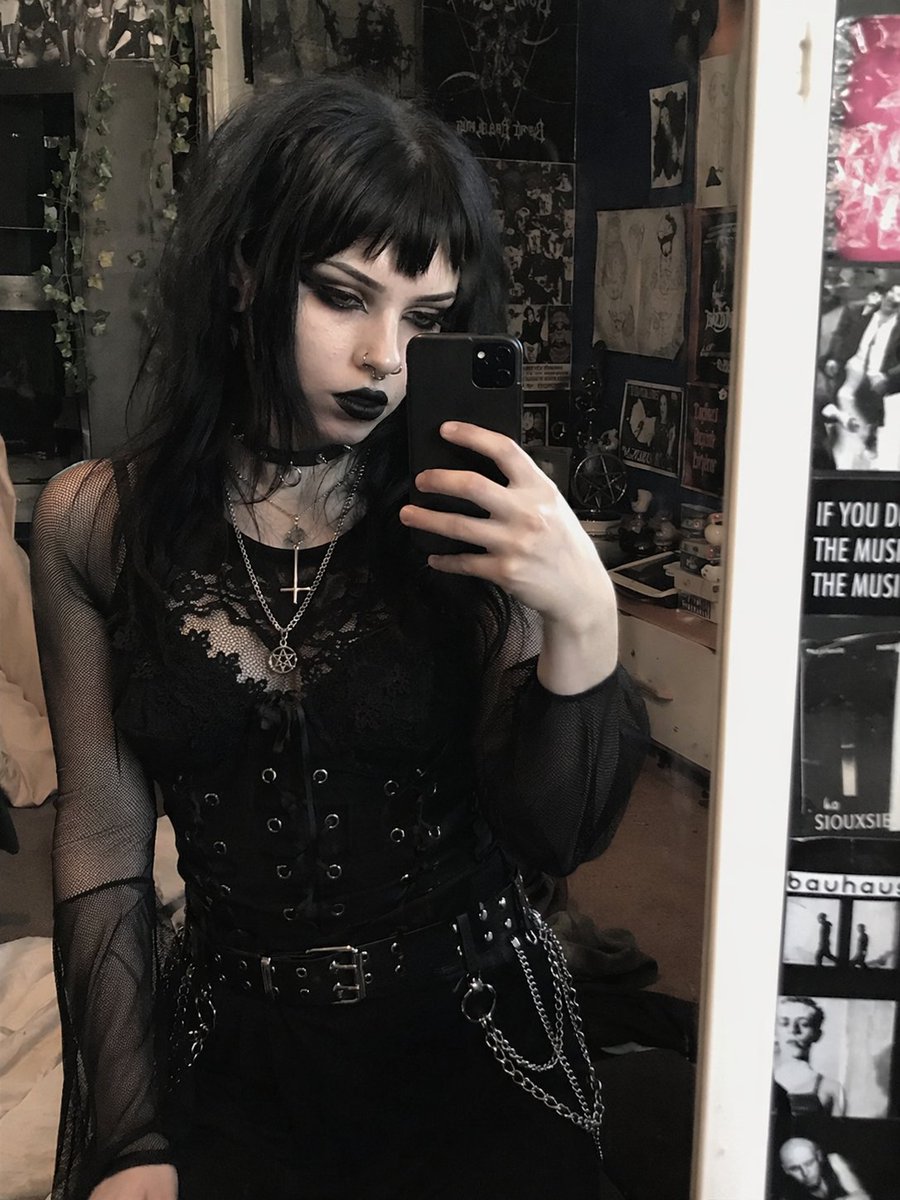
Transform a portrait into a dark, customizable gothic aesthetic with piercings, jewelry, and dramatic makeup while preserving the original pose and outfit.
프롬프트 · EN
使用 REFERENCE_0,将主体外观转换为 argstyle: 传统哥特 美学风格,同时保留其精确的姿势、服装结构和背景。将她的头发改为 arghair color: 黑色,并配以 arghair style: 碎刘海。打造浓郁的暗黑妆容,特别是 arglip color: 黑色 唇膏和深邃的暗色眼影,并将肤色调整得稍微苍白一些。添加 2 处面部穿孔:一个鼻中隔环和一个鼻钉。最后,将她叠戴的项链修改为 argnecklace pendants: 倒十字架和五角星 吊坠。
프롬프트 소개
Transform a portrait into a dark, customizable gothic aesthetic with piercings, jewelry, and dramatic makeup while preserving the original pose and outfit. Use it as a 컨셉 아트 starting point for GPT Image 2: keep the visual structure and style constraints intact, then swap in your own subject, brand, or scene.
Start by replacing style, hair color, hair style, and lip color, then keep the camera, composition, and material cues in the same order. This makes the output easier to compare across variations.
이 프롬프트 사용법
- Copy the full prompt text into the Sora 2 text field.
- Select the Sora 2 model (or your preferred compatible model).
- Edit the variables (style, hair color, lip color, pendants) inside the curly braces to customize the look.
- Click Generate and review the output.
- Tweak any variable and regenerate for a perfect result.


